

The best Chrome extension for lead generation in 2026 depends on where your prospects live online. If you need emails from LinkedIn, phone numbers from Facebook, and business contacts from Google search results all in one workflow, a multi-source extractor like All-in-One LeadUtility Suite is the clear front-runner. If you only need one data type from one platform, a single-purpose tool may be enough. This guide ranks the top options by data coverage, ease of use, and value so you can choose without guessing.
In this article
- What to look for in a lead generation Chrome extension
- The best Chrome extensions for lead generation in 2026
- Side-by-side comparison
- Which tool is right for your use case?
- Frequently asked questions
What Should You Look for in a Lead Generation Chrome Extension?
Not all lead extractors are built the same. Before downloading anything, evaluate each tool against these five criteria:
- Data sources: Does it pull from the platforms where your target audience actually spends time? LinkedIn, Facebook, Instagram, YouTube, and Google SERPs are table stakes in 2026.
- Data types: Email-only tools miss a large share of prospects who are easier to reach by phone or WhatsApp. Prioritize tools that extract both emails and phone numbers.
- Validation: Raw extraction without verification produces bounce rates above 30%. Built-in email validation is not optional for serious prospectors.
- Export options: Your leads are useless if you cannot get them into your CRM or cold email tool. CSV and Excel export should be standard.
- Pricing model: Monthly subscriptions add up fast. Several strong tools offer a one-time payment with lifetime access, which is the better deal for high-volume users.
With those filters in mind, here are the tools that made the cut.
What Are the Best Chrome Extensions for Lead Generation in 2026?
1. All-in-One LeadUtility Suite — Best Overall
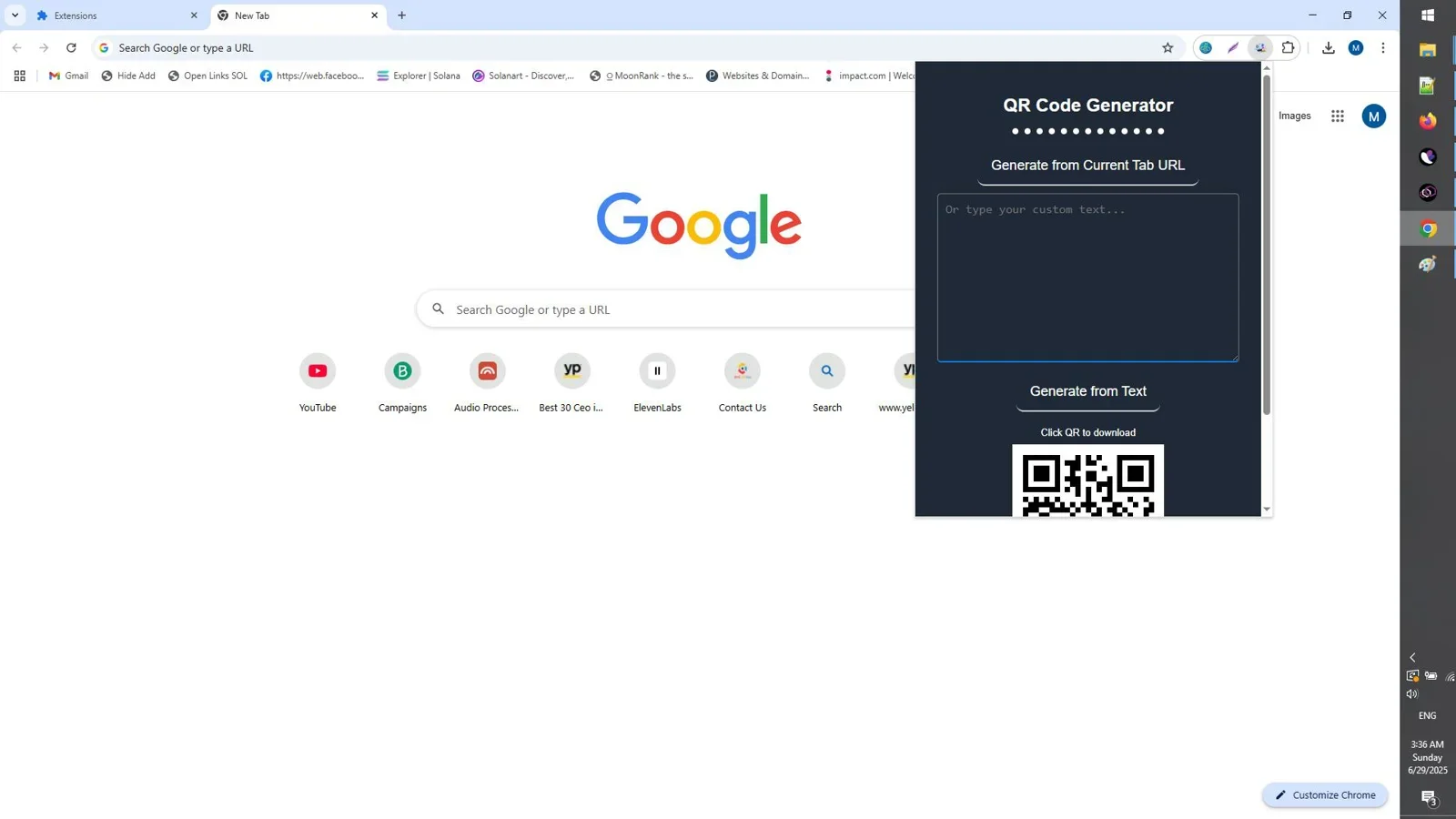
All-in-One LeadUtility Suite earns the top spot because it solves the full lead generation workflow in a single Chrome extension. Most tools extract data; this one extracts, validates, and organizes it. You get verified emails, phone numbers, and business data pulled simultaneously from social networks (LinkedIn, Facebook, Instagram, Twitter/X, YouTube), business directories, and Google SERPs.
The multi-source approach is what separates it from the pack. Competitors force you to run separate extensions for social platforms and separate tools for directory scraping. LeadUtility Suite handles both in one session, cuts your prospecting time in half, and delivers a clean, export-ready list every time.

Extract, validate, and organize emails, phone numbers, and business data from social networks, directories, and SERPs in one Chrome extension.
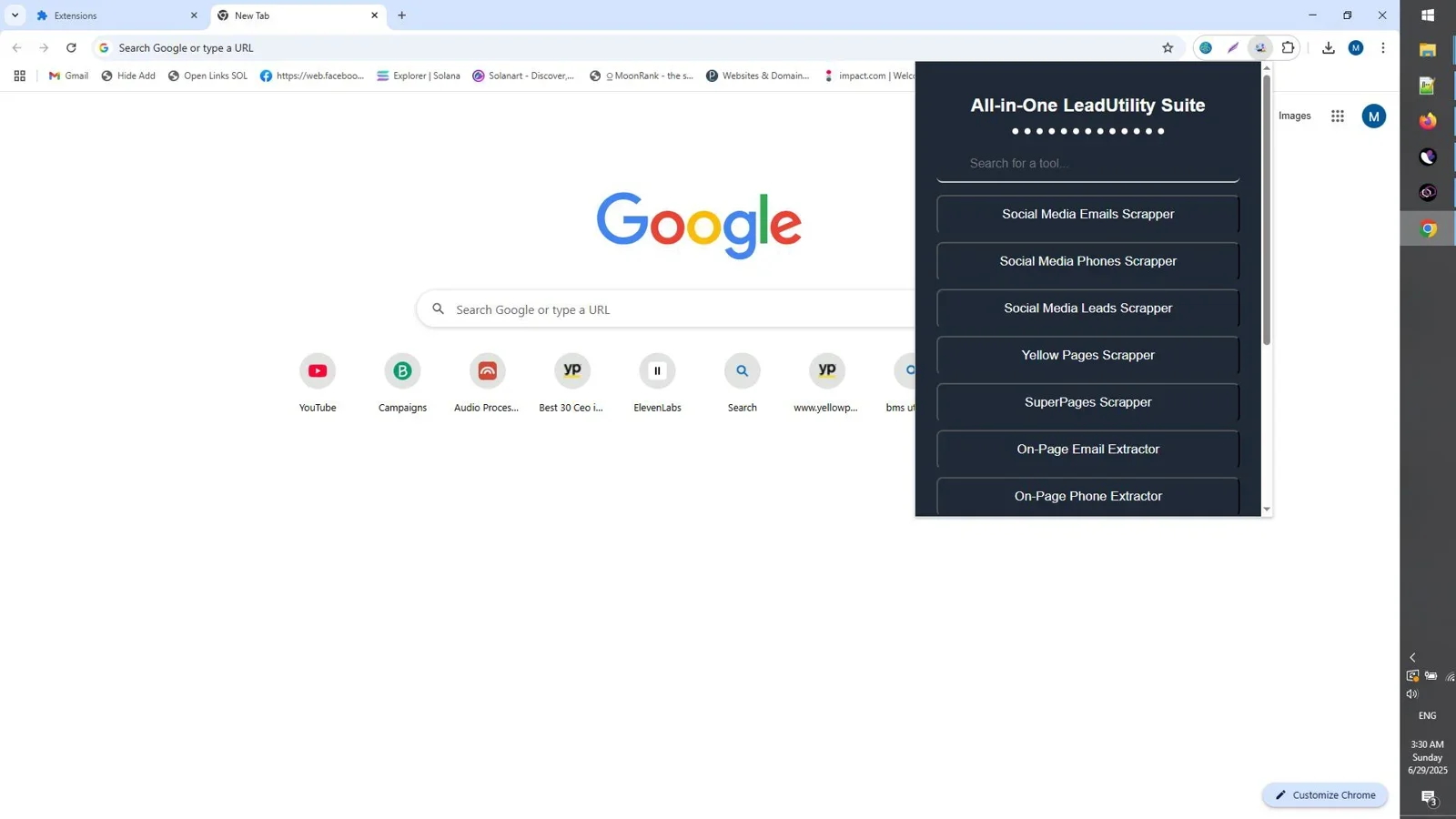
Best for: B2B marketers, sales teams, and agencies who prospect across multiple platforms and need clean, validated data without juggling multiple tools.
Pricing model: One-time payment, lifetime access.
2. SocialMail Hunter — Best for Email-Only Social Extraction
SocialMail Hunter is a focused Chrome extension that extracts targeted emails from 9 top social platforms using keyword and domain filters. It is a strong choice when your prospecting is confined to social media and you do not need phone numbers or directory data. The keyword-filter system lets you narrow extraction to a specific niche or geography, which keeps your list quality high.

Keyword-filtered email extraction from 9 major social platforms. Simple, fast, and focused.
Best for: Marketers whose leads come entirely from social media and who do not need phone numbers or SERP data.
3. Yellow Pages Leads Scraper — Best for Local B2B Prospecting
For agencies and sales teams targeting local businesses, Yellow Pages Leads Scraper pulls business name, phone, email, website, and address from Yellow Pages with a single click. It is purpose-built for local lead generation and delivers structured, export-ready data faster than any manual research workflow. The trade-off is obvious: it only works on Yellow Pages, so it is a specialist tool, not a general-purpose extractor.

One-click extraction of business name, phone, email, website, and address from Yellow Pages. Built for local prospecting at scale.
Best for: Local marketing agencies, door-to-door sales, and SMB-focused outreach teams.
4. SearchLead Extractor — Best for Speed
SearchLead Extractor is built for speed. This Chrome extension pulls verified business and personal emails, phone numbers, and leads from top social platforms with a focus on rapid extraction. If you need a large volume of leads in a short session, SearchLead is worth evaluating alongside LeadUtility Suite. It lacks the multi-source SERP and directory coverage of the top pick, but for pure social extraction volume it is one of the fastest options available.
How Do These Lead Generation Chrome Extensions Compare?
| Tool | Email Extraction | Phone Extraction | SERP + Directory | Built-in Validation | Pricing |
|---|---|---|---|---|---|
| All-in-One LeadUtility Suite | Yes | Yes | Yes | Yes | One-time |
| SocialMail Hunter | Yes | No | No | No | One-time |
| Yellow Pages Leads Scraper | Yes | Yes | No | No | One-time |
| SearchLead Extractor | Yes | Yes | No | Yes | One-time |
Which Lead Generation Chrome Extension Is Right for Your Use Case?
The right tool depends on your prospecting targets, not the feature count:
- You prospect across LinkedIn, Facebook, Google, and directories: All-in-One LeadUtility Suite. It is the only tool on this list that covers all four sources with validation included.
- You only target social media and only need emails: SocialMail Hunter is simpler and purpose-built for this workflow.
- You sell to local businesses and all your targets are on Yellow Pages: Yellow Pages Leads Scraper delivers the fastest results for that specific use case.
- You need maximum extraction volume from social platforms: SearchLead Extractor is worth testing for high-speed bulk collection.
For most B2B marketers and sales teams who prospect across multiple channels, the multi-source coverage of All-in-One LeadUtility Suite justifies the investment and eliminates the need for three or four separate tools.
Final Verdict
Who should use this product?
All-in-One LeadUtility Suite is the right choice for B2B marketers, growth agencies, freelance outreach specialists, and sales teams who need verified emails and phone numbers from social networks, Google SERPs, and business directories without paying a monthly subscription. If your lead generation spans more than one platform, a single multi-source tool beats buying multiple point solutions every time.
Overall Rating: 4.8 / 5
Frequently Asked Questions
What is the best free Chrome extension for lead generation?
Truly free lead generation extensions are rare and typically impose strict daily caps. Most reliable tools in 2026 offer a one-time paid license rather than a free tier, which is a better long-term value than subscription tools that charge $49 to $99 per month. All-in-One LeadUtility Suite offers lifetime access for a single payment, making it more cost-effective than most "freemium" alternatives after two to three months of use.
Is it legal to extract emails from social media using a Chrome extension?
Legality depends on how the data is used and where you operate. Extracting publicly visible contact information for legitimate B2B outreach is generally permitted under most jurisdictions, but you must comply with GDPR in Europe, CAN-SPAM in the US, and CASL in Canada when sending emails. Always verify that your outreach complies with applicable laws and the platform's terms of service before running large-scale campaigns.
Can a Chrome extension extract phone numbers as well as emails?
Yes. Multi-purpose tools like All-in-One LeadUtility Suite and SearchLead Extractor extract both emails and phone numbers from social platforms and directories in a single pass. Single-purpose tools like SocialMail Hunter only capture email addresses.
How do I avoid getting blocked while scraping leads?
Use extraction tools that include built-in rate limiting and randomized request intervals. Running extractions at human-like speeds, avoiding bulk scraping sessions on a single account, and rotating sessions across different profiles significantly reduces the risk of being flagged. According to Google's crawling guidelines, automated requests should always respect server load and crawl budgets.
What should I do with leads after extracting them?
Validate the list to remove bounced or invalid addresses, then segment by industry, job title, or geography before importing into your CRM or cold email platform. Tools with built-in validation like All-in-One LeadUtility Suite handle the first step automatically, so you spend time on outreach rather than list hygiene.
Do I need a subscription to use these Chrome extensions?
Not for the tools on this list. All four options above offer one-time payment models, which makes them significantly cheaper than subscription-based alternatives like Hunter.io or Apollo.io over a 12-month period.
Stop Paying Monthly for Leads You Can Own
All-in-One LeadUtility Suite extracts verified emails, phone numbers, and business data from social networks, directories, and Google — one payment, lifetime access.
Get Lifetime Access →One-time payment. No subscription. No recurring fees.



Comments (0)
Leave a Comment