
The best online background remover tools 2026 alternatives for Windows users are local AI desktop applications that process media assets 100% offline. Unlike cloud-based editing platforms that impose monthly subscription tiers, file size caps, and server privacy risks, offline AI software suites like BackErase, Cerebrum Scale, and ViralClippr harness your local hardware to deliver instant batch processing with lifetime privacy and zero recurring API costs.
In this article
- The Shift Toward Local Offline AI in 2026
- Top 5 Offline AI Tools for Windows
- Side-by-Side Tool Comparison Table
- Building an End-to-End Offline Production Pipeline
- Frequently Asked Questions
The Shift Toward Local Offline AI in 2026
As digital media production grows, relying solely on web-based subscription tools creates notable operational bottlenecks. Content creators, e-commerce sellers, and marketers are transitioning to offline desktop software for three key reasons:
- Uncompromised Data Privacy: Confidential product photos, unreleased promotional videos, and internal branding assets remain stored safely on your local hard drive.
- Unlimited Batch Capacity: Desktop tools process thousands of image or video files without charging per-resolution credits or monthly API usage fees.
- Consistent Hardware Performance: Offline software operates at full GPU and CPU speeds regardless of internet connection stability or web server downtime.
Top 5 Offline AI Tools for Windows
1. BackErase - AI Background Remover
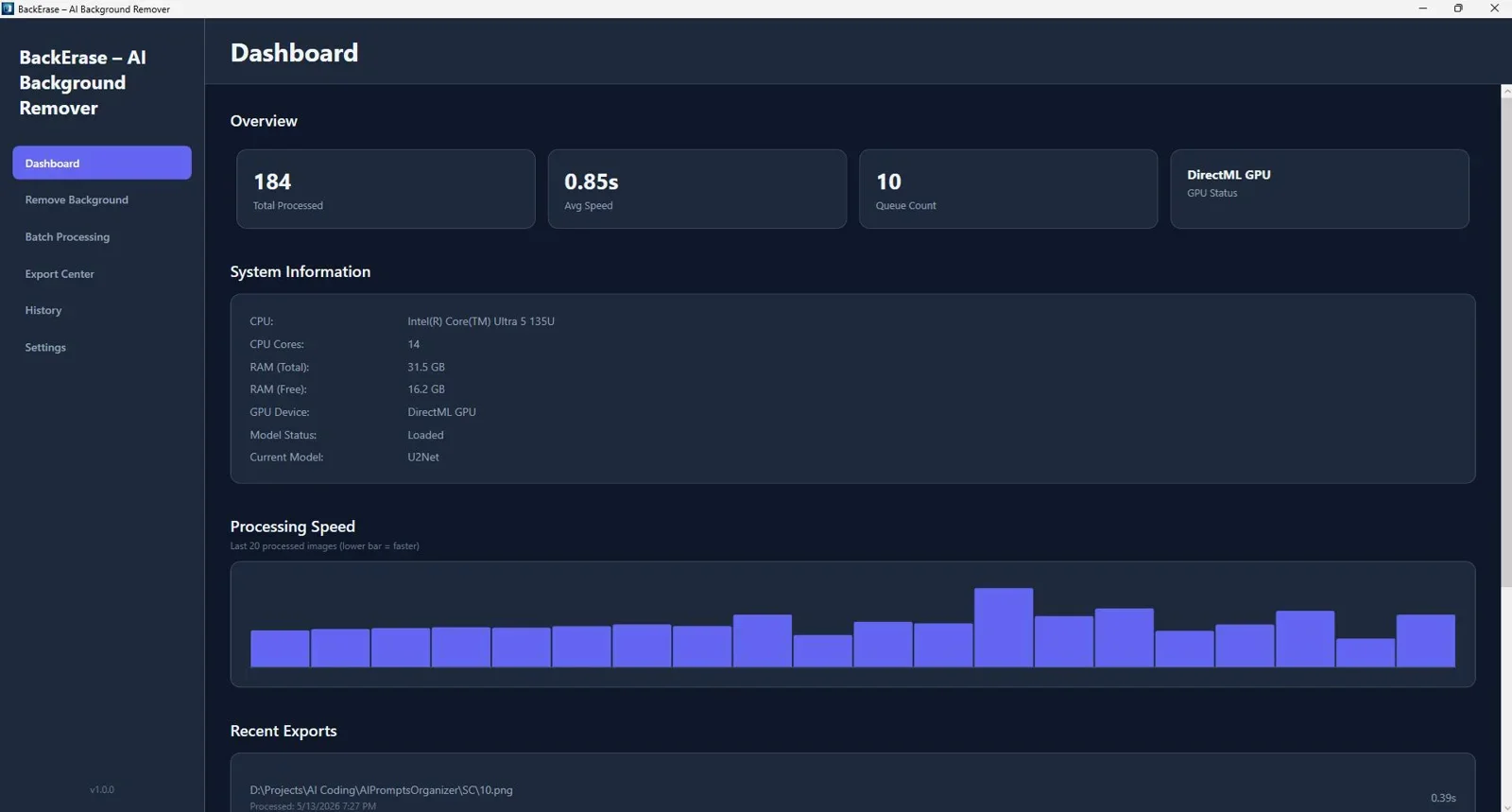
BackErase is a dedicated desktop application designed for fast object isolation and background removal on Windows. It accurately handles sub-pixel edge boundaries such as hair, fur, and complex product outlines across single photos or large batch folders.

Offline AI background remover for Windows that delivers fast, accurate cutouts from single photos or large batches with zero internet needed.
2. Cerebrum Scale : AI Offline Bulk Images Upscaler
Cerebrum Scale enlarges photos and low-resolution graphics up to 8x using local neural upscaling. It sharpens blurry details, removes noise, and enhances image fidelity without sending data to cloud servers.

High-speed batch image upscaler for Windows that enlarges photos up to 8x with pro-level clarity.
3. ViralClippr : AI Offline Video to Shorts Generator
ViralClippr automatically converts long-form video recordings into engaging vertical clips for YouTube Shorts and TikTok. Operating completely offline, it analyzes video transcripts, crops subjects, and detects silence locally.

Transform long-form videos into high-converting short clips and vertical reels 100% offline.
4. FotoProtect : Bulk Watermark Images
FotoProtect enables visual creators and stock photographers to apply custom text and logo watermarks to hundreds of images in seconds. It provides smart positioning presets and local batch exporting.
5. StoreSizer : Bulk Image Optimizer
StoreSizer converts, resizes, and compresses image files (JPG, PNG, WebP) locally for Shopify and web platforms. It streamlines store image optimization without relying on online file conversion tools.
Side-by-Side Tool Comparison Table
Review how these top 5 offline desktop AI applications compare across key workflow features:
| Software Tool | Core Function | Offline Operation | Target Audience |
|---|---|---|---|
| BackErase | AI Background Removal | 100% Local PC Engine | E-commerce sellers & designers |
| Cerebrum Scale | 8x Neural Image Upscaling | 100% Local PC Engine | Photographers & digital artists |
| ViralClippr | Video to Shorts Generator | 100% Local PC Engine | YouTubers & social media managers |
| FotoProtect | Bulk Watermarking | 100% Local PC Engine | Stock creators & brand owners |
| StoreSizer | Image Compression & Resize | 100% Local PC Engine | Shopify & WooCommerce stores |
Building an End-to-End Offline Production Pipeline
Combining standalone desktop utilities creates a powerful media creation pipeline. For instance, after removing image backgrounds with BackErase, you can upscale your assets with Cerebrum Scale and optimize file sizes with StoreSizer before web publishing.
For detailed step-by-step guidance on bulk background removal, check out our guide on How to Remove Image Backgrounds in Bulk Offline or review our Best Offline Background Remover Tools for PC Guide.
Final Verdict
Who should use offline AI tools?
Desktop AI processing software is ideal for professionals, marketers, and e-commerce store operators who require high-speed asset editing, maximum privacy, and zero monthly cloud subscription costs.
Overall Rating: 4.9 / 5
Frequently Asked Questions
Why are offline AI tools better than online web services?
Offline tools process media directly on your PC hardware. They eliminate file upload waits, protect confidential media from server exposure, and allow unlimited processing without credit limits.
Do these desktop applications require active internet connections?
No. Once installed on your computer, tools like BackErase, Cerebrum Scale, and ViralClippr run 100% locally without an active internet connection or external API key.
What hardware is required for local AI processing on Windows?
Standard Windows PCs with multi-core CPUs and modern integrated or dedicated GPUs deliver fast local processing for image upscaling, background removal, and video cutting.
Ready to Upgrade to Offline AI Media Tools?
Supercharge your Windows workstation with privacy-first AI background removal, upscaling, and video editing tools.
Get BackErase - AI Background Remover →Instant download for Windows - Lifetime access with local processing.



Comments (0)
Leave a Comment