
The fastest way to get professional-looking product visuals without hiring a designer is to use an AI mockup or design tool built for non-designers, not a full design suite like Photoshop. In 2026, tools like Mockups Prompts Library, Etsy Mockups Generator Studio, and AiProductizer let anyone drop in an image or idea and get a clean, realistic visual back in minutes. Below, we break down which one fits your specific use case, whether you're selling on Etsy, building a brand, or creating digital products to sell.
In this article
- What makes a mockup tool actually work for non-designers
- Quick comparison table
- Mockups Prompts Library
- Etsy Mockups Generator Studio
- AiProductizer
- Common mistakes to avoid
- How to choose between them
- FAQ
What Makes a Mockup Tool Actually Work for Non-Designers?
Not every "AI design tool" delivers on that promise. Most graphic design tools for non-designers still expect you to understand layers, layout grids, or brand kits, which defeats the point. The tools that actually work share three things in common: they use plain-language prompts instead of a design canvas, they produce output that looks like a real product photo rather than an obvious template, and they let you generate in bulk instead of one image at a time.
That third point matters more than people expect. If you're selling on Etsy or Amazon, you don't need one mockup, you need a full set across colors, angles, and product types. A tool that forces you to start from scratch each time will eat the hours it was supposed to save you.
Quick Comparison: Best Mockup and Design Tools for Non-Designers (2026)
| Tool | Best For | Output Type | Skill Needed |
|---|---|---|---|
| Mockups Prompts Library | Books, apparel, packaging visuals | Realistic AI-generated mockups | None |
| Etsy Mockups Generator Studio | Etsy sellers (t-shirts, wall art) | Product listing images | None |
| AiProductizer | Digital product and printable creators | 30+ printable/digital asset types | None |
Mockups Prompts Library: Best for Fast, Realistic Product Visuals
Mockups Prompts Library is exactly what it sounds like: a curated set of 1,980 ready-to-use prompts that turn a plain product photo into a realistic mockup for books, apparel, packaging, and more. Instead of learning prompt engineering or fighting with a design tool to get lighting and shadows right, you pick a prompt built for the specific product type you need and generate the visual in a couple of clicks.
This is the strongest option on this list if your main bottleneck is variety. Selling five different products across three marketplaces means you'd otherwise need five different mockup templates. With a library this large, you're far more likely to find a prompt that already matches your product category and style.
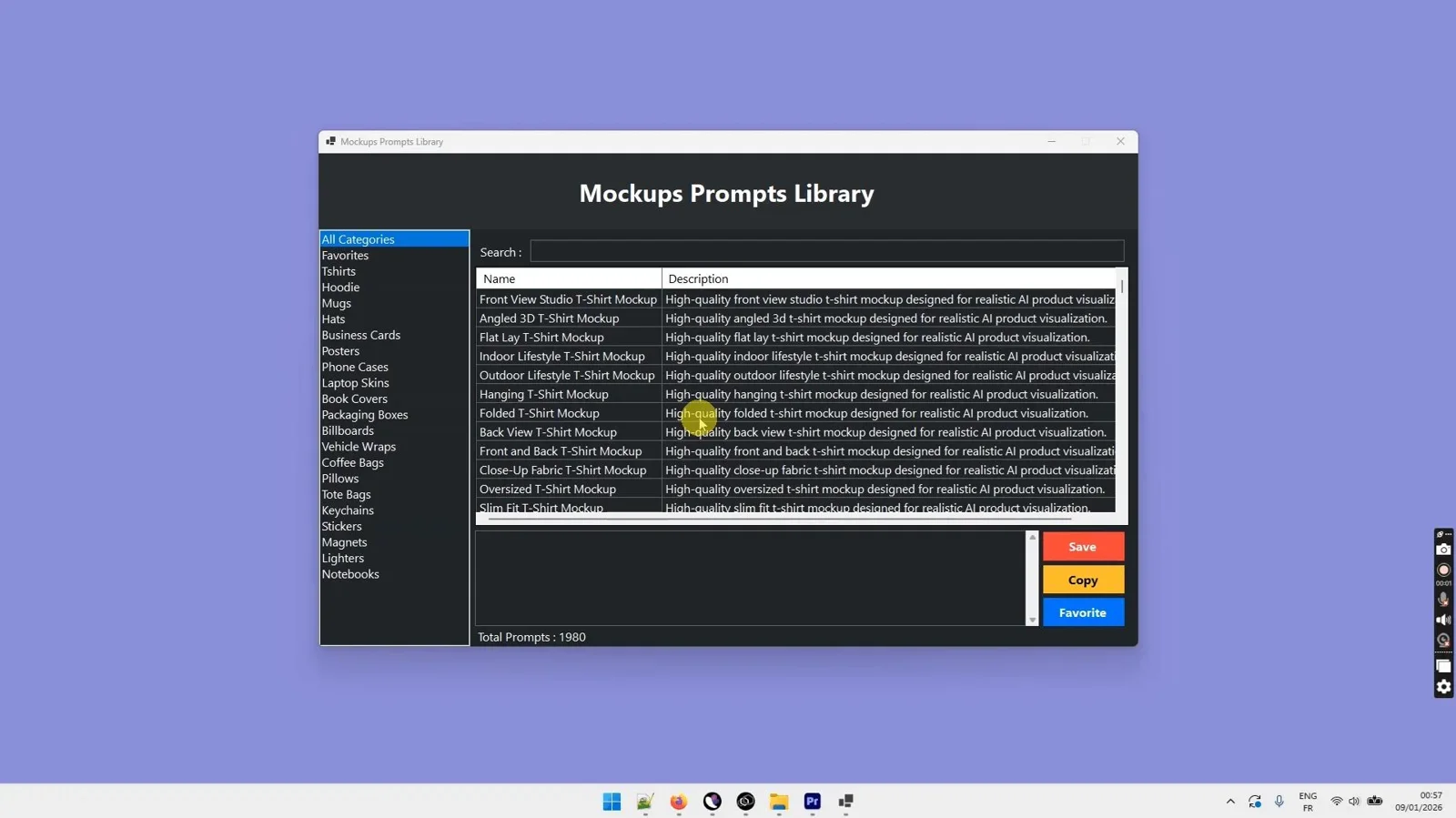
1,980 ready-to-use prompts for realistic product mockups, no design skills required.
Etsy Mockups Generator Studio: Best for Etsy Sellers
If you sell on Etsy, generic mockups don't always fit your listing format. Etsy Mockups Generator Studio is built specifically for that: a Windows app that generates professional t-shirt and wall art images tailored to the visual style Etsy shoppers expect from a listing that converts.
The value here isn't just the images themselves, it's the time you get back. Sellers who used to pay a freelance designer per listing, or spend an evening in Canva trying to match competitor quality, can generate a full batch of on-brand listing photos in the time it takes to make coffee.
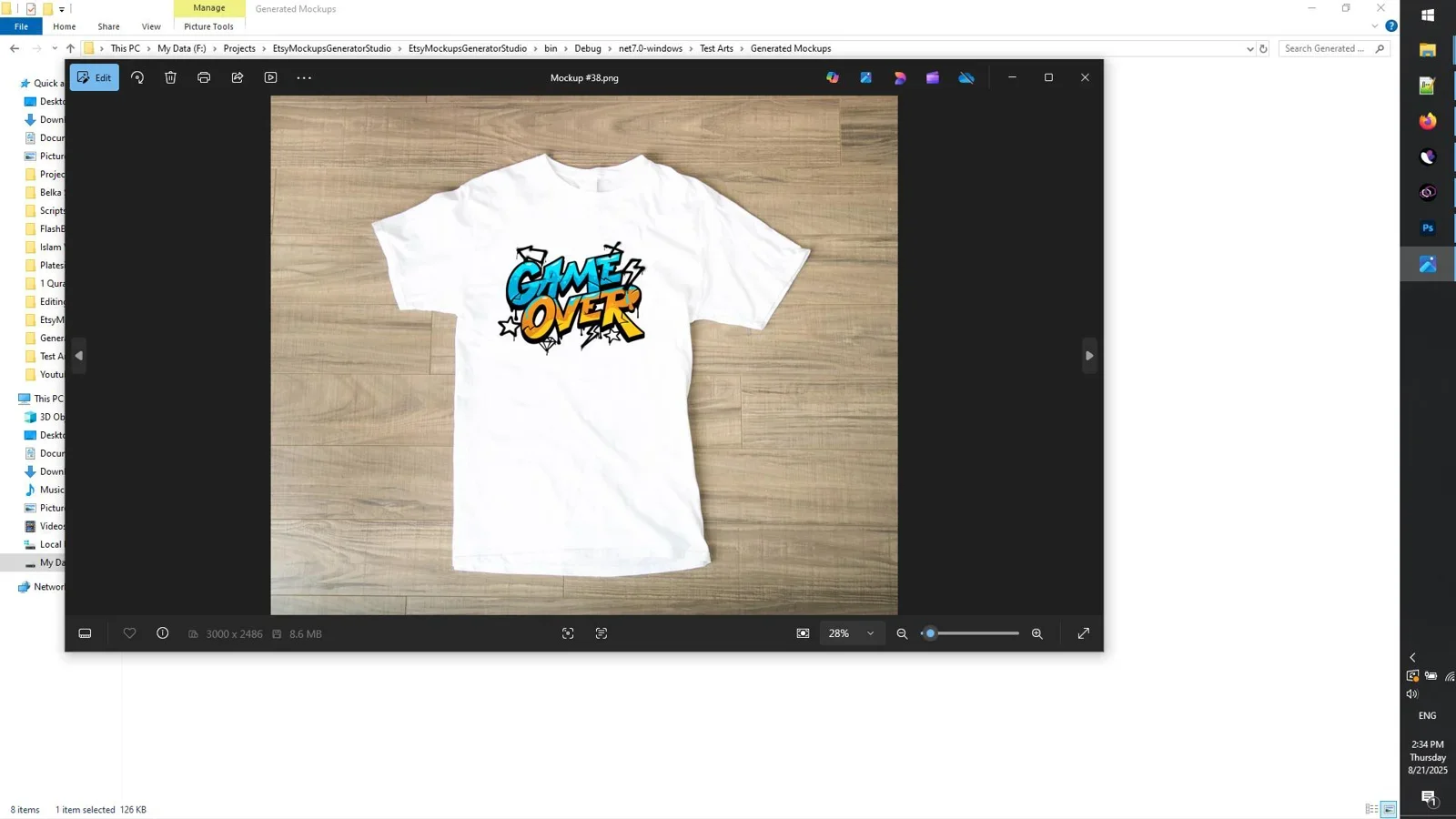
Professional t-shirt and wall art mockups built for Etsy listings, fast and without a designer.
AiProductizer: Best for Digital Product Creators
AiProductizer takes a different angle. Rather than focusing on mockups for physical products, it's a generator for the digital products themselves, more than 30 types of printables and digital assets, exported straight to PNG or PDF. If you sell planners, worksheets, or other digital downloads, this covers both the creation and the packaging in one workflow.
The unlimited generation model, using your own API key, is worth flagging for anyone planning to build a large catalog. Instead of paying per output or hitting a monthly cap, you can produce as many variations as your product line needs.
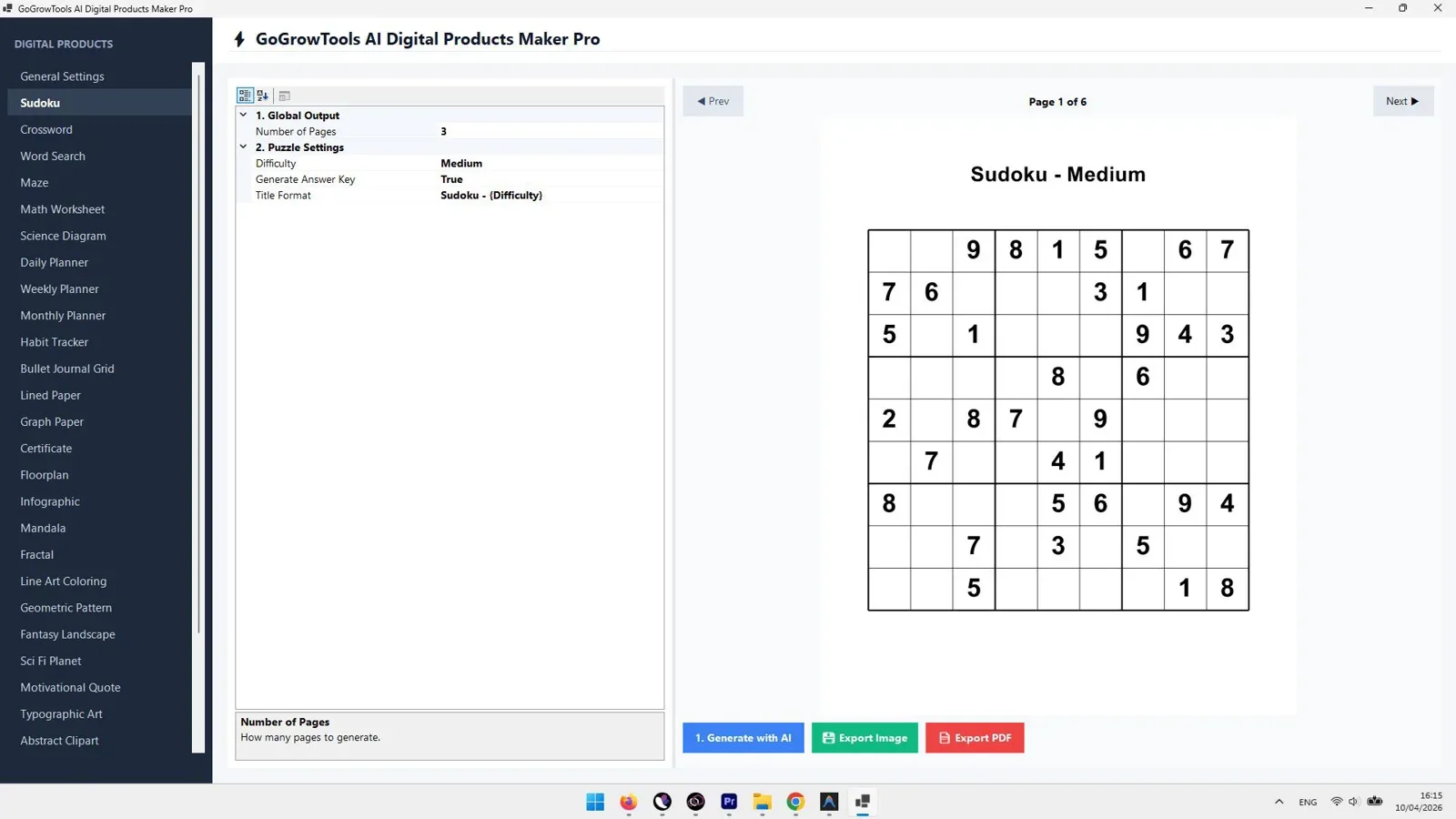
Generate 30+ types of printables and digital assets fast, unlimited output with your own API key.
Common Mistakes People Make When Choosing a Mockup Tool
The biggest mistake is picking a tool based on how good its marketing screenshots look rather than how it handles your actual product photos. Plenty of AI mockup generators look great in a demo video and then produce warped shadows or awkward placement once you upload a real image. Before committing to any tool, generate a mockup using one of your own product photos, not a stock image, and judge it on that result.
Another common mistake is underestimating how much time bulk generation saves. If you're only ever going to need one or two mockups a month, almost any tool will do. But if you're running an Etsy shop, an Amazon storefront, or a KDP catalog with dozens of active listings, the difference between generating one image at a time and generating a full batch in one pass adds up to hours every week. Factor that into which tool you pick, not just the price tag.
Finally, watch out for tools that lock core features, like exporting at full resolution or removing a watermark, behind a separate upgrade. Read the feature list closely rather than assuming "AI mockup generator" means the same thing across every product.
How Do You Choose Between Them?
The honest answer is that these three tools solve slightly different problems, so the right pick depends on what you're actually making. If you need mockups for a wide range of physical products, book covers, apparel, packaging, start with Mockups Prompts Library for the sheer range of prompts available. If your business is specifically Etsy, the Etsy Mockups Generator Studio is built around that platform's listing style and will save you the most time per listing. And if what you're really building is the digital product itself, not just a mockup of it, AiProductizer covers that from generation to export.
Plenty of sellers end up using two of these together: AiProductizer to build the digital product, then a mockup tool to present it. That combination alone can replace the design step that used to require outsourcing.
Final Verdict
Who should use this tool?
Anyone selling products online, physical or digital, who needs professional visuals without hiring a designer or learning design software. Mockups Prompts Library wins on range and flexibility, Etsy Mockups Generator Studio wins on platform-specific speed, and AiProductizer wins if you're generating the product itself, not just its presentation.
Overall Rating: 4.6 / 5
Frequently Asked Questions
What is the best graphic design tool for non-designers in 2026?
For most people, it depends on the output you need. Mockups Prompts Library is the best general-purpose option because of its size and range, while Etsy Mockups Generator Studio and AiProductizer serve more specific use cases around Etsy listings and digital product creation.
Do I need Photoshop skills to use these tools?
No. All three tools are built specifically so people without design training can produce professional-looking visuals. You're selecting prompts or templates and generating output, not building layouts from scratch.
Can I use these tools for Etsy listings specifically?
Yes. Etsy Mockups Generator Studio is purpose-built for Etsy sellers, and Mockups Prompts Library also covers apparel and packaging styles that work well for Etsy listings.
Are these mockup tools a one-time purchase or a subscription?
Pricing and licensing details are available on each product's page linked in this article, so check there for the most current terms before buying.
What's the difference between a mockup tool and a digital product generator?
A mockup tool takes something you already have, like a design or logo, and places it into a realistic product photo. A digital product generator like AiProductizer creates the sellable asset itself, such as a printable or planner, from scratch.
Ready to Create Professional Visuals Without a Designer?
Pick the tool that matches what you're selling and start generating in minutes.
Check Pricing →See full feature breakdowns for all three tools above before you decide.


Comments (0)
Leave a Comment