

The best background removal service 2026 for privacy-minded professionals and e-commerce store operators is local desktop AI software that processes cutouts directly on your PC. Unlike web-based background removal tools that enforce strict credit limits, require cloud image uploads, and slow down with large batches, offline tools like BackErase - AI Background Remover execute instant AI object isolation locally with zero recurring API costs or data security risks.
In this article
- Why Choose Offline Background Removal in 2026?
- Essential Features of Desktop Cutout Software
- Comparison: Offline AI Software vs. Cloud Web Services
- Spotlight: BackErase - AI Background Remover
- How Offline Tools Handle WebP, PNG, and High-Res Images
- Frequently Asked Questions
Why Choose Offline Background Removal in 2026?
In recent years, many creators and sellers relied heavily on web subscriptions for image editing. However, as catalog sizes expand and image formats evolve, cloud-based tools present significant bottlenecks:
- Cloud Privacy Concerns: Uploading proprietary product photos, unreleased prototypes, or confidential personal portraits to external servers creates unnecessary compliance and security risks.
- Aggressive Credit Caps: Most web services charge per image cutout, turning a catalog update of 1,000 photos into a costly recurring expense.
- Bandwidth & Upload Bottlenecks: Batch uploading several gigabytes of high-resolution camera files or compressed WebP graphics severely slows down workflow efficiency.
By switching to dedicated PC background remover software, your image processing occurs 100% locally on your machine. You maintain complete control over your assets while benefiting from instant local GPU and CPU AI acceleration.

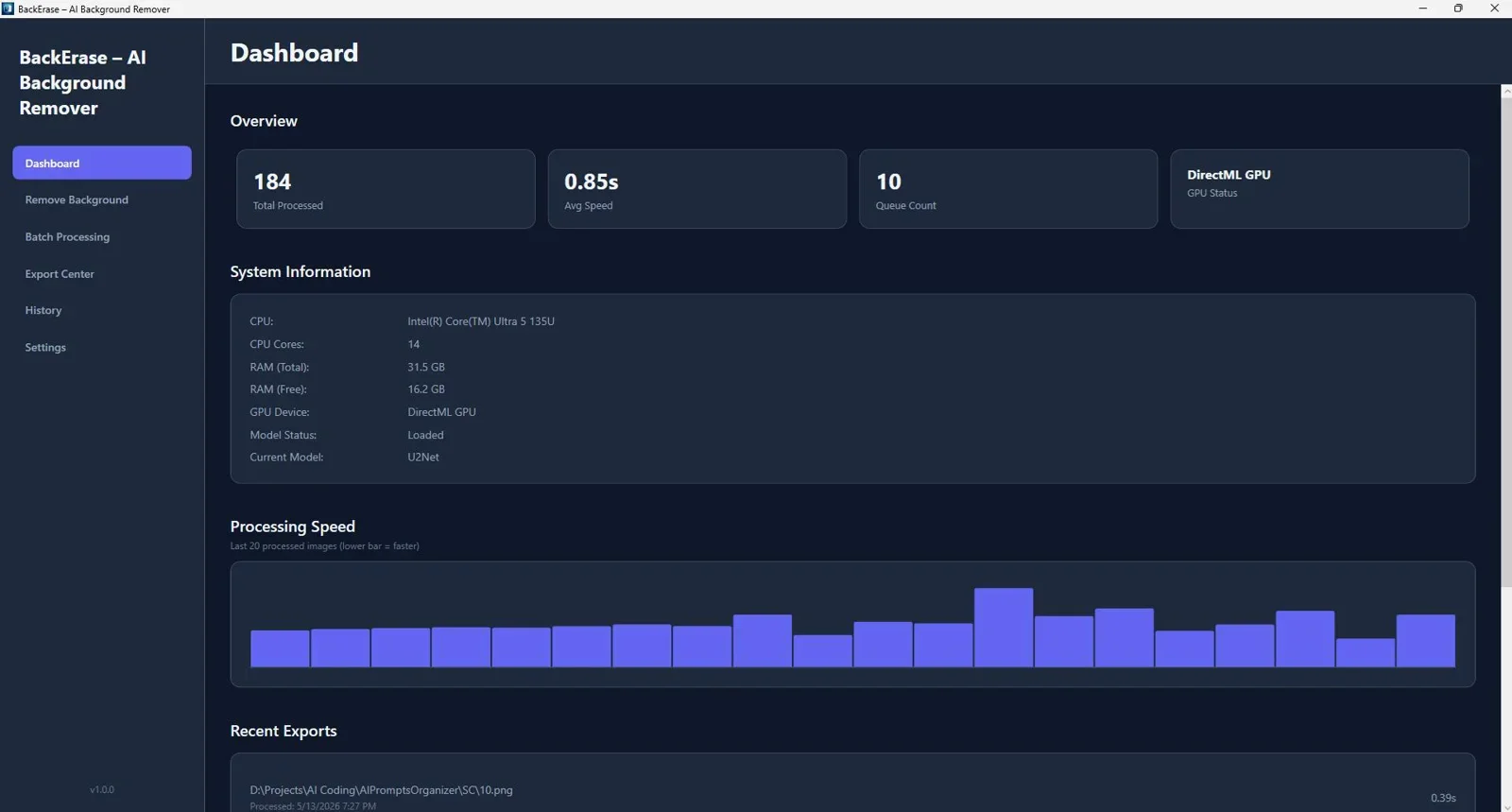
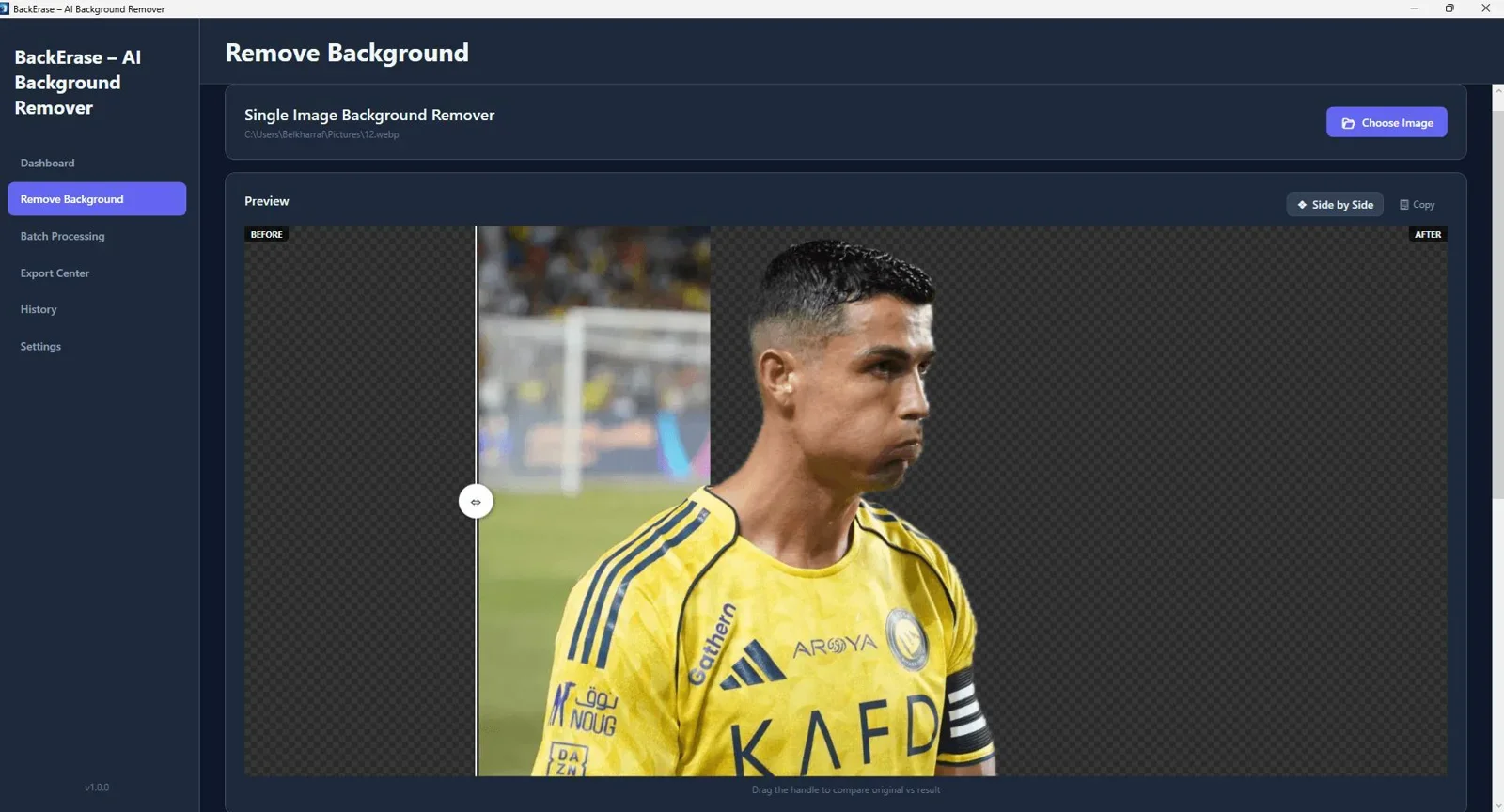
Offline AI background remover for Windows that delivers fast, accurate cutouts from single photos or large batches with zero internet needed.
Essential Features of Desktop Cutout Software
When searching for the best online background remover tools 2026 alternatives that operate locally, prioritize software built with modern neural edge-detection algorithms. Key features include:
- Sub-Pixel Edge Detection: Accurately handles complex boundaries such as hair strands, fur, transparent glassware, and fine clothing fibers.
- Native Multi-Format Support: Native handling of JPG, PNG, and modern web formats like WebP without requiring multi-step online conversions.
- Batch Folder Automations: Drag and drop entire folders containing thousands of images and let your PC process them automatically in the background.
Comparison: Offline AI Software vs. Cloud Web Services
To help you decide whether a desktop solution fits your business workflow, review this feature comparison between offline PC tools and standard web-based background removers:
| Feature Criteria | Offline PC Software (BackErase) | Standard Cloud Web Apps |
|---|---|---|
| Internet Requirement | 100% Offline (No connection needed) | Required at all times |
| Data Privacy & Security | Files never leave your PC | Uploaded to external servers |
| Image Limits | Unlimited local processing | Strict credit caps / monthly tiers |
| Processing Speed | Instant local GPU/CPU execution | Dependent on server load & bandwidth |
| WebP Format Handling | Full native WebP support | Often requires conversion or paid add-ons |
Spotlight: BackErase - AI Background Remover
For users seeking a reliable solution on Windows, BackErase delivers a dedicated offline background removal engine. Built for high efficiency, it allows you to load single photos or entire image directories and generate clean transparent backgrounds with a single click.
Pairing BackErase with complementary creative production tools creates a highly efficient workflow. For example, after preparing your transparent product cutouts, you can combine them with visual creation assets detailed in our guide to the Best Mockup and Graphic Design Tools for Non-Designers in 2026 to produce high-converting product listings fast.
Final Verdict
Who should use this tool?
BackErase is ideal for e-commerce sellers, eBay and Shopify store owners, product photographers, graphic designers, and privacy-focused teams who require fast, reliable background removal without recurring monthly bills or cloud uploads.
Overall Rating: 4.9 / 5
How Offline Tools Handle WebP, PNG, and High-Res Images
As modern websites switch to WebP formats for faster page load times, finding a reliable webp background remover is essential. Many online services fail or output errors when processing WebP files directly.
Offline AI engines solve this by directly rendering WebP image structures in local memory, performing background isolation, and allowing instant export back to transparent WebP, PNG, or JPG formats without quality loss.
Frequently Asked Questions
What is the best company for background removal in images if I need complete data privacy?
If data privacy is your priority, local offline software like BackErase is the top choice. Because files are processed directly on your computer's hardware, your image assets are never transmitted across the web or stored on third-party servers.
Can I remove background webp files using offline software?
Yes. Modern desktop background removers support WebP image files natively. You can import WebP images, remove the background, and export transparent PNGs or compressed transparent WebP files ready for web publishing.
Do offline background removers require an active API key or subscription?
No. True offline desktop tools like BackErase operate as stand-alone applications. They do not require third-party API keys, active internet connections, or monthly usage subscriptions.
How fast is local AI background removal compared to online tools?
Local background removal is generally much faster, especially for batch operations. Since there is no waiting time for uploading files or downloading server responses, local software can process hundreds of images in minutes depending on your PC hardware.
Ready to Remove Backgrounds Offline with Zero Limits?
Process thousands of high-resolution images and WebP files locally on your PC with full privacy and precision AI edge detection.
Get BackErase - AI Background Remover →Instant download for Windows - Lifetime access with local processing.



Comments (0)
Leave a Comment