
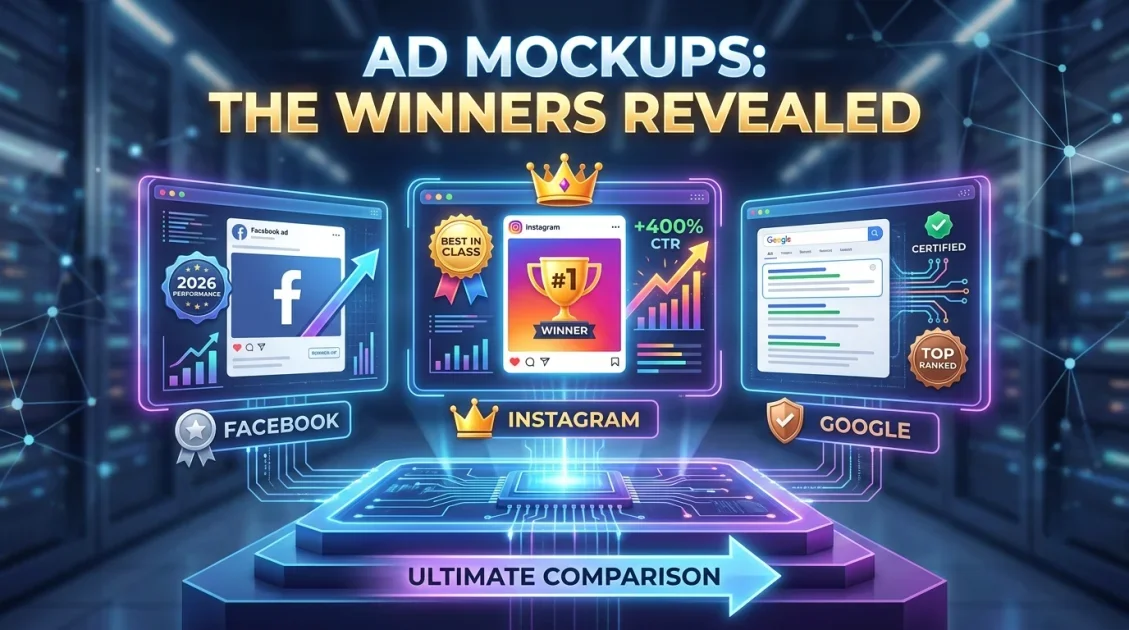
The best social media ad mockup generator solutions in 2026 enable performance marketers, media buyers, and creative agencies to preview and validate ad concepts across Facebook, Instagram, and Google Search before spending ad dollars. By pairing high-impact AI creative tools like PickThumb: AI Thumbnails Generator with structured frameworks like Mockups Prompts Library, advertisers can produce realistic in-feed simulations, test creative angles, and present client-ready ad decks with maximum speed and visual fidelity.
In this article
- Why Ad Mockup Previews Are Vital for Paid Media Campaigns in 2026
- Key Factors When Choosing a Social Media Ad Mockup Generator
- Detailed Reviews of the Top Ad Mockup Tools
- 1. PickThumb: AI Creative & Ad Thumbnail Generator
- 2. Mockups Prompts Library: Structured Prompt Architecture
- 3. Cloud Browser Preview Tools & Native Platform Previews
- Side-by-Side Comparison Table
- Platform-Specific Mockup Guidelines: Facebook, Instagram & Google Ads
- High-Converting Copywriting Formulas for Ad Mockups (AIDA, PAS, BAB)
- Color Psychology & Visual Contrast in Social Media Ad Creatives
- Optimizing Video Thumbnail Hooks for Reels, TikTok & Shorts Ads
- Agency & Client Approval Workflows: Pitching High-Converting Concepts
- Creative Testing Frameworks: Hook Variations and Visual Hierarchy
- How Accurate Mockups Reduce Cost-Per-Acquisition (CPA)
- Integrating Ad Mockups into Omnichannel Funnel Stages (TOFU, MOFU, BOFU)
- Mobile Responsive Ad Copy & Character Limits Cheat Sheet (2026)
- Final Verdict: Choosing the Right Ad Mockup Solution
- Frequently Asked Questions
Why Ad Mockup Previews Are Vital for Paid Media Campaigns in 2026
As paid advertising ecosystems on Meta (Facebook and Instagram), TikTok, and Google become increasingly automated through AI bidding and broad targeting algorithms, creative quality has emerged as the single most decisive lever for campaign profitability. In 2026, the success of a paid social campaign is determined within the first 1.5 seconds of user attention in the mobile feed.
Launching unverified ad creatives directly into live ad accounts wastes budget and risks ad fatigue. Performance marketers and agencies rely on an instagram mockup generator or facebook ad mockup generator to simulate exactly how headlines, primary text copy, media aspect ratios, and Call-to-Action (CTA) buttons render across mobile devices, desktop feeds, and story placements prior to publishing.
Moreover, client communication and stakeholder alignment require realistic, contextually accurate visual presentations. Pitching raw image files without UI context forces clients to guess how the ad will appear in the wild. Presenting fully formed ad mockups with authentic profile avatars, engagement counters, and sponsor badges accelerates approvals and sets clear expectations.
Furthermore, testing ad copy length against real mobile UI constraints prevents awkward truncation. A headline that looks great in a spreadsheet can get cut off abruptly on a mobile screen, hiding your core value proposition. Mockup tools reveal exactly where lines wrap and buttons overlap before spending a single dollar on ad auctions.
Key Factors When Choosing a Social Media Ad Mockup Generator
When selecting the best ad mockup and preview generation tool for your marketing team, consider these core operational benchmarks:
- Multi-Platform UI Accuracy: The tool must support current 2026 user interface layouts for Meta Feed, Instagram Stories, Reels, Facebook Carousels, and Google Search responsive text ads. Outdated templates with old font styles or deprecated button designs lead to inaccurate client presentations.
- Aspect Ratio Flexibility: Rapid conversion across 1:1 square feeds, 4:5 vertical feeds, 9:16 full-screen stories, and 1.91:1 landscape search banners without manual redesign.
- AI-Powered Creative Generation: The ability to generate high-CTR thumbnail hooks, high-contrast product cutouts, and eye-catching visual elements directly on your PC.
- Batch Asset Export: Creating multiple headline, primary copy, and image combinations in bulk to streamline multivariate A/B testing decks.
- Cost Structure and Privacy: Direct one-time licensing that avoids recurring software subscription costs while keeping unreleased campaign assets and confidential client strategies completely secure.
- High-Resolution Export Quality: Crisp raster or vector output suitable for embedding directly into high-definition pitch decks and stakeholder PDF reports.
Detailed Reviews of the Top Ad Mockup Tools
To identify the top mockup and ad generation solutions for 2026, we evaluated dedicated AI creative generators, structured prompt libraries, and traditional cloud-based mockup tools based on speed, visual appeal, platform fidelity, and total cost of ownership.
1. PickThumb: AI Creative & Ad Thumbnail Generator
While originally designed for high-converting video thumbnails, PickThumb: AI Thumbnails Generator has established itself as an essential tool for social media advertisers who need to create viral, high-retention visual hooks for Facebook, Instagram, and YouTube ad creatives.
Create high-converting, viral-style ad creatives, thumbnail hooks, and commercial display graphics in minutes without complex design software.
The primary reason performance marketers rely on PickThumb is its ability to engineer high-contrast, attention-grabbing visual assets that stop users from scrolling past sponsored posts. The software utilizes dedicated AI algorithms to isolate subject matter, apply dynamic stroke outlines, enhance facial expressions, and generate bold, readable typography overlays that remain legible even on compact mobile screens.
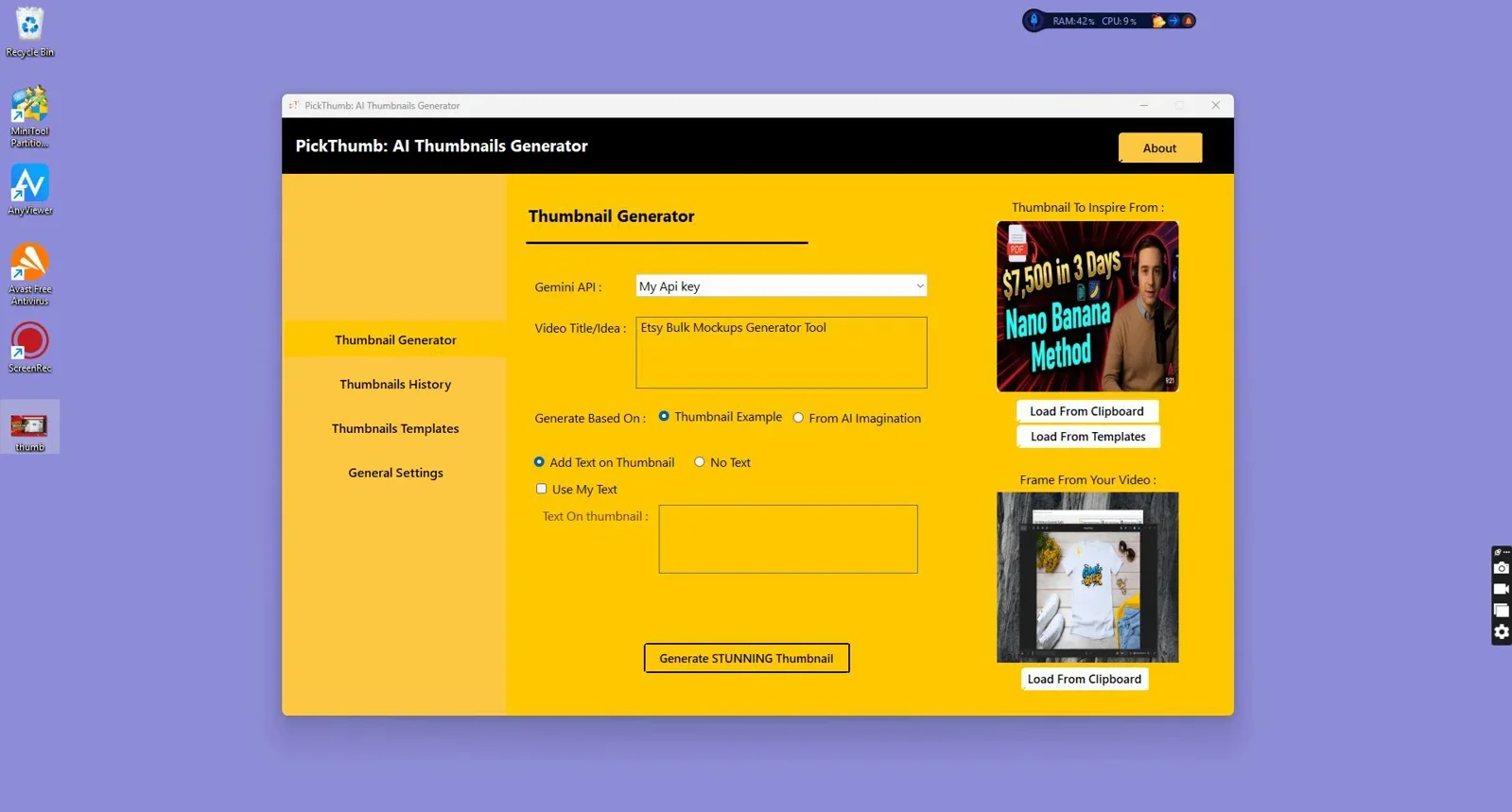
Key operational strengths of PickThumb for social media advertisers include:
- Instant Visual Hook Generation: Produces bold visual compositions engineered specifically to capture feed attention in the first second.
- High-Contrast Typography Engine: Automatically formats bold text badges, discount callouts, and benefit tags optimized for mobile readability.
- Zero Graphic Design Learning Curve: Generates polished, agency-grade graphics in a few clicks without requiring Photoshop expertise.
- Standalone Desktop Security: Runs privately on Windows without monthly recurring fees or cloud upload wait times.
- Direct High-Resolution Export: Produces clean, pixel-perfect PNG and JPEG assets ready for immediate insertion into ad mockup decks or direct platform uploading.
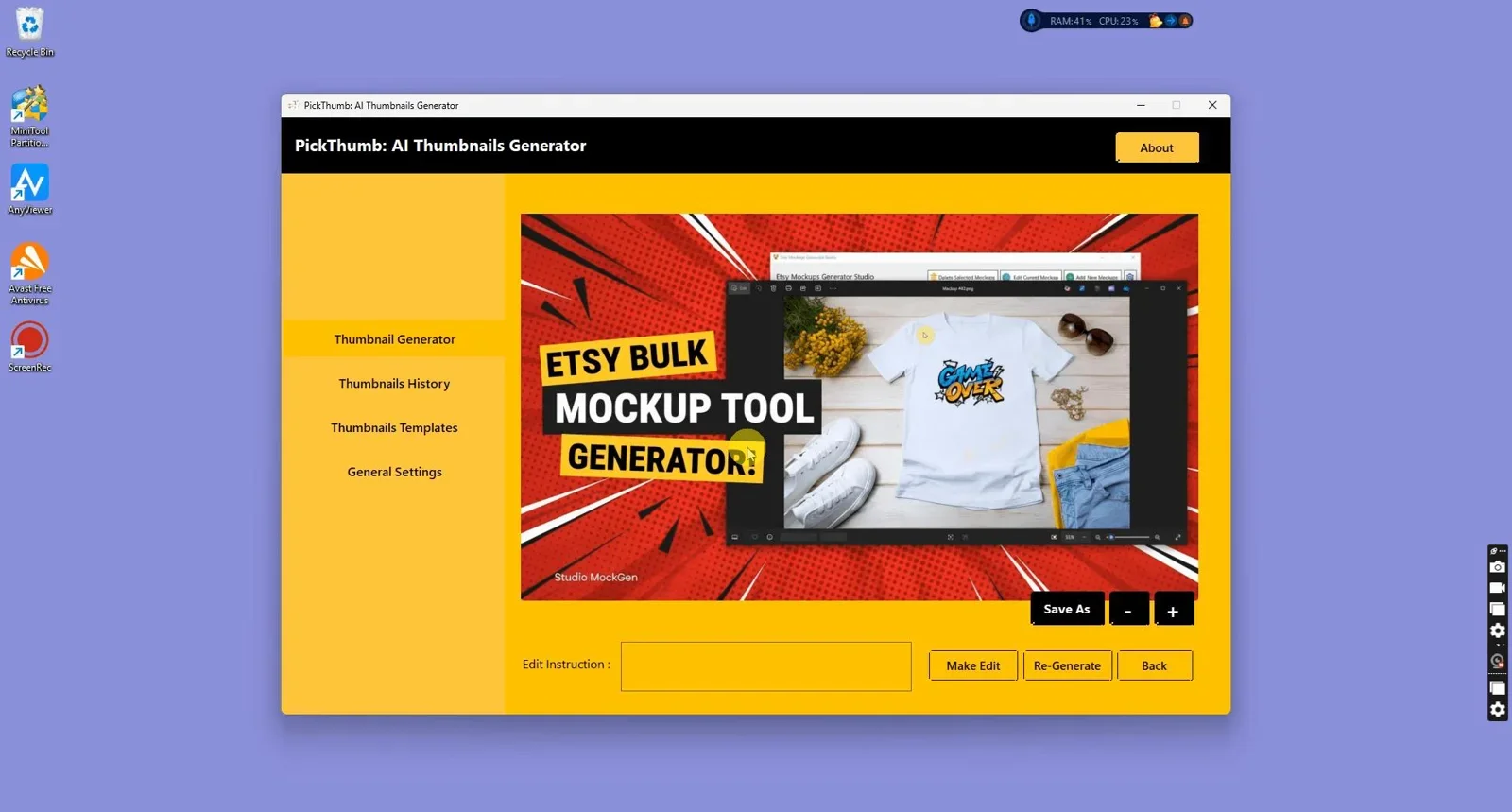
For more details on how PickThumb compares to browser-based layout editors, read our full breakdown of PickThumb vs Canva.
2. Mockups Prompts Library: Structured Prompt Architecture
When running custom ad campaigns that require bespoke commercial photography, luxury lifestyle backgrounds, or unique product packaging environments, Mockups Prompts Library provides 1,980 meticulously tested AI prompt blueprints.
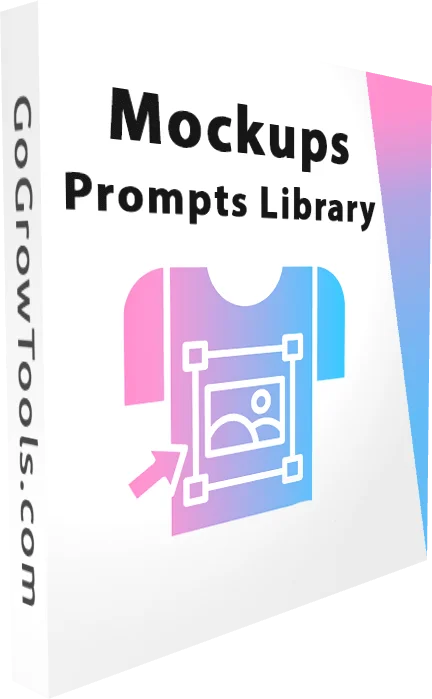
1,980 precision prompt formulas for creating commercial product mockups, ad backgrounds, and lifestyle visuals across apparel, packaging, and digital goods.
Instead of relying on overused stock photos that ad-weary consumers ignore, the library allows marketers to prompt generative AI tools for hyper-specific commercial environments: futuristic tech desks, natural sunlit kitchens, aesthetic skincare vanities, or minimalist urban street settings. These backgrounds can then be combined with product assets to create custom social ad mockups that stand out in crowded feeds.
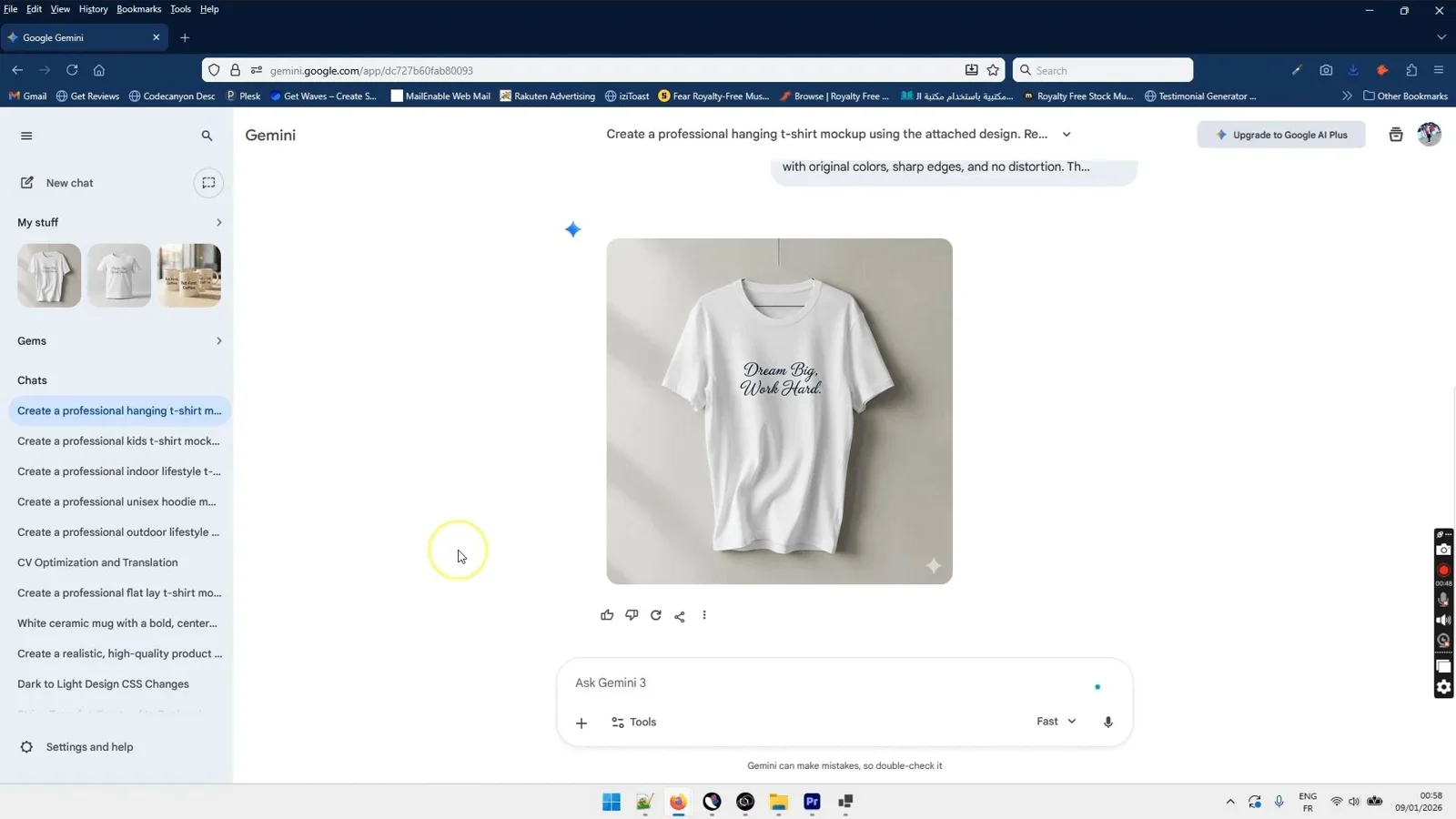
This approach gives marketing agencies the ability to pitch bespoke creative concepts to clients without spending thousands of dollars on physical studio photography. Discover complementary techniques in our guide to creating mockups for digital products.
3. Cloud Browser Preview Tools & Native Platform Previews
Media buyers often use Meta Ads Manager Preview or third-party web mockup builders to see basic post simulations. While useful for final sanity checks before publishing, they present distinct operational limitations:
Meta Ads Manager Native Preview: While completely accurate to the ad network's current code, Meta Ads Manager requires setting up a campaign structure, draft ad set, and billing profile before previews can be generated. It cannot be used to quickly pitch concepts to prospective clients or generate clean presentation decks.
Browser-Based Ad Mockup Generators: Various online preview generators allow users to paste a headline, body text, and image into a simulated Facebook or Instagram card. However, they frequently suffer from outdated UI components, low-resolution PNG exports with watermarks, and monthly recurring subscription paywalls for high-volume agency usage.
Side-by-Side Comparison Table
Here is a comprehensive breakdown of the leading social media ad mockup and creative generation solutions in 2026:
| Feature / Dimension | PickThumb AI | Mockups Prompts Library | Online Ad Mockup Sites | Meta Ads Manager Preview |
|---|---|---|---|---|
| Core Purpose | High-CTR Creative & Hook Generation | AI Commercial Scene Generation | Static Feed UI Simulation | In-Platform Sanity Check |
| Deployment Type | Offline Windows Desktop | Prompt System (Digital Hub) | Browser Web Application | Cloud Ad Account Tool |
| Visual Quality | High-Impact / High-Contrast | Photorealistic Studio Quality | Standard / Basic Static | Live Native UI |
| Pricing Model | One-Time License | One-Time Purchase | Monthly Subscription | Requires Live Ad Account |
| Client Pitch Suitability | Excellent (Export HD Graphics) | Excellent (Bespoke Imagery) | Moderate (Export Limitations) | Poor (Account Access Needed) |
| Confidentiality | 100% Private Local Storage | 100% Private | Cloud Hosted | Meta Server Account |
Platform-Specific Mockup Guidelines: Facebook, Instagram & Google Ads
Each major advertising channel imposes unique visual constraints that your mockups must reflect accurately to ensure maximum real-world engagement:
1. Facebook Feed and Carousel Ad Mockups
A high-converting facebook ad mockup generator setup must account for Facebook's specific truncation points. On mobile feeds, primary text is truncated after the third line (approximately 125 characters), requiring your primary value proposition and hook to appear at the very beginning. The headline beneath the image allows for 27 to 40 characters before truncation on standard mobile screens.
For carousel ads, each card must maintain visual momentum across square (1:1) panels. Simulating the carousel progression ensures that graphics tell a sequential story that encourages users to swipe through the entire offer.
2. Instagram Feed, Stories, and Reels Mockups
When generating an instagram mockup generator preview, visual aesthetics take precedence over heavy copy. Instagram users consume content visually, meaning your image or video thumbnail must convey 90% of the core message without relying on the caption below.
For 9:16 vertical formats (Reels and Stories), keep essential graphic elements and text overlays within the "Safe Zone" (the central 80% of the vertical canvas). Placing crucial text too high clashes with profile headers, while placing it too low causes it to be obscured by the bottom username bar and CTA button.
3. Google Search and Performance Max Ad Mockups
A google search ad mockup generator preview focuses on text structure and extension placement. Accurate Google Ads mockups demonstrate how three 30-character headlines combine with two 90-character descriptions, sitelinks, callout extensions, and structured snippets. Simulating search engine result page (SERP) environments helps copywriters craft concise, high-relevance messaging that aligns with search intent.
High-Converting Copywriting Formulas for Ad Mockups (AIDA, PAS, BAB)
Visual previews become significantly more impactful when combined with proven direct-response copywriting structures. When constructing your ad mockups, test these three foundational frameworks:
- PAS Framework (Problem, Agitation, Solution):
- Problem: Identify a specific customer pain point in the first line of primary text.
- Agitation: Highlight the emotional frustration and financial cost of leaving the problem unresolved.
- Solution: Position your software, physical product, or service as the ultimate resolution, backed by a clear CTA button.
- AIDA Framework (Attention, Interest, Desire, Action):
- Attention: Use a bold graphic hook from PickThumb to stop the mobile scroll.
- Interest: Share a compelling data point or surprising industry case study.
- Desire: Showcase tangible benefits and customer success proof.
- Action: Guide the viewer directly to click the sponsored link.
- BAB Framework (Before, After, Bridge):
- Before: Depict the chaotic, manual state your customer currently experiences.
- After: Showcase the streamlined, automated future they will enjoy.
- Bridge: Introduce your product as the bridge that takes them from before to after.
Color Psychology & Visual Contrast in Social Media Ad Creatives
Understanding how colors trigger neurological responses in split-second browsing scenarios is critical for maximizing paid ad click-through rates:
- High-Visibility Neon & Warm Accents: In feeds dominated by neutral white and dark mode dark-grey themes, vibrant yellow, electric green, and warm orange callout badges draw immediate eye fixation. PickThumb excels at applying these high-contrast outlines to subject cutouts.
- Trust-Building Navy & Deep Slate: For B2B SaaS, financial applications, and enterprise services, deep blue and slate backgrounds communicate institutional reliability, data security, and stability.
- Urgency-Driven Coral & Crimson: Limited-time sales badges and countdown callouts perform best with sharp crimson or coral accents, signaling immediate action without appearing spammy.
- Organic Earth Tones: Sustainable apparel, wellness supplements, and artisan goods benefit from warm terracotta, sage green, and sand backdrops, which can be generated using formulas from the Mockups Prompts Library.
Optimizing Video Thumbnail Hooks for Reels, TikTok & Shorts Ads
With short-form vertical video dominating social ad spend in 2026, static thumbnail covers are essential for capturing initial attention before auto-play kicks in or when video ads appear in search feeds:
- Expressive Human Faces: Thumbnails featuring high-emotion facial reactions (surprise, curiosity, determination) generate up to 35% higher initial watch times.
- Three-Word Text Hooks: Keep thumbnail text under 3 to 4 words using large, heavy-weight typography. Mobile viewers cannot read full sentences in a scrolling feed.
- High-Contrast Split Screens: Showing a side-by-side "Before vs After" or "Old Way vs New Way" visual comparison triggers instant curiosity.
Agency & Client Approval Workflows: Pitching High-Converting Concepts
For digital marketing agencies and freelancers, streamlining the client approval process directly shortens campaign launch timelines. Follow this proven four-stage presentation workflow:
- Concept Ideation and Asset Generation: Use Mockups Prompts Library to produce distinct visual angles and PickThumb to construct high-impact graphic overlays and headline badges.
- Mockup Assembly into Presentation Decks: Arrange the simulated ad mockups side by side in a presentation deck. Include the primary copy, headline, target URL, and targeted persona for each variation.
- Interactive Client Review: Present the mockups to stakeholders. Because the visuals resemble live feed posts, non-technical clients can immediately evaluate copy hierarchy and visual clarity without confusion.
- Rapid Iteration and Deployment: Make copy or image adjustments on your local workstation in minutes, secure final client sign-off, and export the approved creative assets directly to the media buying team.
Creative Testing Frameworks: Hook Variations and Visual Hierarchy
Scaling ad spend predictably requires continuous creative testing. Systematic creative variation prevents ad fatigue and uncovers breakout winners:
- Hook Testing (First 3 Seconds): Test 3 to 5 visually distinct thumbnail hooks using PickThumb while keeping the underlying product offer identical. The winning hook often cuts Cost-Per-Click (CPC) by 40% to 60%.
- Social Proof Badges: Test mockups that include star rating badges, review quote overlays, and "As Seen In" publication logos against clean product-only shots.
- Problem vs. Solution Visuals: Compare ad mockups depicting the customer's frustration point against mockups showcasing the streamlined final outcome.
- Color Contrast Variations: In dark-mode feeds, bright neon borders or vibrant warm backgrounds capture significantly more eye movement than dark, muted tones.
How Accurate Mockups Reduce Cost-Per-Acquisition (CPA)
Using accurate ad mockups before launching paid media campaigns directly impacts bottom-line performance metrics:
- Higher Click-Through Rates (CTR): Identifying and eliminating visual clutter in the mockup phase ensures that the primary product benefit is immediately recognizable, lifting CTR across broad audiences.
- Lower Cost-Per-Click (CPC): Meta and Google ad algorithms reward high-engagement creatives with lower auction bid requirements, effectively lowering your traffic acquisition costs.
- Reduced Creative Rejection Rates: Verifying text-to-image ratios, safe zones, and policy compliance on mockup previews prevents campaign delays and ad account penalties.
- Higher Conversion Rate (CVR) Alignment: Ensuring visual continuity between the ad mockup and the destination landing page builds trust and minimizes bounce rates.
Integrating Ad Mockups into Omnichannel Funnel Stages (TOFU, MOFU, BOFU)
An effective ad creative strategy tailors visual presentation to the buyer's level of awareness. Designing distinct mockup variations for each stage of your sales funnel ensures maximum message-market fit:
- Top-of-Funnel (TOFU) Awareness Creatives: At the cold traffic stage, prospective customers have no prior familiarity with your brand. Mockups must lead with high-curiosity visual hooks created in PickThumb, highlighting broad pain points, shocking statistics, or contrasting split-screen scenarios. Avoid complex product specs; focus on stopping the scroll and generating immediate intrigue.
- Middle-of-Funnel (MOFU) Consideration Creatives: Prospects in the consideration phase understand their problem and are comparing available solutions. Mockups should feature detailed product packaging, feature highlight badges, and side-by-side comparison tables. Using formulas from Mockups Prompts Library to place your product in realistic lifestyle environments builds credibility and perceived value.
- Bottom-of-Funnel (BOFU) Conversion & Retargeting Creatives: Retargeting ads target warm leads who visited your landing page or added items to cart without purchasing. Mockups at this stage should incorporate prominent social proof overlays, verified 5-star customer review quotes, limited-time discount badges, and risk-reversal guarantees to drive immediate checkout actions.
Mobile Responsive Ad Copy & Character Limits Cheat Sheet (2026)
To avoid awkward copy clipping and ensure your ad mockups match live platform specifications, reference this quick operational guide:
- Facebook Mobile Feed: Primary Text: 125 characters before "See More"; Headline: 27-40 characters; Description: 20-30 characters. Recommended ratio: 1:1 or 4:5.
- Instagram Mobile Feed: Caption: 125 characters before truncation; Aspect Ratio: 1:1 or 4:5 vertical; Maximum resolution: 1080x1350px.
- Instagram Stories & Reels: Text overlay safe zone: Central 1080x1420px within a 1080x1920px (9:16) frame; Keep top 250px and bottom 250px clear of critical logos or text.
- Google Responsive Search Ads: Up to 15 Headlines (30 characters max each); Up to 4 Descriptions (90 characters max each); Display URL Path: 2 fields (15 characters max each).
Final Verdict
Who should use these tools?
For performance advertisers, media buyers, and marketing agencies aiming to boost paid ad ROI across Meta and Google, combining PickThumb: AI Thumbnails Generator with the Mockups Prompts Library delivers an unmatched creative advantage. You gain the capability to produce high-CTR thumbnail hooks, high-contrast ad visuals, and bespoke commercial backgrounds locally on your PC with zero subscription overhead.
Overall Rating: 4.9 / 5
Supercharge Your Social Ad Creatives
Generate high-impact ad visuals, viral thumbnail hooks, and commercial graphics on your Windows PC.
Get PickThumb: AI Thumbnails Generator →Direct one-time license for Windows with instant local generation.
Frequently Asked Questions
What is a social media ad mockup generator?
A social media ad mockup generator is a specialized tool that previews how visual creative assets, headlines, primary copy, and CTA buttons will appear inside live social media feeds such as Facebook, Instagram, TikTok, and Google Ads before launching live campaigns.
Why are high-contrast visual hooks important for Facebook and Instagram ads?
High-contrast visual hooks capture user attention within the first 1 to 2 seconds of mobile scrolling. By establishing a clear focal point and bold readable typography, high-contrast hooks significantly improve click-through rates and lower cost-per-click.
Can I create social ad mockups without ongoing monthly subscriptions?
Yes. By utilizing dedicated desktop software like PickThumb alongside prompt asset resources like Mockups Prompts Library, you can generate professional commercial ad visuals and mockups with one-time licenses, completely avoiding recurring monthly fees.
What are the safe zones for Instagram Stories and Reels ad mockups?
For 9:16 vertical video and image ads on Instagram Stories and Reels, the safe zone is the central 80% of the screen. Keep critical headlines, logos, and product focal points at least 250 pixels away from the top and bottom edges to avoid obstruction by native platform UI elements.
How does pre-testing ad mockups help digital marketing agencies?
Presenting realistic ad mockups in client pitch decks helps stakeholders visualize the final live campaign, speeding up approval cycles, reducing revision rounds, and ensuring clear communication before media budgets are deployed.
What aspect ratios should I prepare for a multi-placement Meta ad campaign?
For comprehensive Meta ad coverage, prepare 1:1 square (1080x1080px) for desktop and mobile feeds, 4:5 vertical (1080x1350px) for mobile feed optimization, and 9:16 full vertical (1080x1920px) for Stories and Reels placements.

Comments (0)
Leave a Comment