
If you use AI tools seriously — ChatGPT, Claude, Gemini, Midjourney — you've probably felt the pain of losing a great prompt. You wrote something that worked perfectly last month. You can't find it. You rewrite it from scratch, it's not quite the same, and you waste 20 minutes getting back to where you were. The problem isn't the AI. It's that there's no good system for managing prompts. Most people keep them in scattered notes apps, Google Docs, or just their browser history. Cloud-based prompt tools help, but they're subscription-driven, they store your prompts on someone else's server, and many charge per generation. In this post, we look at the best AI prompt managers in 2026 — and one desktop app that solves the whole problem offline, for a one-time payment.
In this article
- Why prompt management actually matters
- What to look for in an AI prompt manager
- Best AI prompt managers in 2026
- Side-by-side comparison
- Which tool should you use?
- FAQ
Why prompt management actually matters
A year ago, most AI users had a handful of prompts they used regularly. In 2026, that's changed. Power users — marketers, developers, content creators, agency owners — are working with dozens or hundreds of prompts across different tools and workflows. A prompt that took an hour to engineer for a specific use case is genuinely valuable. Losing it, or not being able to find it when you need it, costs real time.
Beyond organization, there's the generation and testing problem. Writing a good prompt from scratch is hard. Most people either use vague prompts and get mediocre output, or spend too long iterating. A tool that helps you generate, refine, and test prompts before you actually deploy them in your workflow can make a measurable difference in output quality — and in how much time you spend going back and forth with the AI.
The market has responded with a wave of browser-based prompt tools, but most of them share the same problems: your library lives in their cloud, you pay monthly to access it, and some charge per generation. For anyone building a serious prompt library, that's a bad deal.
What to look for in an AI prompt manager
- Local storage — your prompt library should be yours, stored on your machine, not a vendor's server
- Organization system — categories, tags, and fast search so you can actually find prompts when you need them
- Generation capability — the ability to create new prompts, not just store ones you already have
- Enhancement tools — ways to improve and refine prompts you've already written
- Testing / preview — the ability to test a prompt before committing it to your workflow
- No per-generation fees — paying per prompt adds up fast for power users
- One-time pricing — a library you build over months shouldn't be held hostage by a subscription
Best AI prompt managers in 2026
1. AgenPrompt — Best for Windows users who want everything in one offline app
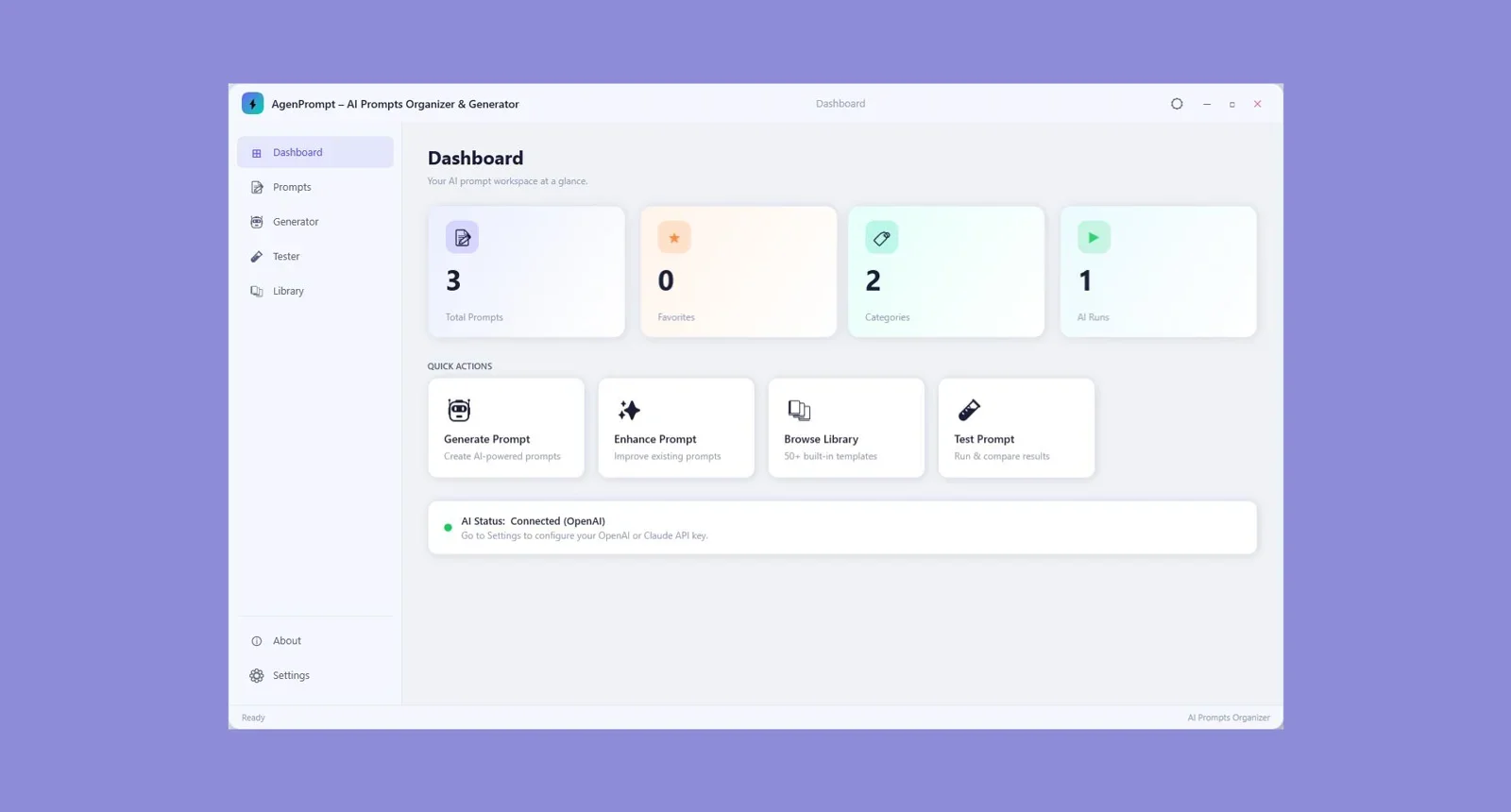
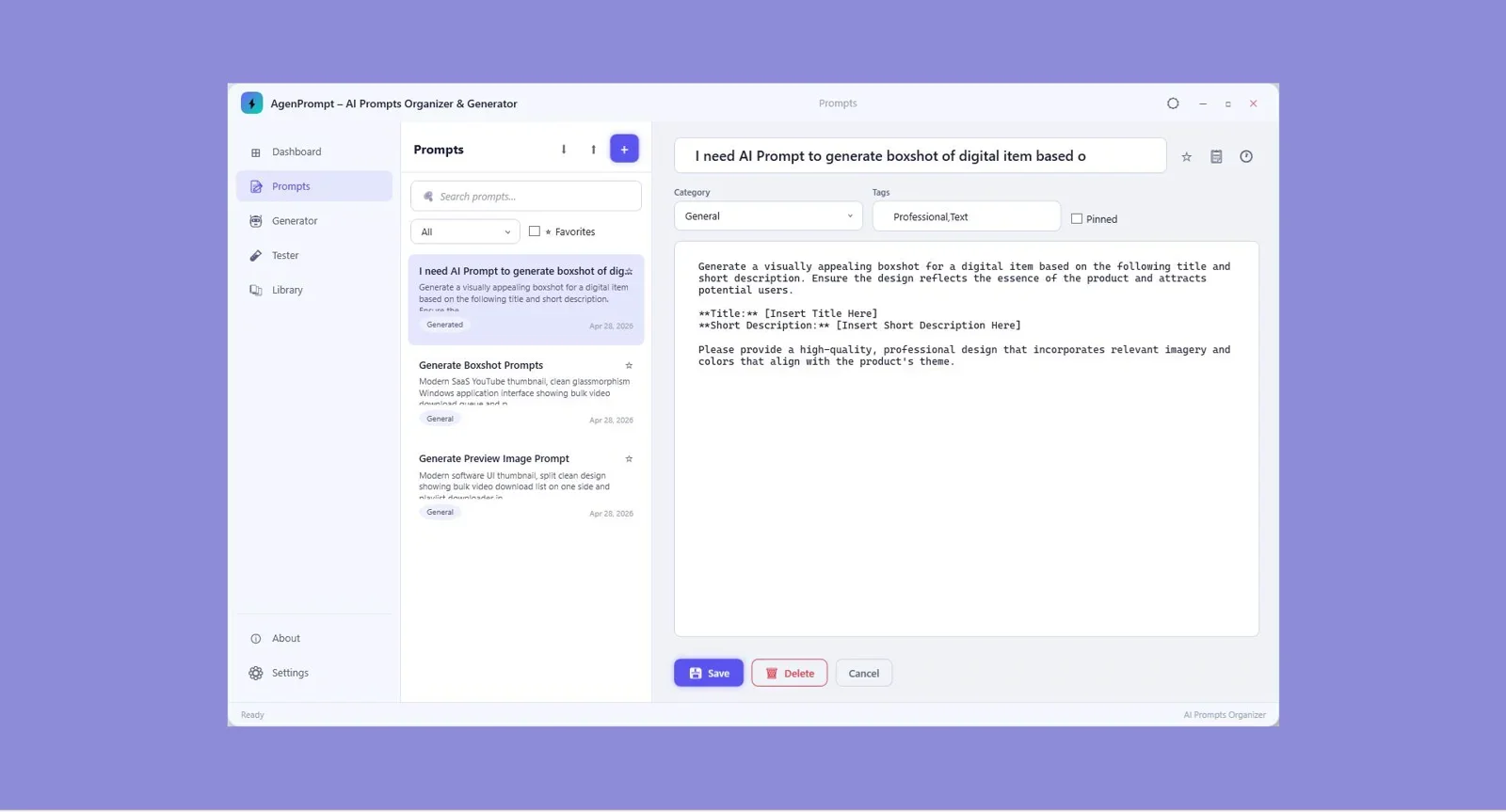
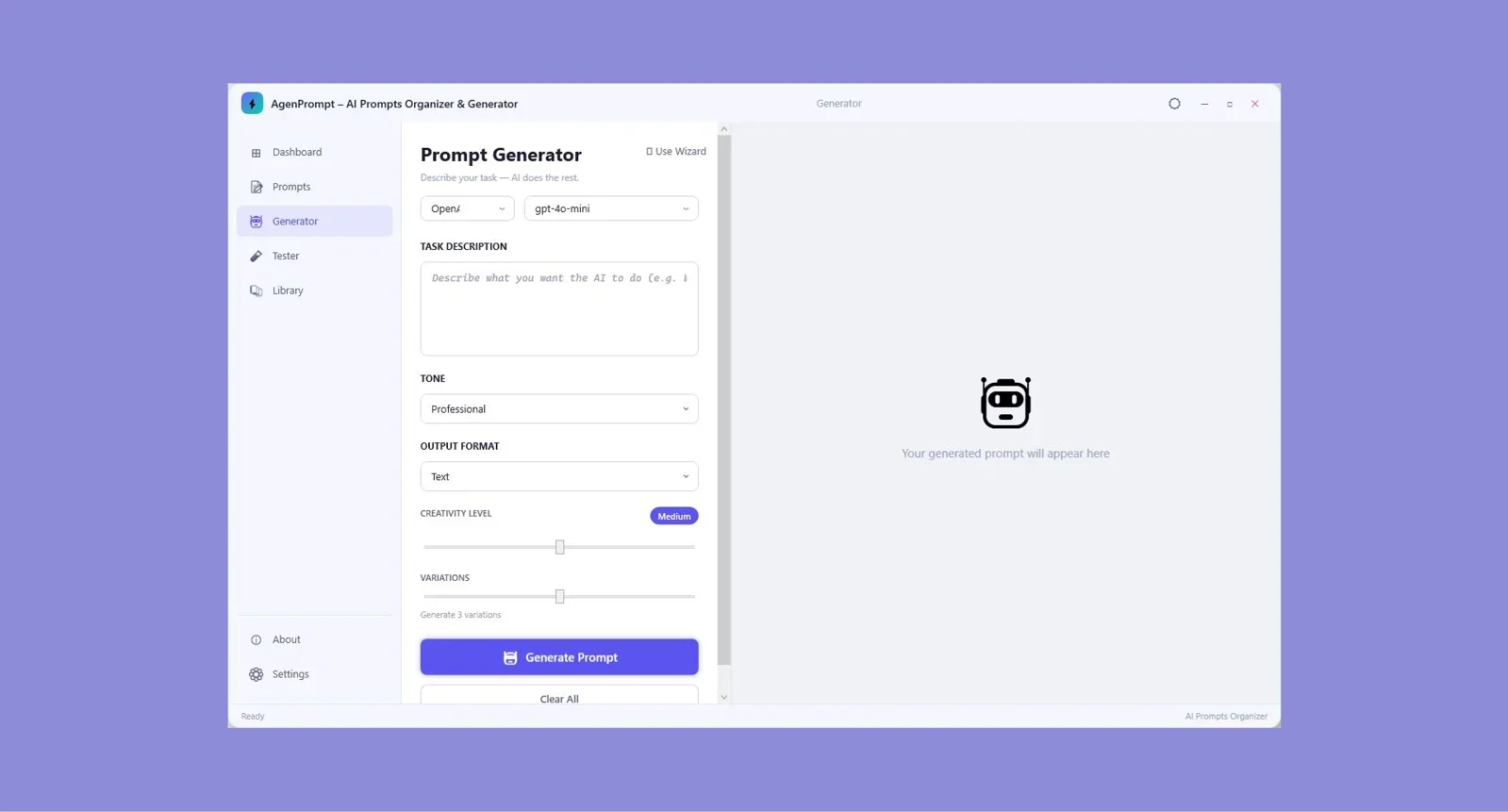
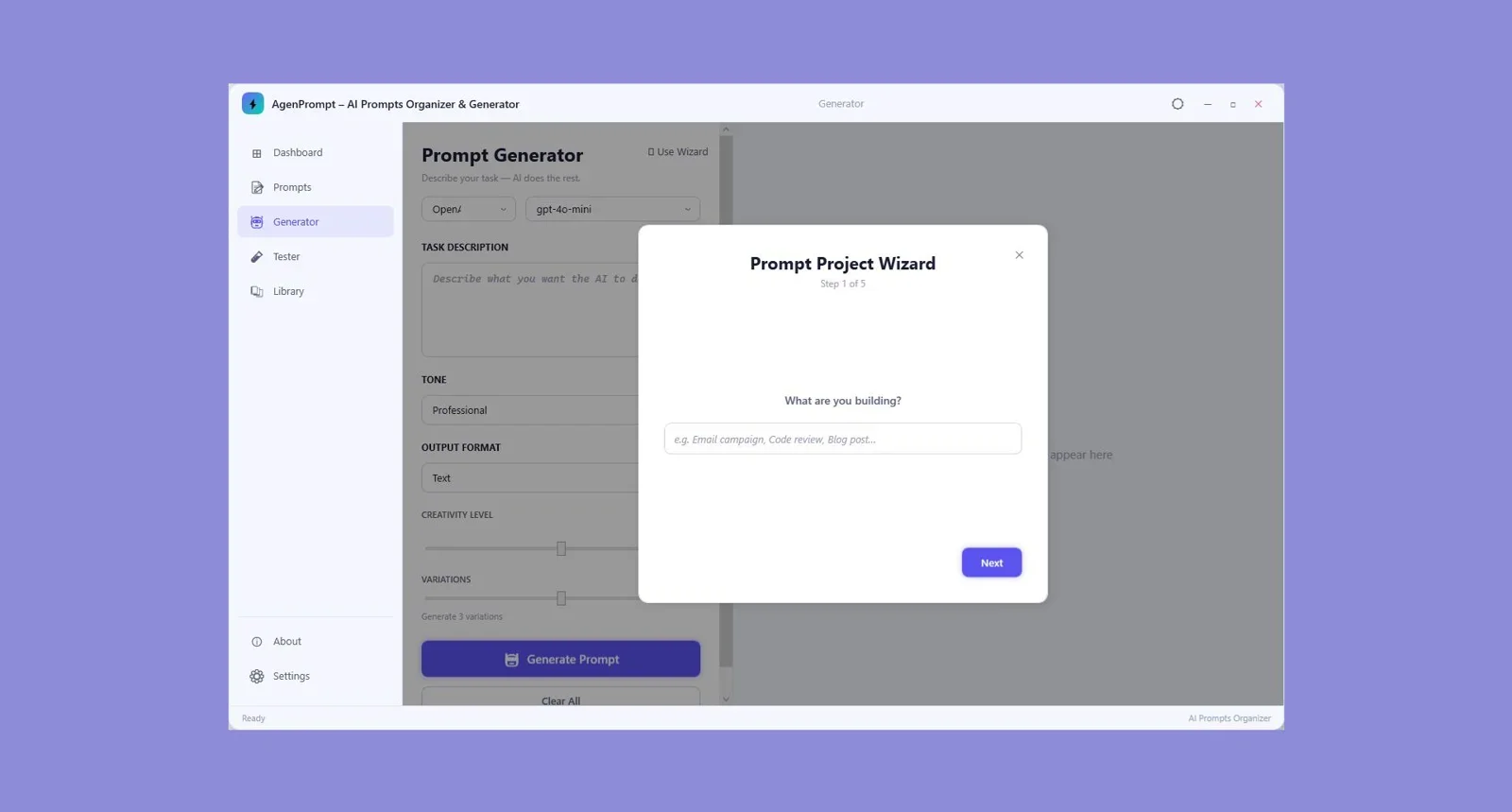
AgenPrompt is a Windows desktop app that covers the full prompt workflow: organize your existing prompts, generate new ones, enhance prompts you've already written, and test them — all on your PC without sending anything to a cloud service. It's built for marketers, developers, and creators who use AI tools daily and need a proper system for managing their prompt library rather than a pile of text files and sticky notes.
The key differentiator is that everything stays local. Your prompt library is stored on your machine, not on AgenPrompt's servers. There's no monthly fee, no per-generation cost, and no risk of losing access if the company changes its pricing. You build your library once and it's yours.
Organize, generate, enhance, and test AI prompts 100% on your PC. One-time payment, no subscription, no cloud.
2. Gud Prompt — Best free cloud option for small teams
Gud Prompt is a browser-based prompt manager and generator with a Chrome extension that lets you access your saved prompts from any page you're working on. It has a clean interface, collection-based organization, and sharing features that make it useful for small teams. The free plan covers basic saving and organizing. Paid plans unlock role-based access, custom branding, and advanced features. The tradeoff is that everything is cloud-hosted — your prompt library lives on their servers — and the subscription model means ongoing cost for features that power users will quickly need.
3. God of Prompt — Best for one-off engineered mega-prompts
God of Prompt focuses on generating highly engineered, single-purpose prompts on demand. You describe your goal, it produces a detailed, structured prompt optimized for ChatGPT, Claude, Gemini, or Midjourney. The first prompt is free; after that it's $1 per prompt, billed automatically. For users who need occasional high-quality prompt engineering for a specific task, that's reasonable. For anyone building and maintaining a large library of reusable prompts, the per-generation cost adds up fast. There's no organization layer — it's a generator, not a manager.
4. PromptGenTool — Best browser-based option for image and text prompts
PromptGenTool covers both text prompts (for ChatGPT, Claude, Gemini) and image prompts (for Midjourney, DALL-E, Stable Diffusion). It has a free tier with 5 prompts per day and paid plans with unlimited generation, prompt history, analytics, and templates. It's polished and covers a wide range of use cases, but the free plan is quite limited and the paid tier introduces another recurring subscription. Your prompt history is stored in their cloud, and there's no offline mode.
5. Quillbot AI Prompt Generator — Best for quick one-off prompt writing
Quillbot's prompt generator is a fast, free tool for generating prompts on the fly. You describe your task, it produces a structured prompt optimized for the AI tool you're using. It's good for one-off jobs and requires no account. But it's purely generative — there's no library, no organization, no way to save or revisit prompts you've created before. If you use AI tools daily, you'll outgrow it immediately.
Side-by-side comparison
| Tool | Works offline | Pricing | Organizer | Generator | Enhancer | Tester |
|---|---|---|---|---|---|---|
| AgenPrompt | ✅ Yes | One-time | ✅ Yes | ✅ Yes | ✅ Yes | ✅ Yes |
| Gud Prompt | ❌ Cloud | Free / Subscription | ✅ Yes | ✅ Yes | ❌ No | ❌ No |
| God of Prompt | ❌ Cloud | $1/prompt | ❌ No | ✅ Yes | ❌ No | ❌ No |
| PromptGenTool | ❌ Cloud | Free / Subscription | ⚠️ Limited | ✅ Yes | ❌ No | ❌ No |
| Quillbot Prompt Gen | ❌ Cloud | Free | ❌ No | ✅ Yes | ❌ No | ❌ No |
Which tool should you use?
It depends on how seriously you use AI tools and what you need from a prompt system.
If you use AI tools daily and have built up a library of prompts you actually care about, AgenPrompt is the clear winner. It's the only tool in this list that handles all four pillars — organize, generate, enhance, and test — in a single offline desktop app with a one-time payment. Your library stays on your machine, you're not paying monthly, and you're not locked into any vendor's cloud infrastructure. For Windows-based marketers, developers, and creators who are serious about their AI workflow, it's the most complete solution available.
If you need team collaboration and cloud access from multiple devices, Gud Prompt is the strongest alternative — just be aware of the subscription cost and the fact that your prompt library lives on their servers.
If you occasionally need a single high-quality engineered prompt for a specific project and don't need a library at all, God of Prompt's $1/prompt model makes sense for occasional use.
If you just want a free, no-setup tool for generating a quick prompt, Quillbot covers the basics. But the moment you want to save anything, you'll hit its limits immediately.
The only offline prompt manager that organizes, generates, enhances, and tests AI prompts in one Windows app — no subscription, no cloud.
Final Verdict
Who should use AgenPrompt?
AgenPrompt is the right tool for any Windows-based AI power user who's outgrown the sticky-notes approach to prompt management. If you use ChatGPT, Claude, Gemini, or any other AI tool as part of your daily workflow, having a proper system for organizing, generating, and refining your prompts directly on your PC — without a subscription or cloud dependency — is a genuine upgrade. It's the most complete offline prompt management solution available in 2026.
Overall Rating: 4.7 / 5
Frequently asked questions
What is an AI prompt manager?
An AI prompt manager is a tool that lets you save, organize, search, and reuse prompts you use with AI tools like ChatGPT, Claude, or Gemini. The best ones also include prompt generation and enhancement features to help you create and improve prompts, not just store them.
Does AgenPrompt work with ChatGPT, Claude, and Gemini?
Yes. AgenPrompt is AI-tool agnostic — it helps you organize and generate prompts that you can use with any AI platform. You write and refine your prompts inside AgenPrompt, then copy and paste them into whichever AI tool you're working with.
Is AgenPrompt a subscription or a one-time purchase?
AgenPrompt is a one-time payment lifetime deal. There are no recurring monthly fees, no per-generation costs, and no usage limits. You pay once and own the software outright.
Does AgenPrompt require an internet connection?
No. AgenPrompt is a Windows desktop application that runs fully on your PC. Your prompt library is stored locally, no internet connection is required after installation, and your data never leaves your machine.
What's the difference between AgenPrompt and tools like Quillbot or God of Prompt?
Tools like Quillbot and God of Prompt are purely generative — they help you create a prompt on the spot but don't provide a system for saving, organizing, or enhancing prompts over time. AgenPrompt combines all four functions: organize, generate, enhance, and test, making it a complete prompt workflow tool rather than just a one-off generator.
Who is AgenPrompt best for?
AgenPrompt is built for marketers, developers, content creators, and agencies who use AI tools regularly and need a proper system for managing a growing prompt library. If you've ever lost a prompt that took time to engineer, or found yourself rewriting prompts from scratch because you couldn't find the original, AgenPrompt solves that problem directly.
Your Best Prompts Deserve a Proper Home
AgenPrompt keeps your entire prompt library organized, searchable, and ready to use — on your PC, offline, for a one-time payment.
Get AgenPrompt Now →One-time payment. Lifetime access. 100% offline. Windows 10/11.




Comments (0)
Leave a Comment