
Short answer: If you need the best offline text to speech software in 2026, Voixto is the clear pick. It runs entirely on your device, needs no internet, charges no monthly fee, and gives you unlimited natural-sounding voices with full control over speed, style, and expression. Read on for the full breakdown.
Subscription TTS tools have a habit of nickel-and-diming you. You pay $30 to $99 a month, hit a character cap at the worst possible moment, and watch your scripts disappear into someone else's cloud server. For solo creators, freelancers, and small teams, the math almost never adds up.
Offline AI voice generators solve all three problems in one move. This guide explains what to look for, how offline TTS stacks up against online alternatives, and which tool earns the top spot in 2026.
Unlimited natural AI voices on your device. No internet, no subscription, no usage caps.
Why Are Creators Switching to Offline Text to Speech in 2026?
Three trends are driving the shift away from cloud TTS tools this year:
- Subscription fatigue. Tools like Murf and ElevenLabs charge $22 to $99 a month. Over a year, that is up to $1,188 for a tool you may use in bursts, not constantly.
- Usage caps at the worst moments. Cloud plans limit you by characters or audio minutes. Hit your ceiling during a big project and you either upgrade, wait, or scramble.
- Privacy and data concerns. Every script you send to a cloud TTS server is processed off your device. For client work, proprietary content, or anything sensitive, that is a liability.
Offline TTS tools process everything locally. No caps, no recurring fees, no data leaving your machine.
What Should You Look for in an Offline AI Voice Generator?
- Voice quality. Neural TTS models produce natural, inflected speech. Avoid tools that sound robotic or monotone.
- Voice variety. A library covering multiple languages, accents, genders, and ages is essential for versatile work.
- Style and speed controls. Fine-tuning pace, expression, and pauses makes the difference between a flat read and a compelling one.
- Batch processing. Generating multiple scripts in a single queue is a huge time-saver for volume work.
- One-time pricing. A genuine offline tool should not require a subscription. If it does, you are paying for cloud infrastructure you do not need.
- Generation history. Being able to retrieve and re-export past audio files without re-entering scripts saves real time.
Is Offline TTS Better Than Online TTS?
| Feature | Offline TTS (Voixto) | Online TTS (ElevenLabs, Murf) |
|---|---|---|
| Internet required | No | Yes, always |
| Monthly cost | None (one-time payment) | $22 to $99/month |
| Usage limits | Unlimited | Character or minute caps |
| Data privacy | 100% local processing | Scripts sent to cloud |
| Works without Wi-Fi | Yes | No |
| Long-term cost | Low (pay once) | High (recurring forever) |
| Voice style controls | Speed, expression, pauses | Varies by plan |
Online tools make sense if you need real-time voice cloning or API access at scale. For everyone else, offline TTS wins on cost, reliability, and privacy.
The Best Offline AI Voice Generator in 2026: A Close Look at Voixto
Voixto is built specifically for creators who want high-quality voiceovers without the overhead of cloud subscriptions. Everything runs locally on your PC, which means generation speed depends on your hardware, not your Wi-Fi signal.
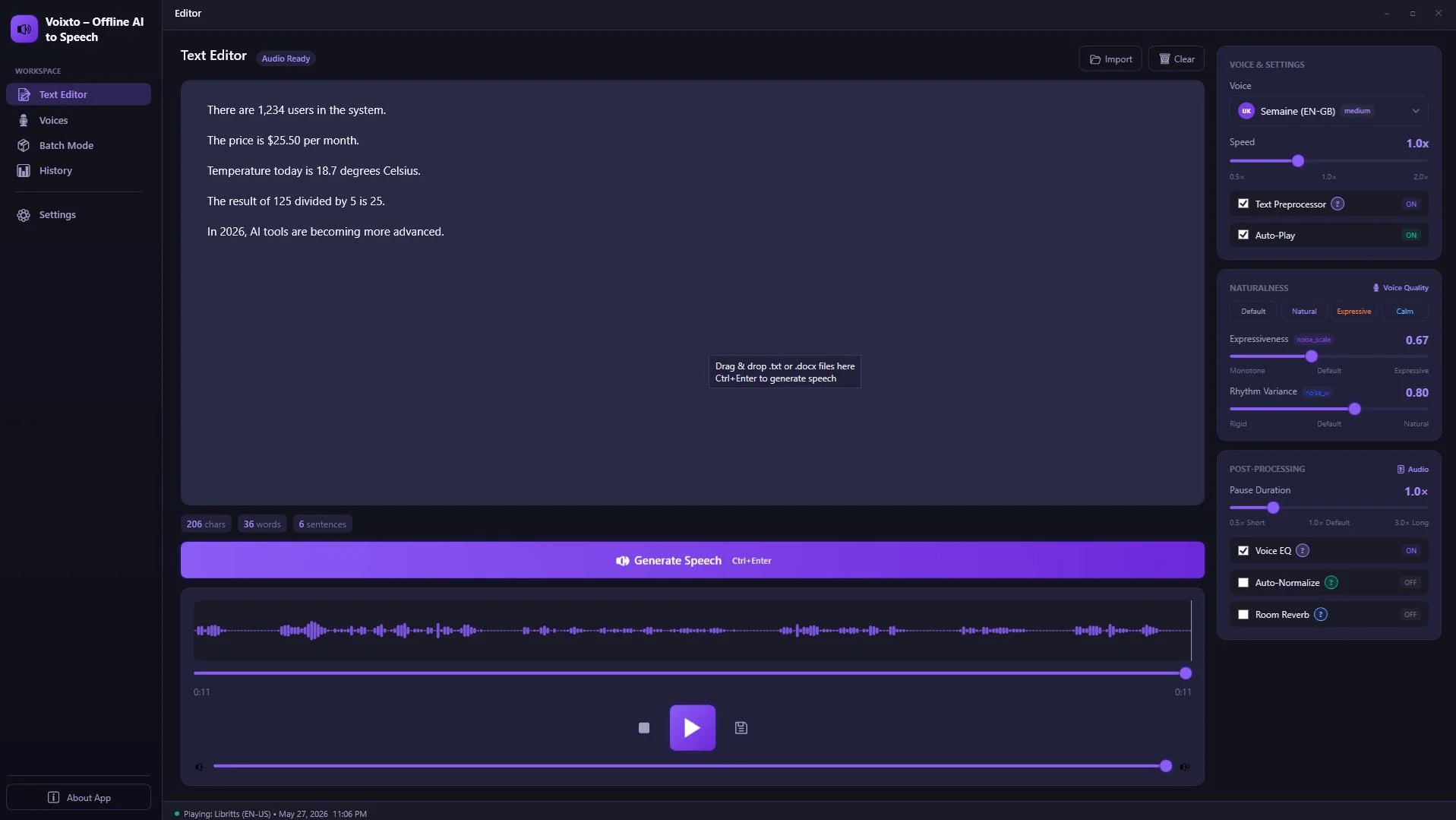
The Voixto dashboard: paste your script, choose a voice, and generate in seconds.
Voice Library
Voixto ships with a broad voice library covering multiple languages, accents, and styles. You can preview any voice before committing to a full generation, which saves trial and error when you are working fast.
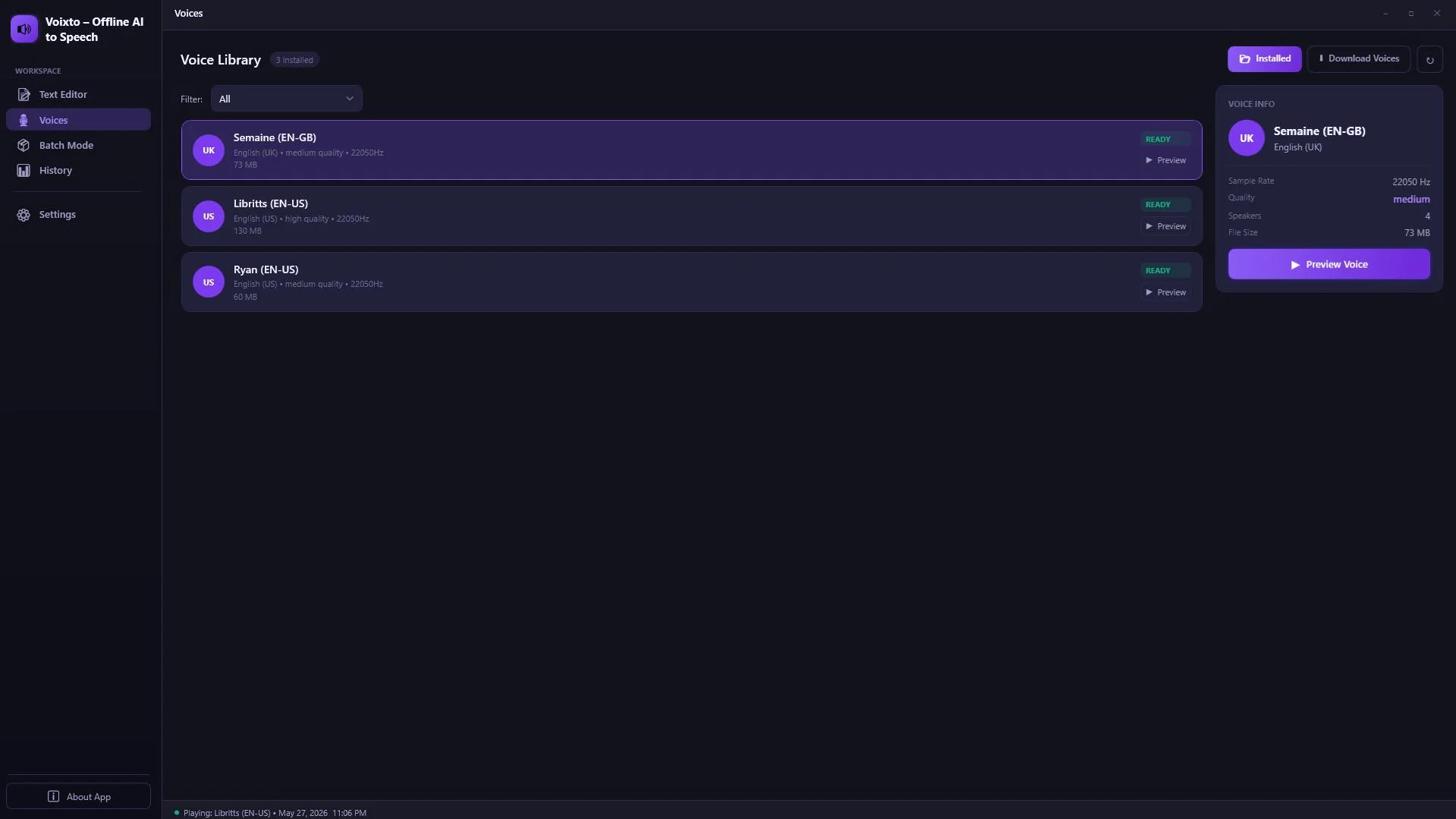
Browse and preview voices by language, accent, and style before generating.
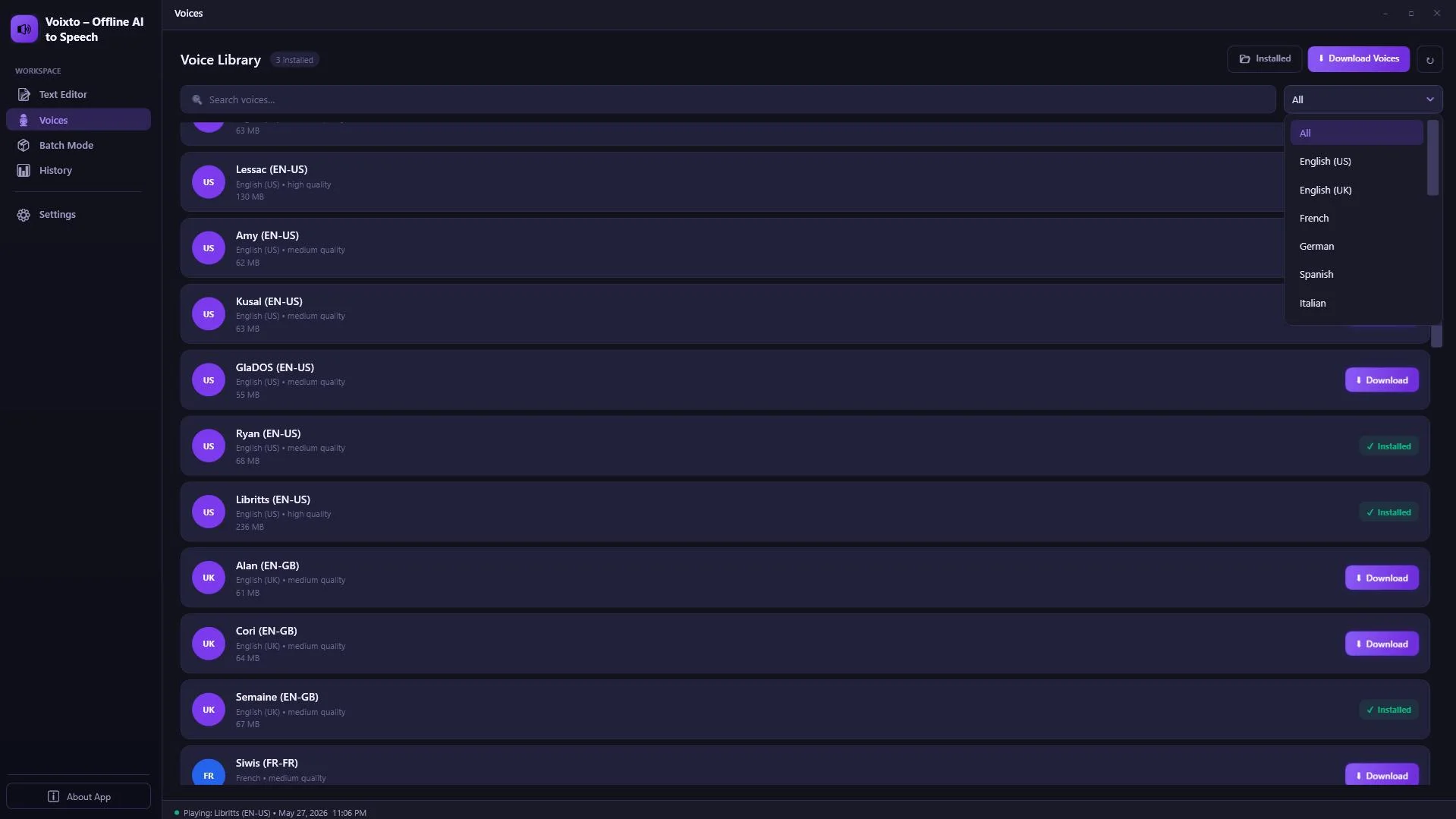
Filter by language or style to find the right voice for any project.
Large voice library with previews, style controls, and zero usage caps.
Batch Queue: Generate at Volume
For creators producing content at scale, batch processing is the feature that matters most. Voixto lets you load multiple scripts, assign a different voice to each, and process them all in a single queue while you work on something else.
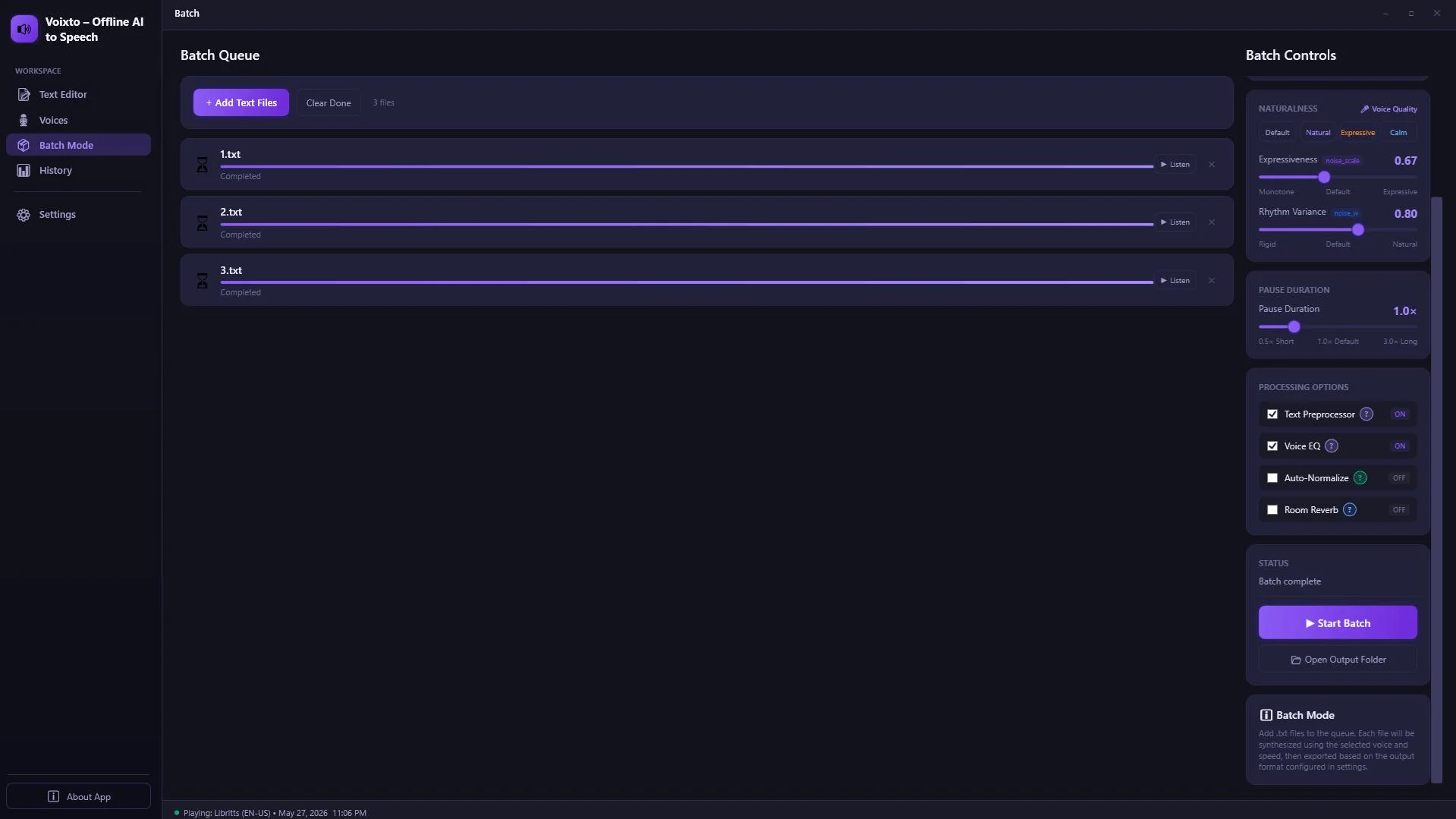
Queue multiple scripts with different voices and generate them all in one session.
This is especially useful for eLearning developers building multi-module courses, YouTubers dubbing content in multiple languages, and agencies handling voiceover work for several clients simultaneously.
Generation History
Every audio file Voixto generates is logged in your history. You can re-export any previous file without re-entering the script, which is a small feature that saves a surprising amount of time across a busy week.
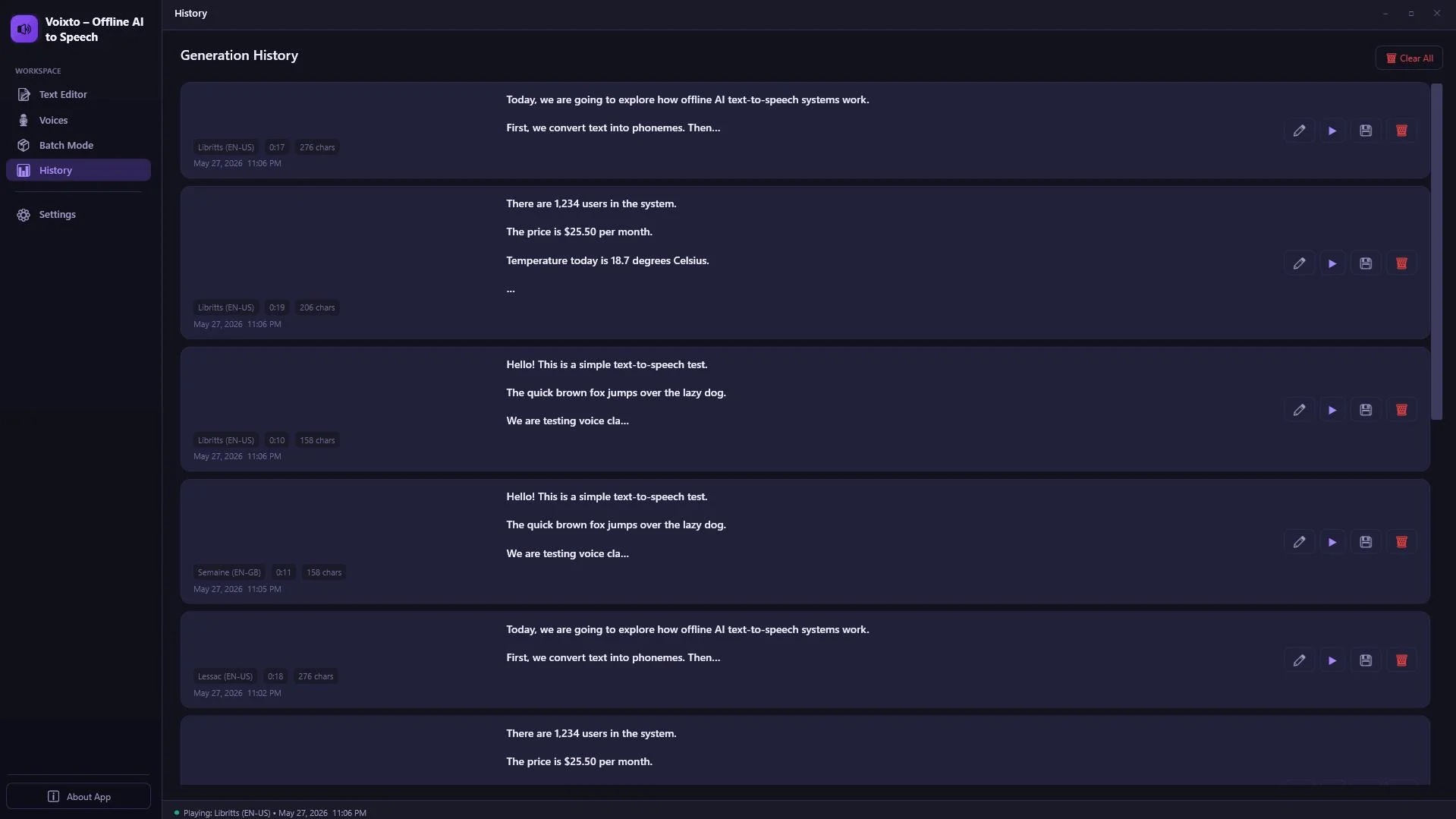
Your full generation history is always accessible. Re-export any file instantly.
Who Is Voixto Best For?
- YouTube creators who need consistent narration without paying per-video fees.
- Podcasters who want to produce intro/outro segments or full narrated episodes offline.
- eLearning developers building narrated courses and want no per-module cost.
- Audiobook authors who need long-form narration without per-hour charges.
- Social media video editors turning out Reels, TikToks, or Shorts who need quick natural voiceovers.
- Freelancers and agencies who want a fixed-cost voiceover tool they can rely on across multiple clients.
If you are currently paying $30 to $60 a month for a cloud TTS tool, Voixto will cover its own cost within a few months and keep saving you money indefinitely after that.
Frequently Asked Questions
Can AI generate natural-sounding voices offline?
Yes. Modern offline TTS tools like Voixto use neural voice models that run locally on your machine. Quality is comparable to leading cloud tools, and with expression and speed controls you can produce audio that is genuinely hard to distinguish from a human narrator.
What is the best text to speech software with no subscription?
Voixto is the strongest option in 2026 for creators who want a one-time payment with no recurring fees. It combines a wide voice library, batch processing, and style controls without locking you into a monthly plan.
How do I control voice speed and expression in offline TTS?
In Voixto, the generation screen includes sliders for speaking speed and expression intensity. You can also insert custom pauses at specific points in your script to control the pacing precisely.
Is offline TTS software good for slow internet users?
It is ideal for them. Because all processing happens on-device, your internet speed has zero effect on generation time or quality. Offline TTS is a strong choice for creators in areas with unreliable connections or those who work while traveling.
How do I generate unlimited AI voiceovers without a monthly fee?
Buy a one-time license for an offline TTS tool. Voixto places no caps on characters, minutes, or files. You generate as much as your projects require, whenever you need it, with no billing surprises at the end of the month.
Bottom Line: The Best Offline AI Voice Generator Is the One You Own
Cloud TTS tools are not going anywhere, but for creators who produce content consistently, the subscription model is a poor fit. You pay every month regardless of how much you use the tool, and hitting a usage cap on a deadline is a genuinely painful experience.
Voixto gives you unlimited offline voice generation at a one-time price. You keep full control over your scripts, your audio, and your costs. For content creators who are serious about scaling their output without scaling their expenses, it is the most practical choice available in 2026.
Stop Paying Monthly for Voiceovers
Get Voixto today and generate unlimited natural AI voices offline, with a single payment and no limits ever.
Get Voixto Now →One-time payment. Works fully offline. Unlimited generations.


Comments (0)
Leave a Comment