
The safest way to download YouTube videos in 1080p HD and 4K without malware or intrusive adware in 2026 is by using verified offline desktop software such as VidGorilla instead of browser-based online converter websites. Desktop utilities run directly on your local hardware, eliminating dangerous popup redirects, fake download buttons, tracking cookies, and compromised third-party servers.
Millions of users search daily for safe ways to save online video content for offline travel, classroom lectures, or creative editing. However, ad-funded web converters have become primary vectors for deceptive push notifications, crypto-mining scripts, and rogue browser extensions. In this comprehensive 2026 security guide, we break down the risks of online converters, analyze the technical mechanics of safe local stream muxing, and show you how to download high-definition media with complete data privacy.
In this article
- The Hidden Dangers of Online Video Converters in 2026
- How Deceptive Ad Networks and Fake Codecs Exploit Users
- Why Offline Desktop Software Guarantees Total Security
- Local Stream Muxing: The Technical Key to Quality and Safety
- Step-by-Step Guide: How to Safely Download 4K and 1080p Videos
- Extracting Safe, Lossless MP3 Audio Without Third-Party Bundles
- Codec Guide: VP9, AV1, and H.264 Video Quality Comparison
- Architectural Security Breakdown: Web vs Extension vs Desktop
- Recognizing Social Engineering Red Flags on Download Portals
- The 2026 Video Downloading Safety & Security Checklist
- Safe Downloading Strategies Across Different Operating Systems
- The Threat of Browser Extension Supply-Chain Attacks
- Audio Quality Deep Dive: Opus, AAC, and MP3 Transcoding Mechanics
- Antivirus Integration and Sandboxed Storage Best Practices
- Understanding Legal Fair Use and Content Archiving Boundaries
- Final Verdict & Safety Recommendation
- Frequently Asked Questions
The Hidden Dangers of Online Video Converters in 2026
Online video downloader websites often advertise fast and simple operations: paste a URL and click download. However, maintaining cloud servers that process, re-encode, and transfer gigabytes of video bandwidth requires massive capital. Because these websites do not charge user subscription fees, they monetize user traffic through aggressive, high-risk advertising networks.
When you visit a typical free web converter, your browser is immediately exposed to several distinct threat vectors:
- Deceptive "Download" Buttons: Web converters deliberately position 3 to 6 fake "Download", "Start", or "Play" graphic buttons surrounding the real link. Clicking these fake buttons triggers rogue downloads containing adware or unwanted program bundles.
- Rogue Browser Notification Hijacking: Many converter sites require you to click "Allow" on a browser notification prompt before unlocking the video. Once allowed, malicious ad networks push fake antivirus warnings and system infection popups directly to your Windows desktop.
- Forced New-Tab Redirects: Clicking anywhere on the page often triggers hidden JavaScript listeners that spawn background browser windows redirecting to affiliate scams, questionable betting portals, or phishing sites.
- Cloud Server Data Logging: Web downloaders log the IP addresses, timestamps, and video URLs of every user query, creating an unencrypted public trail of your viewing and downloading history.
- Crypto-Mining Scripts: In-browser JavaScript miners consume 100% of your computer CPU in the background while you wait for slow cloud conversions to render, leading to overheating and browser instability.
- Data Interception and Man-in-the-Middle Risks: Unsecured HTTP endpoints and unverified cloud relays can inspect unencrypted media requests, exposing personal browsing patterns to third-party data brokers.

Clean, ad-free Windows desktop software for downloading single videos and playlists in pristine 4K, 1080p, and MP3 without popups or malware.
How Deceptive Ad Networks and Fake Codecs Exploit Users
Cybersecurity research indicates that media conversion websites remain one of the top categories for social engineering attacks. The two most common exploitation tactics include:
1. The "Outdated Video Player / Missing Codec" Scam
When you attempt to download a high-definition 4K video on a web converter, a modal popup often appears claiming your computer lacks the necessary "HEVC Codec" or "Flash/Media Player Update" to complete the download. Clicking the prompt downloads an executable installer (e.g., setup.exe or codec_pack.exe) that installs root-level adware, browser search hijackers, and credential stealers.
2. Malicious File Renaming Tactics
Some rogue web tools serve files named video_title.mp4.exe or package the video inside a password-protected zip file containing a hidden script. When an unsuspecting user double-clicks the file expecting a video, the script executes in the background.
3. Malicious Browser Extension Injections
Web converters frequently redirect users to the Chrome Web Store or third-party extension sites claiming you must install an extension to enable download functionality. Once installed, these extensions read all website keystrokes, inject affiliate links into your shopping searches, and monitor personal browsing history.
Why Offline Desktop Software Guarantees Total Security
Dedicated desktop applications like VidGorilla represent a fundamentally different architectural model. Instead of routing your requests through an intermediate third-party web server, desktop software executes directly on your local Windows operating system.
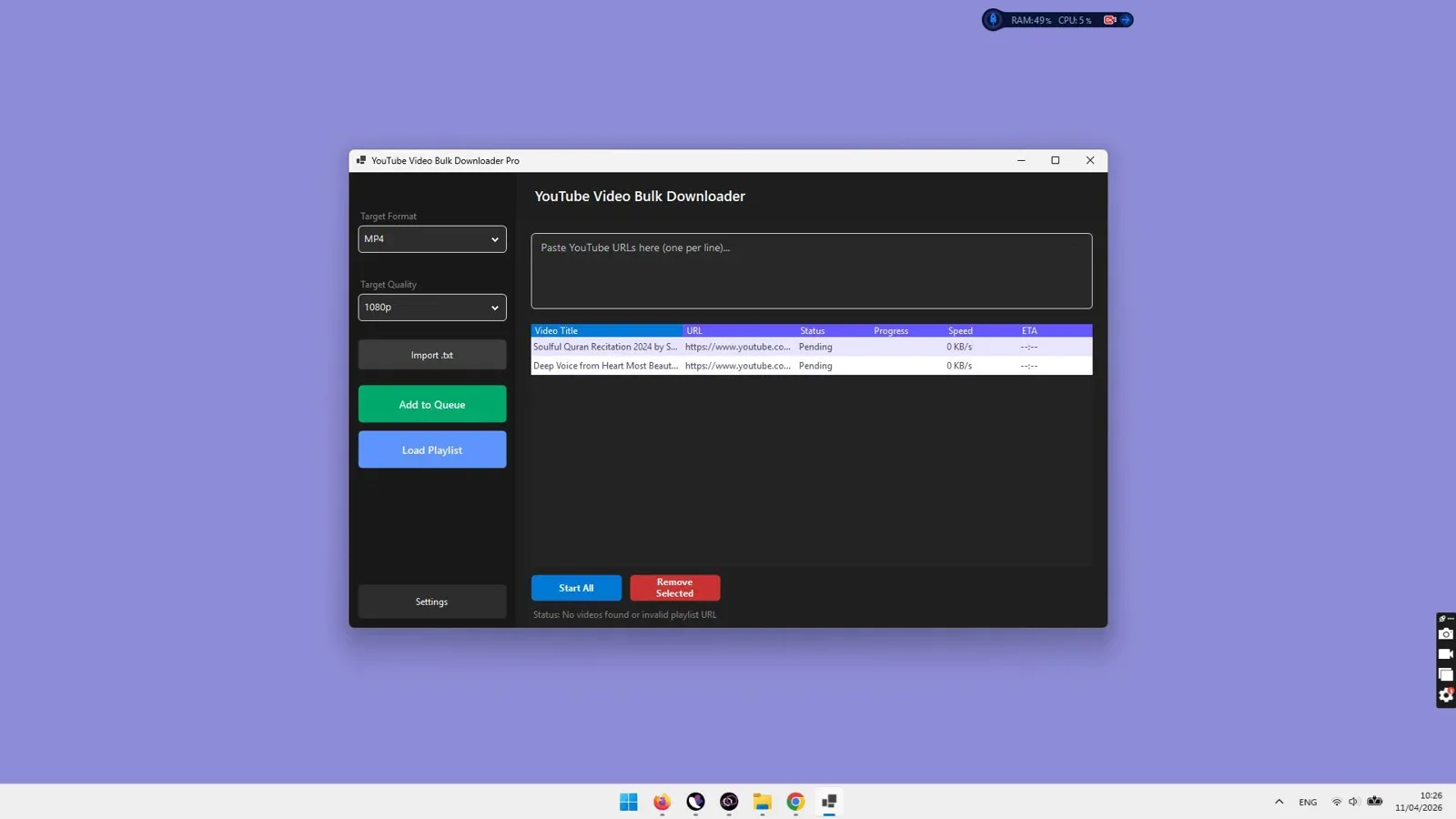
Core Security Advantages of Desktop Software:
- Zero Web Popups or Redirects: Desktop utilities have no connection to deceptive advertising networks. You paste links into a clean software window and receive verified media files directly.
- Complete Data Privacy: Your video download queries, playlist URLs, and media history are stored exclusively on your local computer. No cloud server tracks what content you archive.
- Direct CDN Communication: The software communicates directly with official streaming content delivery networks via encrypted HTTPS connections, bypassing compromised third-party servers.
- Native File Container Assembly: Media files are assembled into standard, clean MP4, MKV, or MP3 containers without executable wrappers or hidden scripts.
- No Browser Permission Modifications: Operates independently of your web browser, requiring no invasive browser extension permissions or notification overrides.
- Complete Offline Resilience: Once installed, desktop software handles all indexing, stream chunking, and muxing locally, ensuring that private files are never uploaded to unknown cloud repositories.
Local Stream Muxing: The Technical Key to Quality and Safety
To understand why online downloaders compromise both your security and your video quality, it is essential to look at how high-definition streaming works:
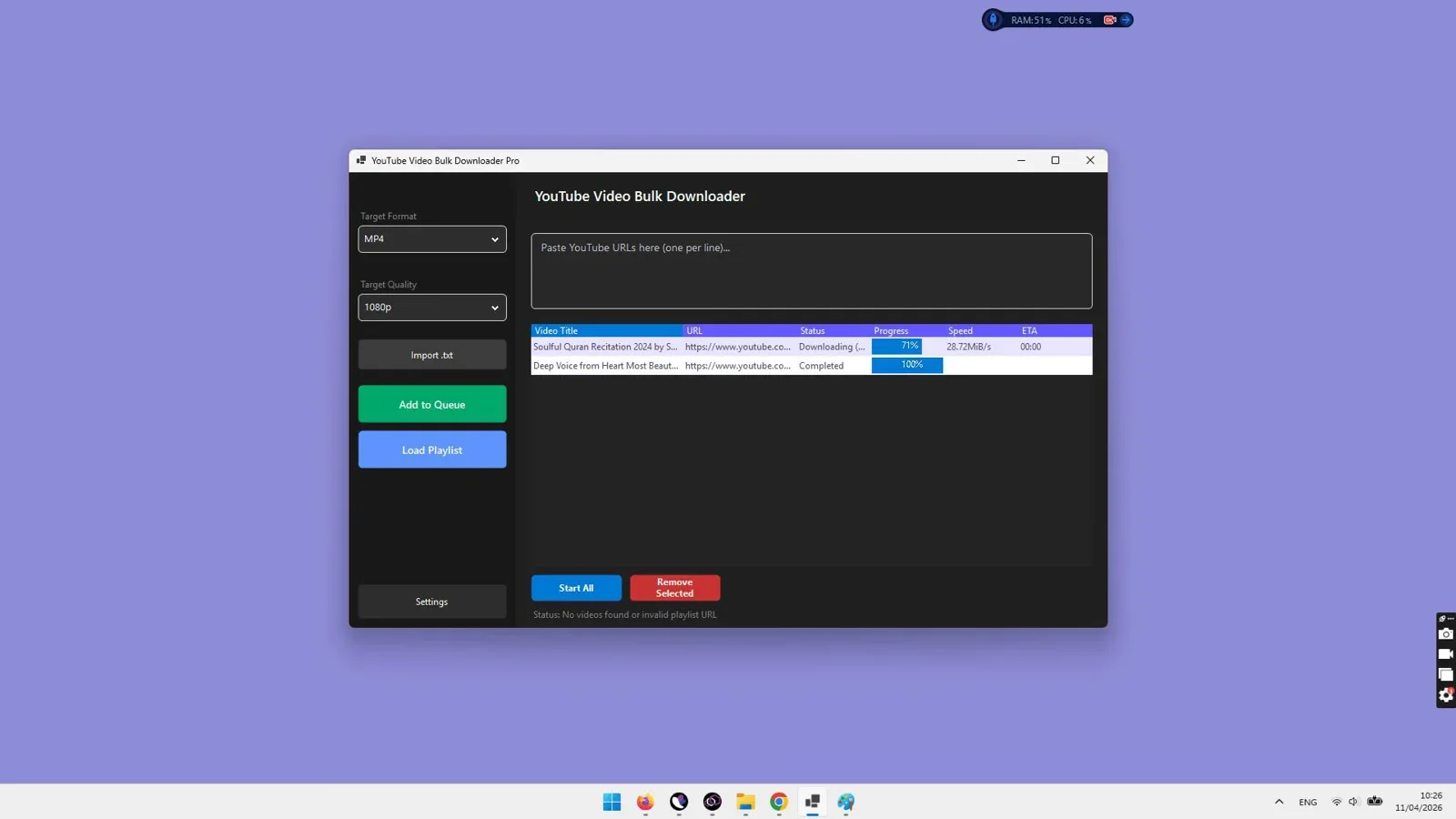
Modern video platforms store 1080p, 1440p, and 4K video feeds separately from audio feeds using Dynamic Adaptive Streaming over HTTP (DASH). When you watch a 4K video in a browser, your player downloads the silent 4K video stream and the audio stream simultaneously and synchronizes them during playback.
When downloading these files:
- The Web Converter Shortcut: Web converters must download both streams to their server, use server CPU to merge them, and re-upload the file to you. To minimize server costs, they simply cap downloads at 720p (where combined streams still exist) or apply aggressive re-compression that degrades visual clarity.
- The Local Desktop Muxing Advantage: Software like VidGorilla downloads the raw, uncompressed 4K video track and the high-bitrate audio track directly to your PC, then uses your computer multi-core processor to mux them into a pristine MP4 container in seconds without quality loss or server middleman risks.
Step-by-Step Guide: How to Safely Download 4K and 1080p Videos
Follow these safe steps to download high-resolution videos without compromising your computer:
Step 1: Copy the Video or Playlist Link from YouTube
In your web browser, navigate to the desired video or playlist and copy the URL from the top address bar. A clean YouTube URL looks like: https://www.youtube.com/watch?v=xxxxxxxxxxx.
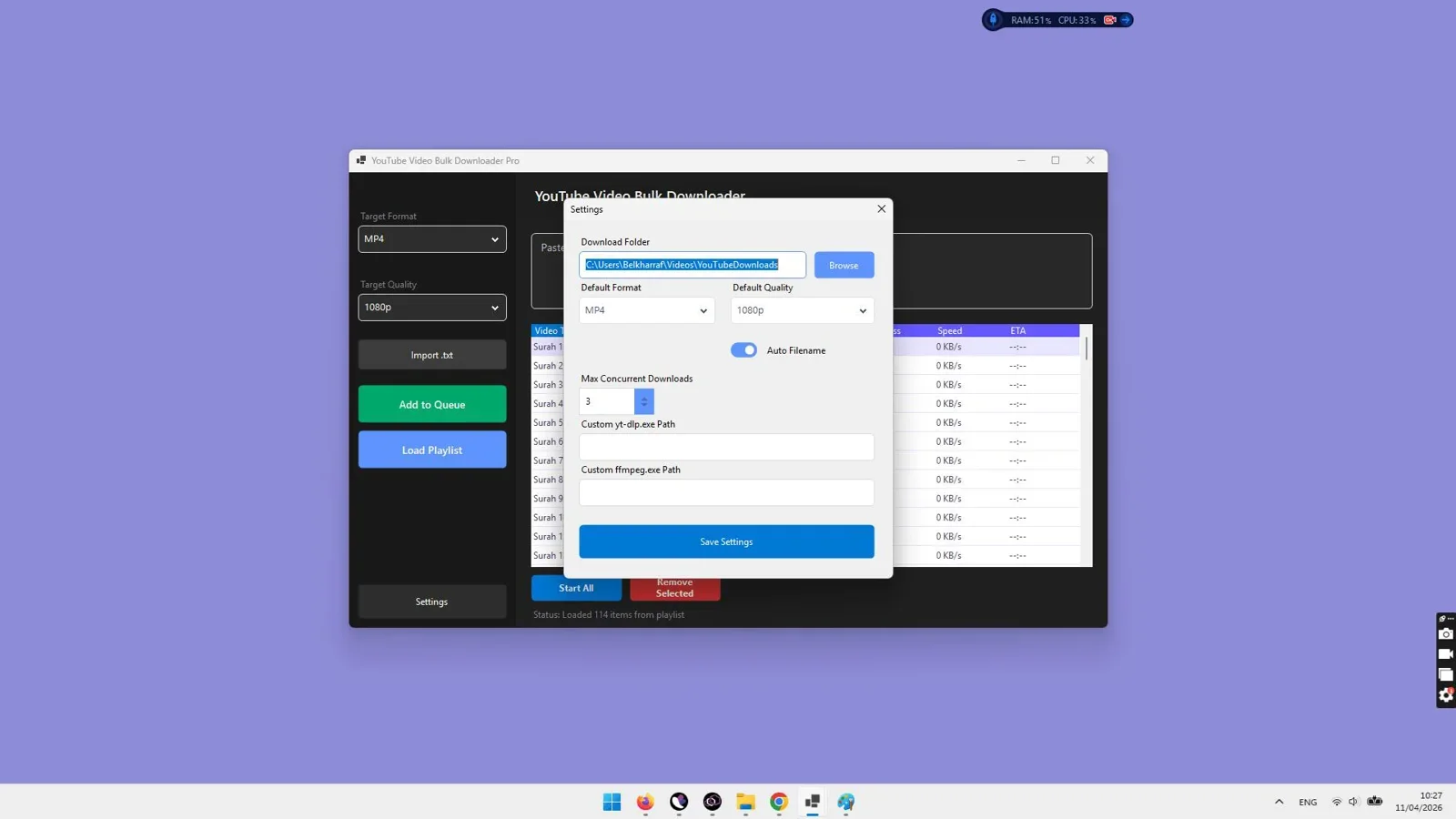
Step 2: Paste the URL into VidGorilla
Open VidGorilla on your PC. Paste the URL into the input field. The software queries the platform API to fetch available resolution streams and metadata.
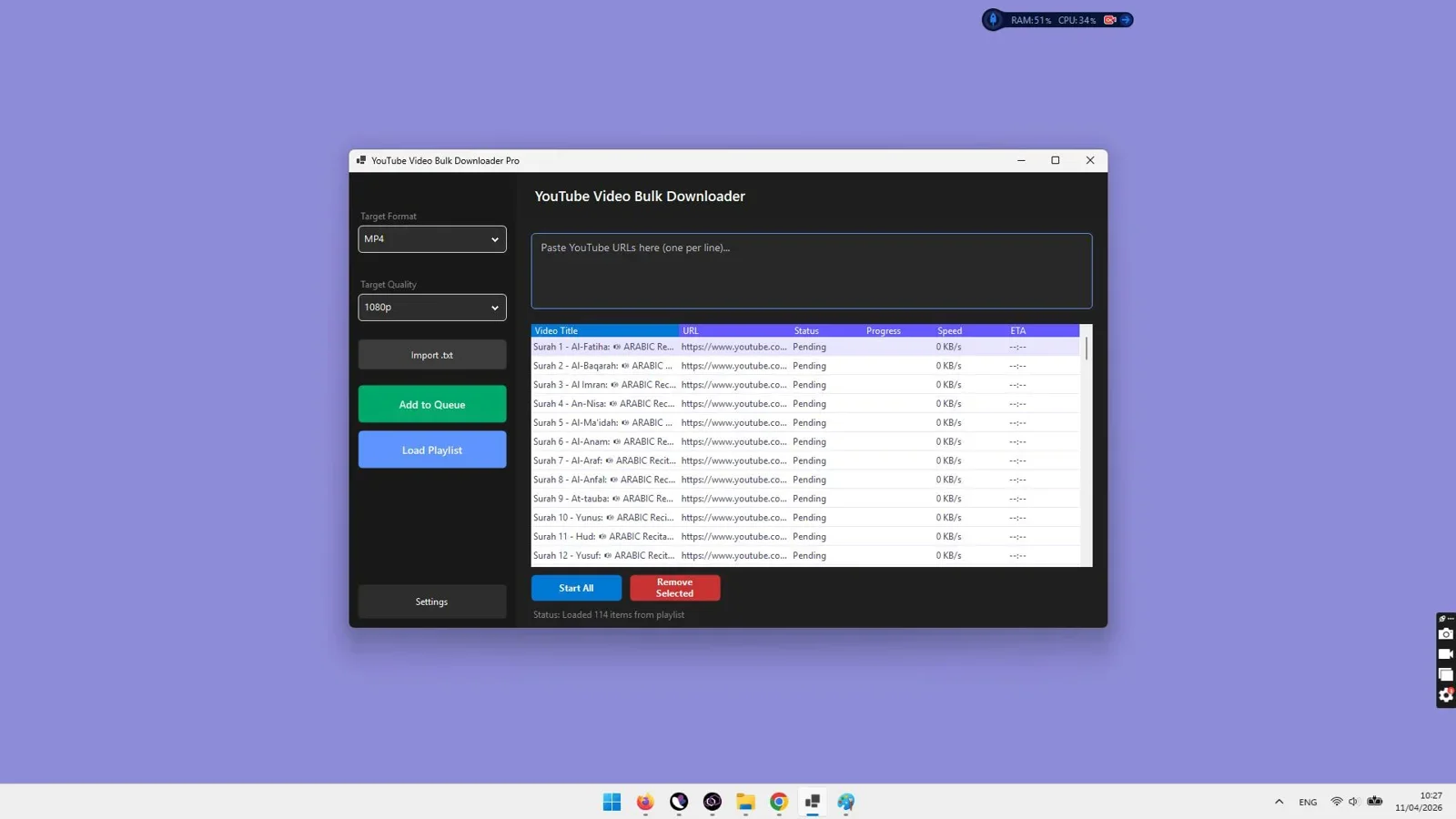
Step 3: Choose Your Desired Output Quality
Select your preferred quality level from the dropdown menu:
- 4K Ultra HD (2160p): Pristine master quality for large screens and editing b-roll.
- 1080p Full HD (60fps): Crystal-clear quality with standard file sizes.
- 720p HD: Compact file sizes for portable devices.
Step 4: Save Directly to Your Verified Local Directory
Choose an output destination folder on your hard drive and click download. VidGorilla initiates parallel segment downloads, multiplexes the audio and video streams locally, and outputs a verified .mp4 or .mkv media file.
Extracting Safe, Lossless MP3 Audio Without Third-Party Bundles
Online "YouTube to MP3" converters are notorious for bundleware and aggressive popup ads. Many also encode audio using low-quality 96kbps or 128kbps bitrates with noticeable distortion.
VidGorilla provides a built-in, direct audio extraction workflow:
- Select MP3 in the format selector.
- The software extracts the native 160kbps Opus or 128kbps AAC audio feed directly from the server stream.
- It encodes the stream at up to 320kbps MP3 fidelity, preserving dynamic frequency response, vocals, and bass depth.
- ID3 tags and track titles are embedded cleanly without third-party promotional watermarks.

Download videos and playlists safely in 4K or extract high-bitrate MP3s with complete offline security on Windows PC.
Codec Guide: VP9, AV1, and H.264 Video Quality Comparison
When downloading 1080p and 4K videos, understanding modern video codecs ensures you get the highest visual fidelity and device compatibility:
| Codec Standard | Compression Efficiency | Visual Quality | Hardware Compatibility |
|---|---|---|---|
| AV1 (AOMedia Video 1) | Highest (Next-Gen) | Flawless 4K & 8K detail | Modern PCs, GPUs, and flagship phones |
| VP9 | Very High | Excellent 4K & 1440p clarity | Universal across modern computers & TVs |
| H.264 (AVC) | Standard | Great 1080p & 720p fidelity | 100% universal legacy compatibility |
Architectural Security Breakdown: Web vs Extension vs Desktop
Understanding where and how your data moves provides clear insight into why desktop applications are inherently more secure:
1. Web-Based Cloud Converters
Architecture: User > Cloud Converter Server > YouTube CDN > Cloud Converter Server > User Browser.
Security Weakness: The intermediate cloud server intercepts your IP address and download history. Ad networks run arbitrary JavaScript in your browser window, creating vulnerability windows for drive-by downloads and browser cookie hijacking.
2. Browser Extensions & Plugins
Architecture: User Browser > Browser Extension Hook > YouTube CDN > Local File System.
Security Weakness: Browser extensions require broad permissions ("Read and change all your data on all websites"). Malicious developers frequently purchase abandoned popular extensions to silently push adware and scrape personal browsing sessions.
3. Standalone Desktop Software (VidGorilla)
Architecture: User Local PC > Encrypted Direct HTTPS Pipe > YouTube CDN > Local File System.
Security Strength: Completely isolated from your web browser. No third-party servers intercept the media packets. Zero background JavaScript ads or notification prompts can execute. Output files are written directly into verified media containers on your hard drive.
Recognizing Social Engineering Red Flags on Download Portals
When searching online for video download tools, be vigilant against these common social engineering traps:
- Fake "Virus Detected" Alerts: A tab opens claiming your computer has 5 viruses and requires an immediate cleanup tool before downloading can proceed. This is 100% fraudulent scareware.
- Misleading Captcha Prompts: A prompt instructs you to "Click Allow to verify you are human". Clicking allow grants the site permission to send desktop push notifications.
- Fake System Update Warnings: Claims that your Windows version or graphics driver is outdated and must be updated before high-definition video can be rendered.
- Misleading "Speed Booster" Downloads: Secondary popups claiming you need an acceleration plugin to download files faster than standard web limits.
The 2026 Video Downloading Safety & Security Checklist
Before downloading any media file from the web, run through this practical security verification list:
- [x] Verify File Extension: Ensure downloaded files end with standard media extensions (
.mp4,.mkv,.mp3,.m4a). Never open files ending in.exe,.scr,.bat, or.zip. - [x] Avoid Browser Notification Requests: Never click "Allow" on website notification dialogues requesting system access to download a video.
- [x] Do Not Install "Required" Third-Party Players: Verified media files play natively in standard media players like Windows Media Player or VLC. Any site claiming you must install their custom player is attempting a malware injection.
- [x] Use Native Desktop Utilities: Execute all downloads through verified desktop software like VidGorilla to ensure clean network isolation.
- [x] Organize Files with Dedicated File Tools: After saving large media collections, keep your local directory structured and indexed using desktop batch renamers to maintain a secure and organized local library.
Safe Downloading Strategies Across Different Operating Systems
Different operating systems have unique security postures when handling media downloads. Understanding how each OS protects user data ensures you avoid platform-specific vulnerabilities:
1. Windows Security Best Practices
Windows is the most common target for web converter malware due to its vast market share. Rogue websites frequently attempt to deliver malicious .exe, .msi, or .bat script payloads disguised as media files. When downloading on Windows:
- Always verify file associations in Windows File Explorer by enabling the "File name extensions" view. A genuine video file will end in
.mp4or.mkv, not.mp4.exe. - Use dedicated desktop applications like VidGorilla that are digitally signed and operate within standard user-level permissions without requesting invasive administrator privileges.
- Ensure Windows SmartScreen and real-time antivirus definitions are kept active to scan file headers automatically.
2. macOS and Sandboxed Gatekeeper Considerations
macOS incorporates Gatekeeper to block unsigned software. However, online converters targeting Mac users often employ fake "Adobe Flash Player" or "Safari Video Downloader Extension" popups. Never override Gatekeeper prompts to install unverified browser plugins from converter landing pages.
3. Linux Command-Line and Desktop Environments
Linux distributions provide robust package management security. Technical users can leverage terminal utilities like yt-dlp, while desktop users benefit from native tools that interface directly with standard multimedia libraries without third-party ad scripts.
4. Mobile Devices (iOS & Android)
Mobile users are especially vulnerable to web converter redirects that spawn unauthorized app store subscription prompts or mobile malware. Dedicated desktop downloading combined with local file transfer (via USB or local Wi-Fi sharing) is vastly safer than navigating ad-heavy converter sites on mobile web browsers.
The Threat of Browser Extension Supply-Chain Attacks
Many users assume that installing a browser extension from the official Chrome Web Store or Firefox Add-ons repository is inherently safe. However, cybersecurity researchers have identified a widespread exploitation vector known as browser extension supply-chain hijacking:
- Acquisition of Legitimate Extensions: Unscrupulous advertising networks identify popular, free video downloader extensions with hundreds of thousands of active users and purchase the codebase from the original developer.
- Silent Malicious Updates: Once ownership transfers, the new operators push an automatic background update that injects affiliate tracking cookies, monitors private browsing sessions, and replaces search engine results with sponsored ad portals.
- Permission Abuse: Because users already granted "Read and change all data on all websites" during initial installation, the compromised extension executes malicious JavaScript across banking portals, email accounts, and social media dashboards without triggering new permission alerts.
Using standalone desktop software like VidGorilla isolates your video downloads completely from your web browser, eliminating the risk of extension-based session hijacking.
Audio Quality Deep Dive: Opus, AAC, and MP3 Transcoding Mechanics
When extracting audio from online video streams, understanding audio codec mechanics prevents quality loss and compression distortion:
Video streaming platforms encode native audio using two primary codecs: Opus (typically at 160kbps VBR) and AAC (typically at 128kbps CBR). The Opus codec at 160kbps delivers superior perceptual audio fidelity comparable to a 320kbps MP3 file.
When software like VidGorilla processes an audio extraction:
- It pulls the highest-bitrate raw Opus audio stream directly from the platform content delivery network.
- It converts the uncompressed audio packets into a standardized 320kbps MP3 container, ensuring universal compatibility across legacy hardware, vehicle audio units, and mobile players without clipping or dynamic frequency cutoff.
- ID3 metadata tags (including artist name, track title, and duration) are written directly to the file header without intrusive promotional watermark tags.
Antivirus Integration and Sandboxed Storage Best Practices
To establish maximum system defense when maintaining a large offline media library on Windows:
1. Real-Time Antivirus Scanning
Ensure Windows Defender or your chosen endpoint security solution maintains active real-time file system scanning. When verified desktop software writes MP4 or MP3 files to your disk, Windows Defender scans file headers in milliseconds without interrupting batch download performance.
2. Designated Media Partitions
Create a dedicated storage partition (such as D:/Media_Library/) separate from your operating system partition (C:/). This isolates media files from critical system directories and simplifies automated backup indexing.
Understanding Legal Fair Use and Content Archiving Boundaries
Safely downloading content also requires understanding legal and ethical guidelines:
- Personal Offline Archiving: Saving videos for personal reference, travel viewing, or offline research is widely recognized under fair use principles.
- Copyright Protection: You must not redistribute, sell, re-upload, or commercially exploit copyrighted material without authorization from the copyright holder.
- Creator Support: Whenever possible, support your favorite content creators by engaging with their official channels and subscribing to their work.
Final Verdict
The Safest Way to Download YouTube Videos in 2026
Online web converters present unacceptable security hazards, invasive ad networks, and severe quality compression. If you want a 100% safe, ad-free, and private solution to download single videos, bulk links, or full YouTube playlists in pristine 4K and 1080p, VidGorilla is the most secure and reliable Windows desktop software in 2026.
Overall Rating: 4.9 / 5
Download Videos Safely with Zero Malware or Popups
Experience fast, secure, and private video downloads in true 4K, 1080p MP4, and high-bitrate MP3 audio directly on your PC.
Get VidGorilla →Verified Windows Desktop Application with Clean Local Operation.
Frequently Asked Questions
Are online YouTube video download sites safe to use?
Most free web converter websites are unsafe because they monetize traffic through high-risk advertising networks, deceptive fake download buttons, and browser notification hijackers. Using a dedicated desktop downloader like VidGorilla eliminates these risks completely.
How can I download YouTube videos without popups or ads?
By using native desktop software installed on your PC (such as VidGorilla). Because the software runs locally on your computer, it communicates directly with streaming CDNs and does not load third-party ad networks or browser popups.
Can a downloaded video file contain a virus?
Standard media files (.mp4, .mkv, .mp3) are container data formats that cannot execute code. However, malicious sites often disguise executable files (like video.mp4.exe) as videos. Verified desktop software ensures you only receive authentic media containers.
Why is 4K video downloading safer on desktop software?
4K video requires multiplexing separate video and audio streams. Web converters often use this technical step as a pretext to trick users into downloading fake "codecs" or "video players". Desktop software performs stream muxing internally using local system resources with zero extra downloads required.
Does desktop video downloading protect my personal privacy?
Yes. When using desktop software like VidGorilla, your download requests and search queries remain 100% private on your local storage drive, rather than being logged and tracked on public cloud converter servers.



Comments (0)
Leave a Comment