
Learning how to create high-converting t-shirt and hoodie mockups in bulk is essential for scaling an online apparel business on Etsy and Shopify in 2026. By utilizing local desktop software such as Etsy Mockups Generator Studio alongside structured prompt resources like Mockups Prompts Library, sellers can generate dozens of photorealistic listing images with authentic fabric displacement, realistic lighting, and exact manufacturer color matching in minutes.
In this article
- Why Bulk Mockup Production Matters for E-Commerce Growth
- Prerequisites: Preparing Your Graphic Assets and Blank Specifications
- Understanding Fabric Blends: Cotton, Poly-Fleece, and Tri-Blends
- Step-by-Step Guide to Bulk T-Shirt and Hoodie Mockup Creation
- Step 1: Standardizing Your Graphic Canvas and Resolution
- Step 2: Selecting Apparel Styles, Cuts, and Colorways
- Step 3: Configuring Automatic Displacement and Shadow Blending
- Step 4: Executing Local Batch Rendering on Desktop
- Step 5: Curating Multi-Angle Gallery Packs and Size Charts
- Creating Multi-Product Bundle Mockups and Gift Set Visuals
- Designing High-Converting Visual Size & Fit Guides
- Featured Software: Etsy Mockups Generator Studio
- Enhancing Scenes with Mockups Prompts Library
- Comparing Bulk Production Methods: Desktop vs Cloud vs Photoshop
- Lighting, Color Harmony, and Visual Composition Principles
- Managing Large Multi-SKU Catalogs and Asset Folder Hierarchies
- Common Mockup Mistakes That Hurt Listing Conversion Rates
- A/B Testing Mockup Styles to Maximize Listing Conversion Rates
- Marketplace SEO and Image Optimization for Etsy and Shopify
- Final Verdict: Building an Automated Mockup Pipeline
- Frequently Asked Questions
Why Bulk Mockup Production Matters for E-Commerce Growth
In competitive online marketplaces, visual presentation accounts for over 80% of a customer's purchasing decision. When shoppers search for graphic tees, oversized hoodies, or seasonal sweatshirts, their initial click is decided solely by the primary thumbnail image. Furthermore, once they visit your product page, they expect to see their preferred color option clearly displayed on a realistic garment, rather than a generic digital color block.
For print-on-demand store owners managing expanding catalogs, creating listing photos one by one is an inefficient use of time. If you offer a single design on four shirt colors, two hoodie colors, and one sweatshirt style, that single listing requires seven distinct visual assets. When publishing ten new designs per week, you must produce seventy high-resolution mockups. Doing this manually in cloud editors or opening Photoshop PSD files one at a time creates severe workflow friction.
Adopting an automated, local desktop mockup pipeline eliminates this friction. Batch processing allows you to map graphics across dozens of templates simultaneously, ensuring that every product release includes cohesive lifestyle photos, clean flat lays, and accurate color swatches without requiring graphic design expertise.
Moreover, modern consumers have become highly discerning. When potential customers browse marketplaces, they immediately spot flat, pasted vector graphics that disregard garment folds and natural lighting. High-performing e-commerce brands stand out by providing rich visual depth that makes digital apparel look tangible and premium, which directly reduces buyer skepticism and boosts average order value.
Prerequisites: Preparing Your Graphic Assets and Blank Specifications
Before launching an automated batch render, preparing standardized source files ensures seamless output quality across all garment cuts:
- File Format: Export all artwork as transparent PNG files. Avoid solid white or black backgrounds around graphics to ensure clean layering over colored fabrics.
- Resolution Standards: Use a minimum canvas resolution of 4000x4000 pixels at 300 DPI. High-resolution source graphics prevent pixelation when scaled across large chest print areas or close-up detail shots.
- Color Profile Alignment: Design your graphics in sRGB color space. While physical print shops utilize CMYK profiles during production, digital screen displays on Etsy, Shopify, and social media platforms rely on sRGB for accurate color rendering.
- Blank Garment Codes: Identify the exact physical blanks used by your production partner (e.g., Bella+Canvas 3001, Gildan 18000, Comfort Colors 1717, or Independent Trading Co. SS4500). Matching your digital mockup colors to manufacturer hex codes prevents color discrepancies upon physical delivery.
- Consistent Negative Space: Ensure consistent padding around your central artwork so the generator positions graphics uniformly across different shirt sizes and template cuts.
Understanding Fabric Blends: Cotton, Poly-Fleece, and Tri-Blends
Not all garments interact with print graphics in the same manner. Capturing the nuance of different textile compositions in your digital mockups reinforces product authenticity and manages customer expectations:
- 100% Combed and Ringspun Cotton: Popularized by blanks like the Bella+Canvas 3001 and Next Level 3600, combed ringspun cotton features a smooth, tight weave with minimal surface fuzz. Mockups should present clean, sharp graphic edges with subtle matte fabric texture visible in high-contrast lighting.
- Heavyweight Pigment-Dyed Cotton: Comfort Colors 1717 and similar vintage blanks feature a thicker, lived-in cotton feel with subtle washed color fading around collar seams. Your mockups should reflect soft, vintage undertones rather than hyper-glossy synthetic finishes.
- 50/50 Cotton-Polyester Fleece: Standard for pullovers like the Gildan 18000 sweatshirt, fleece materials have noticeable loft, thicker ribbed cuffs, and soft surface texture. Displacement mapping must account for broader fold contours.
- Tri-Blend Fabrics (50% Poly / 25% Cotton / 25% Rayon): Tri-blends are lightweight, highly drapeable, and heathered in appearance. Digital mockups of tri-blend apparel should show subtle heathered striations through semi-transparent ink areas for true-to-life realism.
Step-by-Step Guide to Bulk T-Shirt and Hoodie Mockup Creation
Below is the complete end-to-end framework for building a high-volume apparel mockup generation engine using dedicated desktop utilities.
Step 1: Standardizing Your Graphic Canvas and Resolution
The first step in building a scalable production pipeline is setting standard graphic dimensions. When your design graphics share identical canvas proportions, the mockup generator positions the print area in the exact optical center of every garment template without requiring manual manual realignment for each file.
A standard 4000x4800px or 4500x5400px canvas with the design centered in the upper third corresponds to standard adult garment print locations (approximately 2 to 3 inches below the front collar). Standardizing this template across your design catalog ensures one-click batch application.
Step 2: Selecting Apparel Styles, Cuts, and Colorways
Diverse presentation angles give buyers a complete understanding of the product. Select a balanced combination of template formats for your batch:
- Primary Hero Flat Lay: A minimalist overhead photo of the garment styled cleanly against a neutral wood, marble, or textured linen background.
- On-Model Lifestyle Photo: A model wearing the garment in natural daylight, helping shoppers visualize proportions, sleeve drape, and fit.
- Garment Hanger Display: A clean aesthetic wooden hanger shot against a bright boutique wall, ideal for professional retail branding.
- Back-Print View: If your apparel features graphics on the back, include corresponding rear views to eliminate buyer confusion.
- Folded or Stacked Detail Shot: Showing the garment folded neatly with visible tag areas communicates cozy textile quality and premium packaging.
Step 3: Configuring Automatic Displacement and Shadow Blending
The core difference between amateur and professional mockups lies in displacement mapping. When fabric folds naturally, any print applied over the surface must bend with those ridges and valleys. Flat overlays look pasted on and degrade listing credibility.
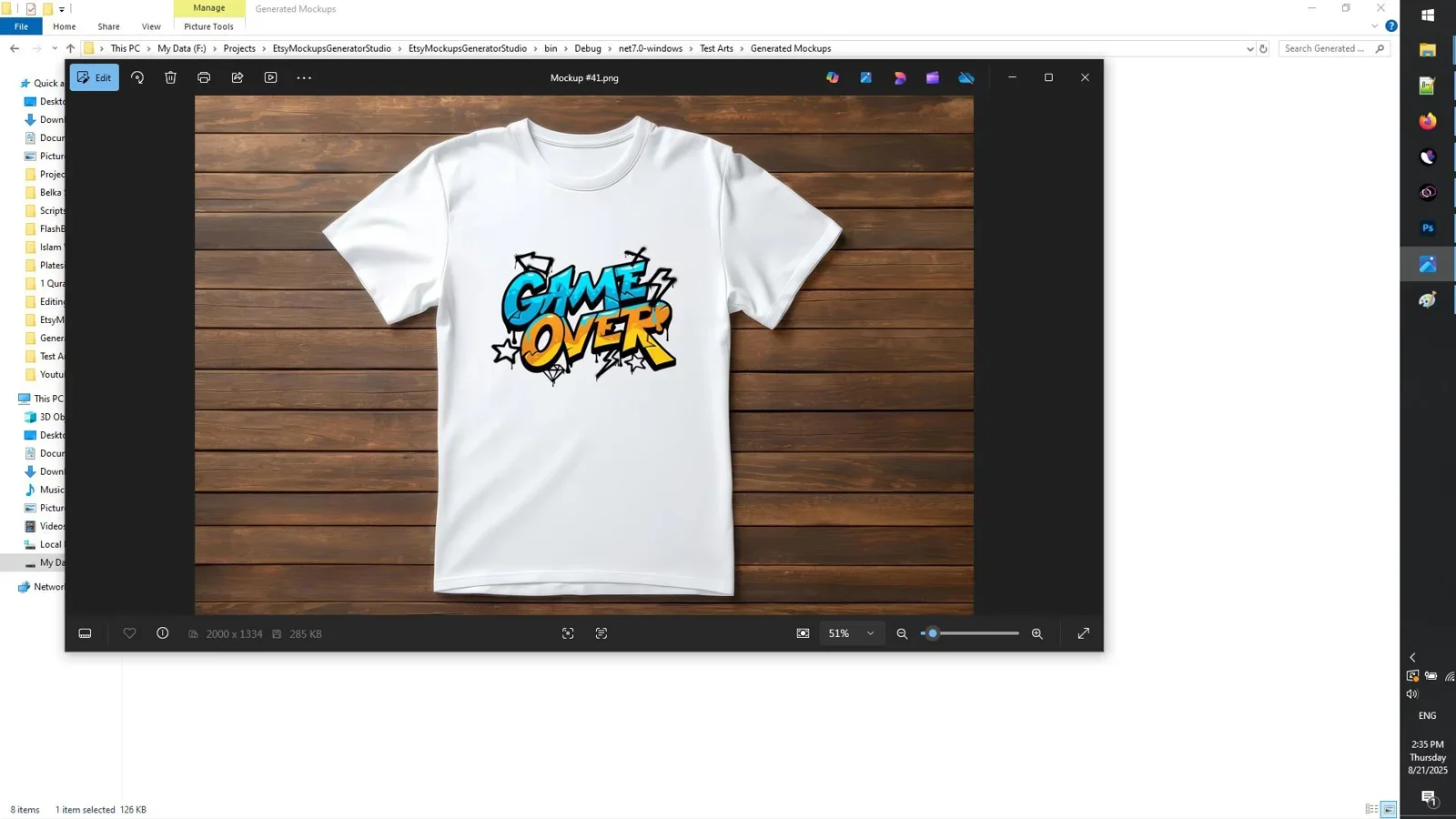
In Etsy Mockups Generator Studio, displacement calculations happen automatically. The software analyzes the depth contours of the template, warps the artwork subtly along wrinkles, and applies blending algorithms so darker fabric shadows show through the ink while fabric highlights illuminate raised graphic details.
Step 4: Executing Local Batch Rendering on Desktop
Once your artwork folder is connected and your target templates are selected, initiate the automated batch render. Because the rendering engine runs locally on your PC, it processes dozens of high-resolution images in rapid succession without server queues, browser crashes, or internet speed dependencies.
Step 5: Curating Multi-Angle Gallery Packs and Size Charts
Organize the exported output files into structured folders named by SKU. For each listing, combine your primary hero mockup with two lifestyle angles, one folded detail shot, a color swatch chart, and a clear unisex size chart. Having 6 to 10 comprehensive photos per listing maximizes Etsy search algorithm visibility and boosts customer conversions.
Creating Multi-Product Bundle Mockups and Gift Set Visuals
One of the fastest ways to increase your average order value (AOV) on Shopify and Etsy is offering multi-garment bundles. Rather than forcing shoppers to imagine matching items, high-performing stores generate dedicated bundle mockups:
- Couples & Family Matching Sets: Position a men's t-shirt, women's fitted tee, and matching toddler onesie in a single cohesive flat lay. Consistent background lighting across all three garments creates an instant gift set appeal.
- Seasonal Apparel Bundles: Combine a graphic t-shirt with a matching heavyweight hoodie and embroidered beanie for autumn or winter promotions.
- Merchandise + Sticker Combos: Place a die-cut vinyl sticker alongside the folded t-shirt on a wooden tabletop to showcase complimentary bonus items or complete collection packs.
Designing High-Converting Visual Size & Fit Guides
Customer inquiries regarding garment sizing represent one of the largest time drains for e-commerce sellers. Including a visually polished size chart mockup in every listing gallery drastically reduces returns and sizing confusion:
- Side-by-Side Measuring Diagram: Display an outline of the t-shirt or sweatshirt indicating exact measuring points for Width (armpit to armpit) and Length (shoulder seam to hem).
- Dual Measurement Tables: Provide measurements in both Inches and Centimeters to cater to domestic and international buyers simultaneously.
- Fit Recommendation Callouts: Add helpful fit notes (such as "Runs true to size for a classic fit" or "Size up 1-2 sizes for an oversized streetwear drape").
Featured Software: Etsy Mockups Generator Studio
For sellers seeking an efficient Windows software solution, Etsy Mockups Generator Studio provides a complete desktop environment tailored for apparel and printable wall art.
Rapidly create realistic T-shirt, hoodie, sweatshirt, and wall art mockups in bulk on Windows with local hardware acceleration and direct high-definition export.
The application includes an extensive library of garment silhouettes, supporting trending oversized street cuts, classic unisex t-shirts, crewneck pullovers, and heavy fleece hoodies. By running entirely on your Windows PC, it keeps your proprietary designs private, eliminates monthly recurring platform fees, and processes high-resolution export files instantly.
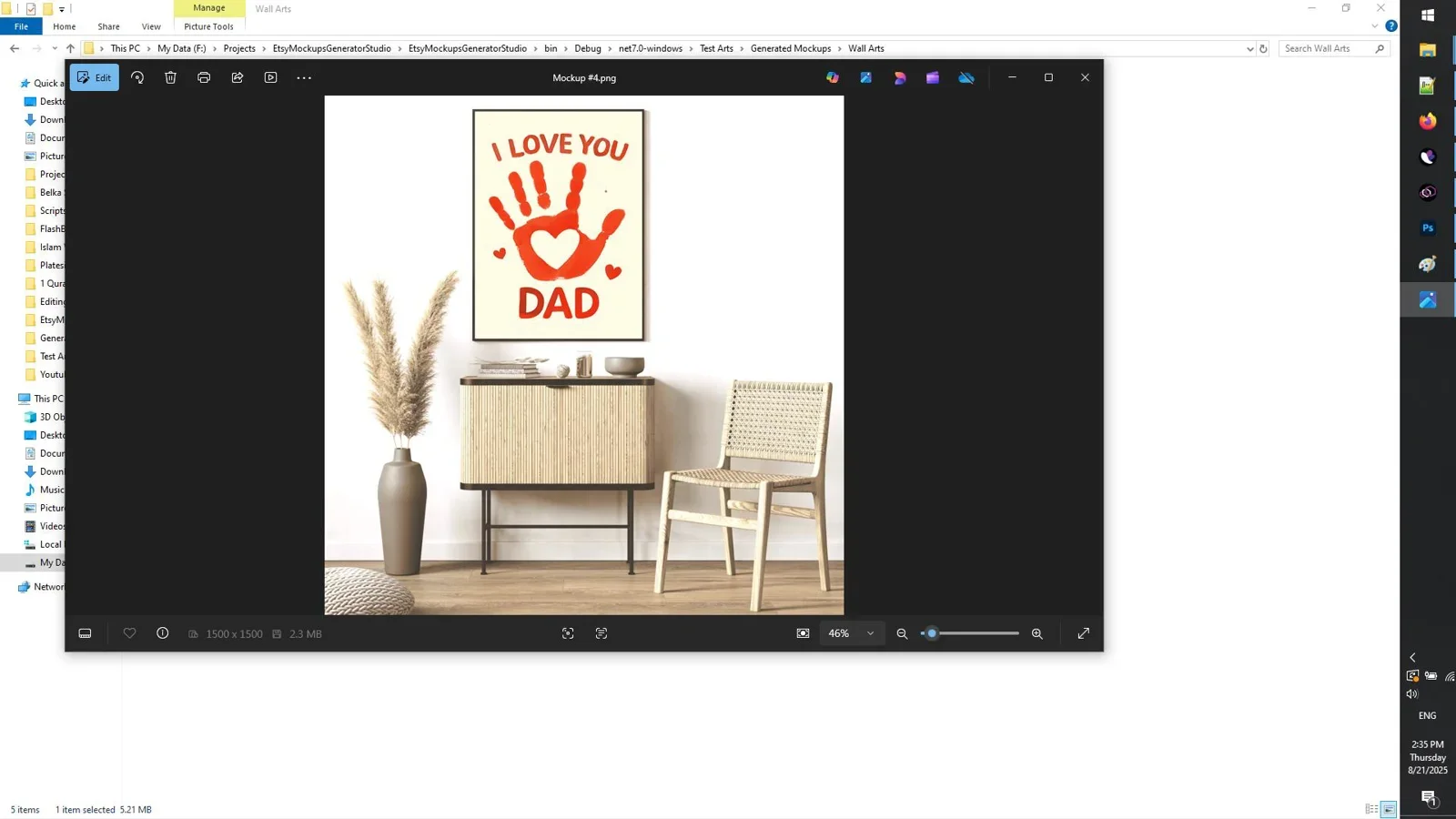
The software also streamlines color matching by allowing store owners to save custom palette presets. For example, if your shop focuses on autumn tones like Terracotta, Mustard, Forest, and Heather Olive, you can save that palette and apply it across twenty new artwork files in a single batch command.
Enhancing Scenes with Mockups Prompts Library
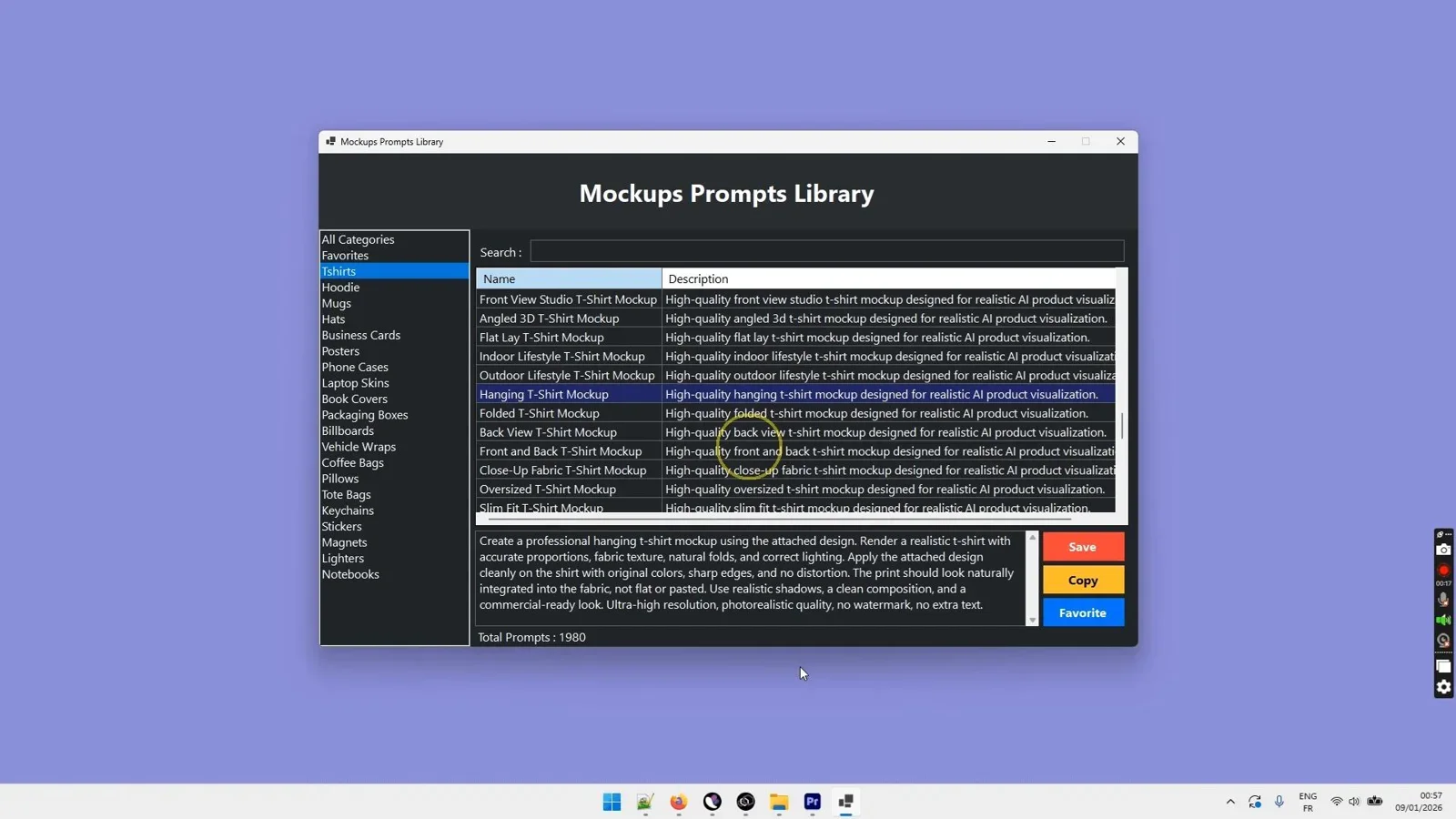
If you want to expand beyond stock templates and create unique, brand-specific background environments using AI image generators, the Mockups Prompts Library offers a comprehensive catalog of 1,980 ready-to-use prompt blueprints.
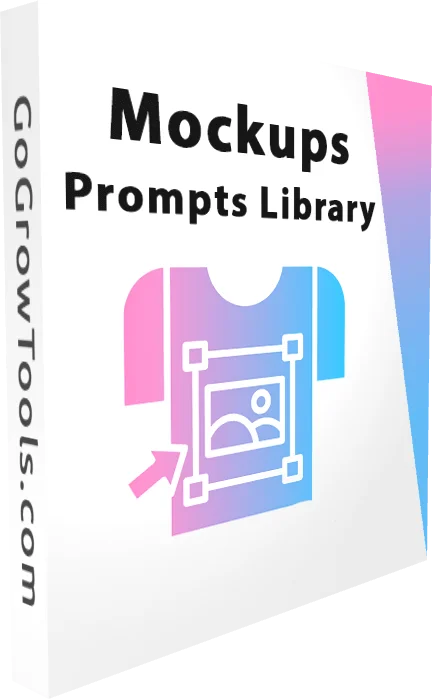
1,980 engineered prompt formulas for creating custom studio scenes, lifestyle models, and realistic apparel environments with leading AI models.
By using structured prompts, you can generate custom tabletop scenes with dried botanicals, vintage wooden flooring, industrial brick walls, or minimalist sunlit interiors. Pairing custom AI background scenes with desktop batch tools enables you to build distinct store branding that sets your catalog apart from generic competitors. For more insight on combining AI tools, explore our guide on the best apparel mockup generators.
Comparing Bulk Production Methods: Desktop vs Cloud vs Photoshop
Understanding the strengths and trade-offs of different mockup production methods helps you choose the most sustainable approach for your business:
| Workflow Method | Batch Efficiency | Rendering Speed | Cost Structure | Design Skill Required |
|---|---|---|---|---|
| Dedicated Desktop (Etsy Mockups Studio) | Very High (Full Automated Batch) | Seconds per image (Local PC) | One-Time License | Beginner / No Design Skills Needed |
| Photoshop PSD Smart Objects | Low to Moderate (Scripted or Manual) | Moderate (Heavy RAM usage) | Monthly Adobe Subscription | Intermediate to Advanced |
| Cloud Web Generators (Placeit, Kittl) | Low (One-by-one browser flow) | Slow (Server queue & upload) | Monthly Subscription | Beginner |
| AI Custom Generation (Midjourney + Prompt Library) | Moderate (Prompt-based) | Moderate (Cloud Generation) | One-time asset + API / Sub | Intermediate (Prompt engineering) |
Lighting, Color Harmony, and Visual Composition Principles
To produce mockups that rival high-end retail catalogs, mastering basic visual principles elevates standard listing images into conversion assets:
- Soft Diffused Key Lighting: Hard flash lighting casts harsh, unnatural shadows across graphics. Mockup templates featuring diffused north-facing window light or large studio softboxes produce gentle gradient shadows that integrate artwork naturally.
- Color Temperature Consistency: Ensure your background props and garment tones share a harmonious color temperature. For warm vintage designs, use warm wood, cream linen, and earthy ceramic accents. For modern minimalist streetwear, utilize cool concrete, matte black surfaces, and crisp white backdrops.
- Focal Hierarchy and Rule of Thirds: Position the graphic print area directly at the primary focal point of the composition. Secondary props (such as sunglasses, hats, shoes, or potted plants) should frame the garment without distracting from the central design.
- Shadow Opacity Calibration: On black and dark heather shirts, set shadow overlay opacity between 30% and 45% to prevent the graphic from looking washed out. On white or pastel shirts, increase shadow opacity to 60% so fabric folds clearly define garment volume.
Managing Large Multi-SKU Catalogs and Asset Folder Hierarchies
As your store catalog expands into hundreds of designs, keeping image files organized is critical for fast fulfillment and listing management. We recommend a structured local folder architecture:
/Apparel_Store_Assets/
  ├── 01_Design_PNGs_Master/
  │     ├── SKU-101_Vintage_Mountain_Design.png
  │     └── SKU-102_Retro_Sunset_Design.png
  ├── 02_Exported_Mockups/
  │     ├── SKU-101/
  │     │     ├── SKU-101_01_Hero_White_Tee.jpg
  │     │     ├── SKU-101_02_Model_Heather_Tee.jpg
  │     │     ├── SKU-101_03_Hanger_Black_Tee.jpg
  │     │     ├── SKU-101_04_Flatlay_Sand_Hoodie.jpg
  │     │     ├── SKU-101_05_Color_Chart.jpg
  │     │     └── SKU-101_06_Size_Guide.jpg
  │     └── SKU-102/
  └── 03_Size_Charts_and_Swatches/
Automating your export names directly from Etsy Mockups Generator Studio allows you to maintain this structure automatically, saving hours when creating bulk listing drafts in e-commerce CSV templates.
Common Mockup Mistakes That Hurt Listing Conversion Rates
Avoid these frequent visual errors when producing apparel mockups for commercial stores:
- Over-Sized Print Placement: Stretching a graphic from shoulder to shoulder on a digital mockup might look dramatic, but if the physical DTG printer only supports a 12x16 inch area, the physical product will disappoint the buyer. Keep design scaling proportional to actual print platen dimensions.
- Incorrect Garment Colors: Displaying an off-shade navy or washed olive that does not match manufacturer production blanks causes negative product reviews. Always calibrate digital base colors against manufacturer swatches.
- Ignoring Garment Textures: Pasty flat graphics that sit on top of ribbed sweatshirt collars or fleece folds look artificial. Ensure displacement mapping and texture blending are active.
- Missing Lifestyle Diversity: Featuring only one model or only hanger shots limits buyer engagement. Include a healthy mix of flat lays, diverse models, and detail close-ups.
- Cluttered Background Props: Adding too many decorative props around the shirt distracts mobile shoppers from evaluating the actual design. Keep props minimal and complementary.
A/B Testing Mockup Styles to Maximize Listing Conversion Rates
Top e-commerce merchants do not guess which mockup style performs best; they systematically test visual variations to find what resonates most with their specific target demographic. Implementing a structured A/B testing strategy helps you identify which primary hero images generate higher click-through rates (CTR) and conversion rates:
- Flat Lay vs. On-Model Hero Images: Test whether your audience prefers minimalist flat lay photos on neutral backdrops or dynamic on-model lifestyle shots in outdoor or studio settings. For aesthetic niche niches, flat lays often communicate clean product purity, while streetwear lines frequently see higher conversion from candid lifestyle imagery.
- Hanger Shots vs. Folded Apparel Arrangements: Compare clean wooden hanger displays against artistic folded arrangements with lifestyle props. Hanger shots emphasize overall garment silhouette and collar drape, whereas folded arrangements highlight cozy fabric weight and tactile softness.
- Neutral Backgrounds vs. Contextual Environments: Evaluate pure white or light grey minimalist studio backdrops against contextual settings such as wooden coffee shop tables, brick loft walls, or sunlit outdoor patios. Contextual settings can evoke emotional connections with lifestyle buyers.
- Single Garment vs. Multi-Color Palette Showcases: In marketplace search results, testing a hero photo that showcases the design on a single vibrant shirt color versus a fan arrangement showing three available colorways can reveal whether visual variety or stark simplicity attracts more initial clicks.
When running image tests, isolate your variables by testing only one image element at a time for two to four weeks. Review your traffic analytics, favorite rates, and unit sales before rolling out the winning layout across related products in your catalog.
Marketplace SEO and Image Optimization for Etsy and Shopify
To maximize search engine ranking on Google and marketplace search on Etsy, apply these image optimization best practices:
- Descriptive File Names: Name your image files using targeted search terms (such as
vintage-sunset-tshirt-mockup-sand.jpg) rather than generic strings likeIMG_0042.jpg. - Accurate Alt Text: Add clear alt attributes describing the graphic, apparel type, and colorway for accessibility and Google Image search visibility.
- Targeted Aspect Ratios: Etsy recommends a 4:3 or 1:1 ratio with a minimum width of 2000px. Shopify themes perform best with consistent 1:1 square assets.
- Optimized File Sizes: Keep exported JPEG or WebP images between 500KB and 1.5MB to ensure fast page load speeds without sacrificing visual sharpness.
- Fast Thumbnail Loading: High page speed directly improves search rank and reduces bounce rates on standalone Shopify storefronts.
Final Verdict
Who should use this workflow?
If you run a print-on-demand store, Etsy shop, or independent Shopify apparel brand, switching to a local desktop bulk mockup generator is the most effective way to eliminate bottlenecks. Etsy Mockups Generator Studio provides the speed, displacement quality, and volume capability needed to produce entire listing galleries in minutes without recurring subscription fees.
Overall Rating: 4.9 / 5
Automate Your Bulk Mockup Production
Generate realistic T-shirt, hoodie, and sweatshirt listing visuals in bulk on your Windows PC.
Get Etsy Mockups Generator Studio →Direct one-time license with unlimited offline batch exports.
Frequently Asked Questions
How do I create bulk t-shirt mockups without Photoshop?
You can create bulk t-shirt mockups without Photoshop using dedicated desktop software like Etsy Mockups Generator Studio. It allows you to select multiple garment templates, import your graphic folder, and render dozens of finished mockup images automatically on your PC.
What is displacement mapping in apparel mockups?
Displacement mapping is a visual rendering technique that warps a two-dimensional graphic to match the topographical wrinkles, contours, and fabric folds of a garment, creating an authentic three-dimensional appearance.
How many mockups should I include in an Etsy apparel listing?
It is recommended to include 7 to 10 photos per Etsy listing. This should include a hero flat lay, two lifestyle model shots, a close-up detail photo, a color swatch guide, and a garment size chart.
Can I use bulk mockup software for hoodies and sweatshirts?
Yes. Etsy Mockups Generator Studio supports hoodies, crewneck sweatshirts, t-shirts, and wall art frames, allowing you to generate visuals across multiple apparel categories from the same interface.
Do I need an active internet connection to generate mockups with desktop software?
No. Desktop software like Etsy Mockups Generator Studio processes rendering tasks locally on your computer hardware, allowing you to work completely offline with full privacy and zero cloud delays.
What are the ideal image dimensions for Shopify product mockups?
Shopify stores perform best with square images sized at 2048x2048 pixels or 3000x3000px. This ensures crisp rendering on mobile screens and provides smooth zoom capability for desktop shoppers.
How do I avoid color mismatch between mockups and physical printed apparel?
Always request the exact manufacturer color codes (hex values) from your print-on-demand supplier and input those precise colors into your mockup software. Additionally, calibrating your design graphics in standard sRGB ensures consistent digital display across customer devices.

Comments (0)
Leave a Comment