
Running a small business in 2026 means wearing a lot of hats. You are the marketer, the salesperson, the operations manager, and sometimes the accountant — often all in the same day. The right software stack does not eliminate that reality, but it does remove the friction that wastes hours every week on tasks that should take minutes. This guide covers the best tools for small business in 2026, organized by function, with clear picks for each job to be done.
In this article
- What Software Does a Small Business Actually Need?
- Best Small Business Tools by Category in 2026
- Content & Marketing
- Lead Generation & Outreach
- Client Work & Proposals
- Productivity & Operations
- Security & Privacy
- Full Comparison Table
- Final Verdict
- Frequently Asked Questions
What Software Does a Small Business Actually Need?
The honest answer is: less than most software vendors want you to think, and more than most small business owners currently use. The trap is either paying for enterprise platforms with features you will never touch, or managing everything manually because nothing ever felt worth the investment.
The sweet spot in 2026 is purpose-built desktop tools with one-time pricing. They solve one job well, cost less than a single month of a SaaS subscription, and run on your machine without cloud dependency or usage caps. This guide focuses on that category - tools that punch above their price point and deliver immediate, measurable time savings.
Content & Marketing
ScalaPost - Best for AI Blog Content at Scale
Content marketing is one of the highest-ROI channels for small businesses, but consistent publishing is the part most owners struggle to maintain. ScalaPost is a Windows desktop application that automates the full blog production pipeline: keyword research, article generation, featured image creation, and direct WordPress publishing or clean HTML export. For small business owners who need to maintain a content presence without hiring writers or spending hours per article, ScalaPost removes the production bottleneck entirely. No monthly subscription, no word limits, no cloud dependency.
Research, write, generate featured images, and publish directly to WordPress. One-time purchase, unlimited articles, no cloud required.
Try ScalaPost →AtomicHooks - Best for High-Converting Social and Ad Copy
The opening line of any piece of content — an email, a social post, a video script, an ad — determines whether anyone reads past it. AtomicHooks is a Windows-based AI hooks generator that creates platform-specific opening lines with a built-in Viral Score so you can compare options before committing. For small business owners managing their own social media or ad copy, it eliminates the blank-page problem on the highest-stakes sentence in any piece of content.
Generate high-converting, platform-specific hooks with a built-in Viral Score. Stop losing readers at the first line.
Try AtomicHooks →CerebraMail - Best for Bulk Email Campaigns
Email remains the highest-ROI marketing channel for small businesses. CerebraMail is a Windows bulk email sender built for businesses, marketers, and agencies that need to send campaigns at scale with higher inbox placement. It handles SMTP rotation, list cleaning, and AI-powered personalization — all the infrastructure decisions that determine whether your emails land in the inbox or the spam folder. For small businesses running regular promotional or nurture campaigns, it replaces expensive cloud email platforms with a one-time purchase.
Send unlimited campaigns with higher inbox placement using SMTP rotation, list cleaning, and AI personalization. One-time purchase.
Try CerebraMail →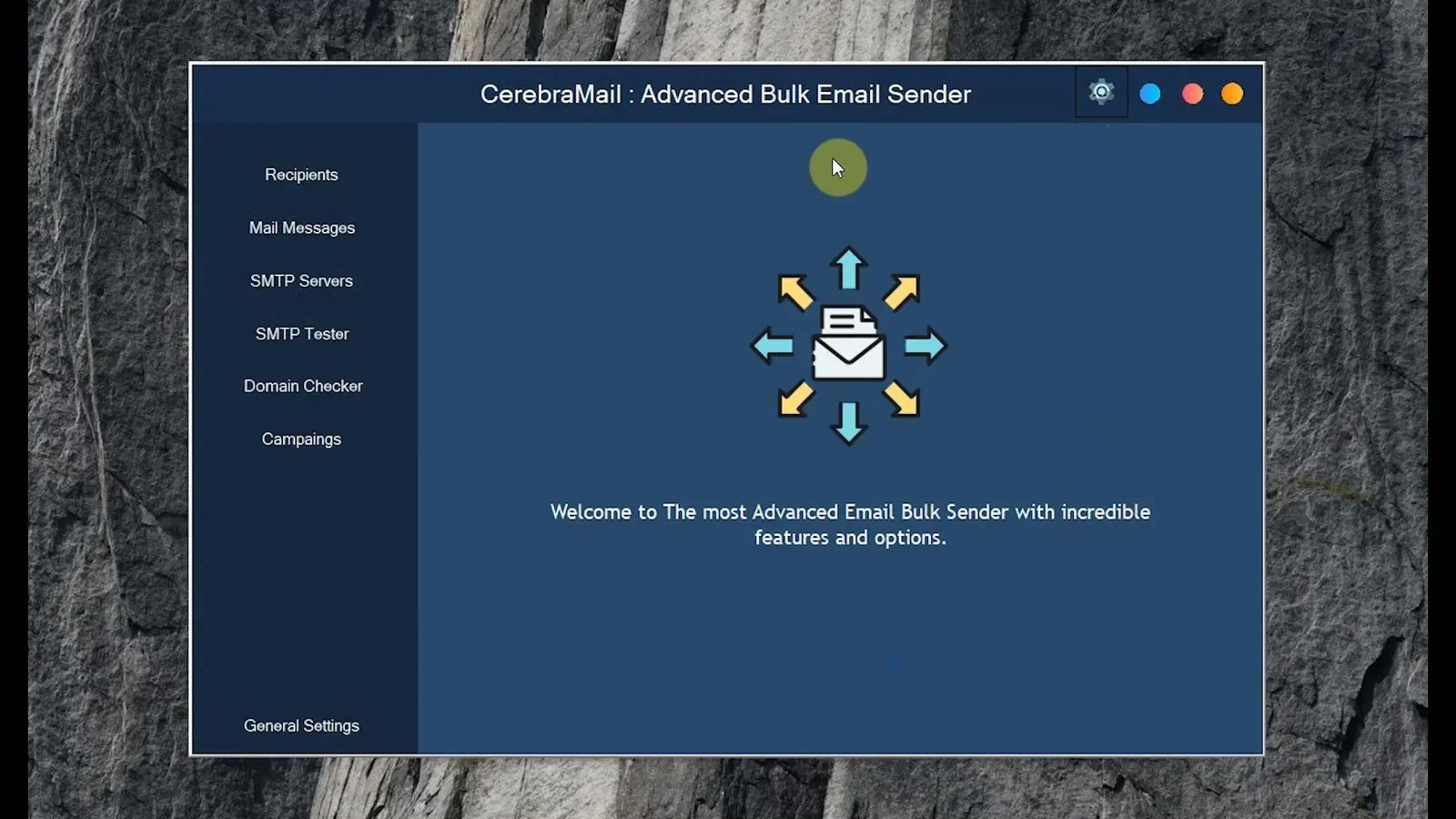
Lead Generation & Outreach
MappyLeads - Best for Local Business Lead Generation
For small businesses that serve local or regional markets, Google Maps is one of the richest lead databases available. MappyLeads extracts targeted business leads from Google Maps and their websites, pulling emails, phone numbers, ratings, and addresses fast. For sales teams, agencies, and service businesses prospecting in defined geographic areas, it replaces hours of manual research with a tool that delivers a qualified contact list in minutes.
Extract targeted business leads from Google Maps including emails, phones, ratings, and addresses. Built for local prospecting at speed.
Try MappyLeads →All-in-One LeadUtility Suite - Best for Multi-Channel Lead Extraction
The All-in-One LeadUtility Suite is a Chrome-based lead generation tool that extracts, validates, and organizes emails, phone numbers, and business data from social networks, directories, and search results. For small businesses running outbound prospecting across multiple platforms, it centralizes the extraction workflow and delivers clean, validated contact data rather than raw lists that need manual cleanup.
Extract, validate, and organize emails, phone numbers, and business data from social networks, directories, and SERPs in one workflow.
Try LeadUtility →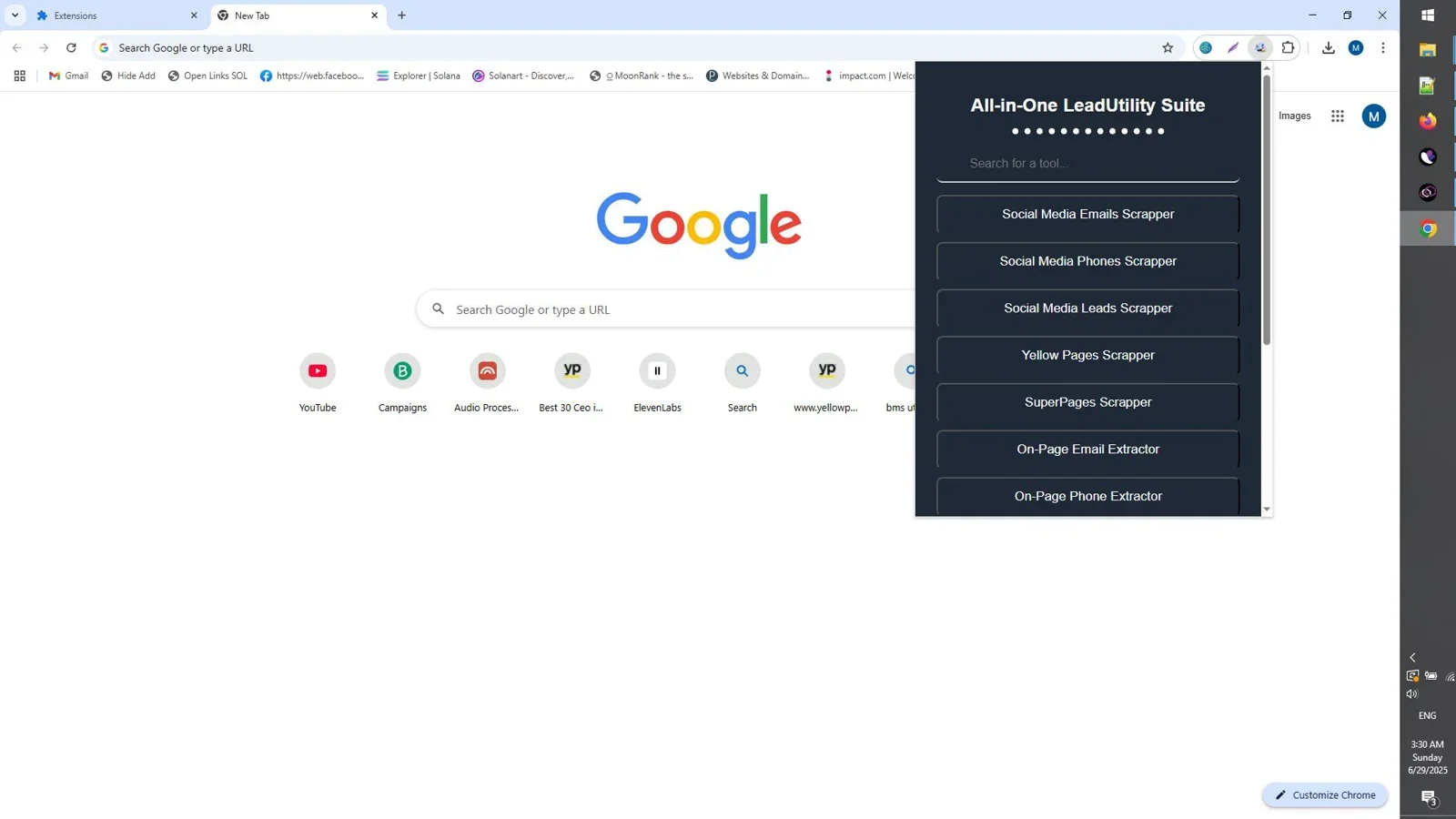
Client Work & Proposals
FlexProposals - Best for Writing Client Proposals Fast
For service-based small businesses, the proposal is the most important document in the sales process and often the most time-consuming to produce. FlexProposals generates complete, professional proposals from a brief project description, covering scope, deliverables, timeline, and pricing in a client-ready format. For consultants, agencies, and freelancers who send multiple proposals per month, it eliminates the hours of unbillable time spent writing documents that follow the same structure every time.
Generate complete, professional proposals in minutes. Scope, deliverables, timeline, and pricing — client-ready from a brief project description.
Try FlexProposals →EasiestContract - Best for Freelance Contracts
Proposals win the client; contracts protect the engagement. EasiestContract is a freelance contract builder that turns project details into professional agreements fast, using built-in templates, optional AI text generation, and private offline storage. For small business owners and freelancers who send proposals through FlexProposals and need a matching contract workflow, EasiestContract is the natural second step.
Turn project details into professional agreements in minutes. Built-in templates, optional AI text, and fully offline private storage.
Try EasiestContract →Productivity & Operations
AgenPrompt - Best for AI Workflow Efficiency
Small business owners using AI tools daily lose significant time to prompt entropy: great prompts get lost, rebuilt from memory, or diluted across tools. AgenPrompt is a Windows desktop prompt organizer that stores, tags, enhances, and tests your best prompts in a searchable offline library. For any small business owner whose daily work depends on AI tools, a structured prompt library compounds in value every time it is used.

Stop rebuilding prompts from memory. Build a searchable offline library that makes every AI tool you use faster and more consistent.
Try AgenPrompt →Smart File Renamer - Best for File & Asset Organization
Disorganized files are a slow tax on every business. Smart File Renamer batch-renames files with flexible, rule-based workflows, complete with live preview and safe undo. For small businesses managing product images, client deliverables, financial documents, or media libraries, it eliminates the manual renaming work that creeps into every file-heavy workflow.
Batch-rename hundreds of files with rule-based workflows, live preview, and safe undo. Built for photographers, marketers, and content creators.
Try Smart File Renamer →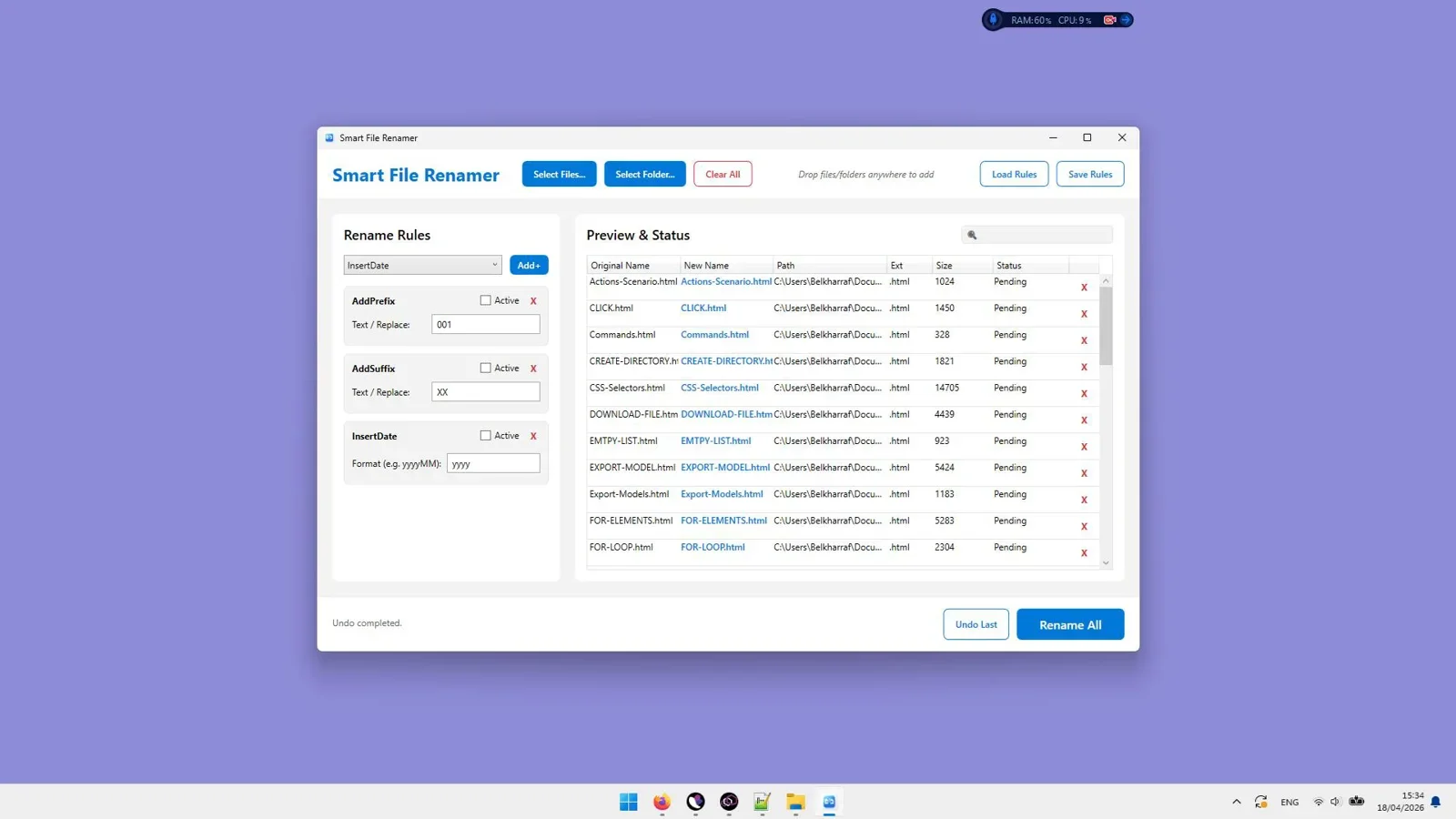
Security & Privacy
SwiftPasswords - Best Offline Password Manager for Small Business
Small businesses are frequent targets of credential theft precisely because they are less likely to have enterprise security infrastructure. SwiftPasswords is a fast, privacy-first offline password manager for Windows that stores every credential locally with AES-256 encryption. There is no cloud sync, no third-party server, and no subscription — just a secure local vault that does not depend on any external platform's security posture.
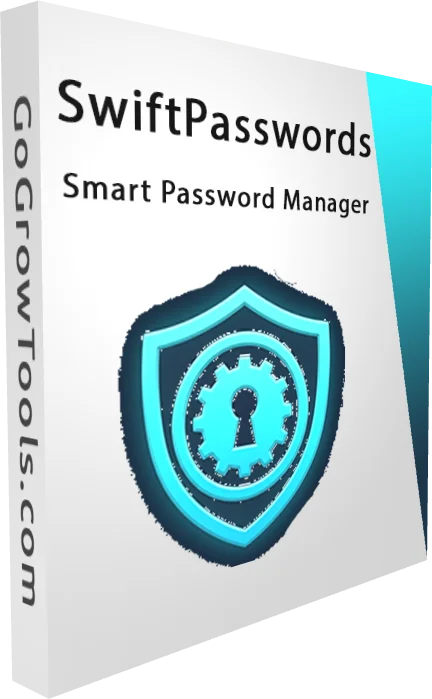
AES-256 encrypted credential storage, fully offline. No cloud sync, no subscriptions, no third-party servers. Your passwords stay on your machine.
Try SwiftPasswords →Full Comparison Table
| Tool | Category | Best For | Offline | Pricing |
|---|---|---|---|---|
| ScalaPost | Content Marketing | Bulk blog + WordPress publishing | Yes | One-time |
| AtomicHooks | Copywriting | Social & ad hooks with Viral Score | Yes | One-time |
| CerebraMail | Email Marketing | Bulk campaigns with SMTP rotation | Yes | One-time |
| MappyLeads | Lead Generation | Local business lead extraction | No | One-time |
| LeadUtility Suite | Lead Generation | Multi-platform email & phone extraction | No | One-time |
| FlexProposals | Client Work | AI proposal generation | Yes | One-time |
| EasiestContract | Client Work | Freelance contract builder | Yes | One-time |
| AgenPrompt | Productivity | AI prompt library management | Yes | One-time |
| Smart File Renamer | Operations | Batch file organization | Yes | One-time |
| SwiftPasswords | Security | Offline credential management | Yes | One-time |
Final Verdict
The best small business software stack in 2026 is not the most feature-rich or the most expensive — it is the one you actually use consistently. The tools in this guide share a common design philosophy: purpose-built for a specific job, one-time pricing, and desktop-first so your workflow does not depend on a subscription or a server you do not control.
If you are starting from scratch, prioritize by your biggest time drain. Spending hours on content? Start with ScalaPost. Losing proposals to slow turnaround? Start with FlexProposals. Prospecting manually? Start with MappyLeads or LeadUtility Suite. Each tool pays for itself within the first month of regular use.
Top picks at a glance: ScalaPost (content) · CerebraMail (email) · MappyLeads (leads) · FlexProposals (proposals) · SwiftPasswords (security)
Frequently Asked Questions
What are the best software tools for small businesses in 2026?
The strongest small business tools in 2026 are purpose-built, offline-capable, and priced with a one-time purchase rather than a monthly subscription. Top picks by category include ScalaPost for content marketing, CerebraMail for email campaigns, MappyLeads for local lead generation, FlexProposals for client proposals, and SwiftPasswords for credential security.
Should small businesses use cloud software or desktop software?
Both have their place, but desktop tools with one-time pricing offer a distinct advantage for small businesses: no subscription risk, no usage caps tied to billing tiers, and no dependency on a third-party platform's uptime or pricing decisions. For core daily-use tools, desktop-first software is often the more cost-effective and reliable choice.
What is the most important software for a small service business?
For service businesses specifically, the highest-leverage tools are those that directly affect revenue: proposal software (FlexProposals), contract management (EasiestContract), and outreach tools (CerebraMail, LeadUtility Suite). These reduce the unbillable time spent on sales and administration, which is where most service business owners lose the most hours.
How much should a small business spend on software?
The right benchmark is ROI, not a percentage of revenue. A tool that saves 5 hours per week at a $75 hourly equivalent rate delivers $300 per week in recovered time. At that rate, any one-time purchase tool in this guide pays for itself within the first week of use. Monthly subscription tools require ongoing justification; one-time purchases do not.
Are there good free alternatives to the tools in this guide?
Free alternatives exist in most categories, but they typically impose usage caps, watermarks, limited feature sets, or data privacy trade-offs that make them impractical for regular business use. The tools in this guide are priced as one-time purchases rather than free because they are built to handle real business workloads without the constraints that make free tools frustrating at scale.
Build Your Small Business Stack Without the Monthly Fees
Every tool in this guide is a one-time purchase. No subscriptions, no usage caps, no cloud dependency.
Start with ScalaPost →One-time payment. No subscriptions. Runs on Windows.

Comments (0)
Leave a Comment