

Dead air is one of the fastest ways to lose a viewer. Whether you're editing a podcast, an online course, a YouTube video, or a client interview, long pauses make people click away. The good news is that silence removal is now fully automatable — you don't need to scrub through a timeline removing gaps by hand. The bad news is that most tools that do this well are cloud-based, subscription-driven, and have upload size limits that make them impractical for large video files. In this post, we compare the best tools to remove silence from videos in 2026, including one that runs completely offline for a one-time payment.
In this article
- Why silence removal matters for your content
- What to look for in a silence remover
- Best tools to remove silence from video in 2026
- Side-by-side comparison
- Which tool should you use?
- FAQ
Why silence removal matters for your content
Studies consistently show that pacing is one of the top factors in video watch time. Viewers tolerate a lot — shaky footage, imperfect lighting, even mediocre audio — but they don't tolerate waiting. A 2-second pause that felt natural in conversation feels like an eternity on screen. Creators who clean up dead air in post consistently see longer average view durations and better completion rates, especially on short-form platforms where the algorithm rewards retention above everything else.
Manual silence removal used to mean playing a clip at 2x speed and cutting every gap by hand. With modern silence detection tools, the whole process takes seconds. The challenge is picking the right tool for your workflow — particularly if you work with large files, client footage, or need to process videos without an internet connection.
What to look for in a silence remover
Not all silence removers are built the same. Here's what actually matters when you're evaluating one:
- Adjustable sensitivity threshold — you want to control what counts as "silence" (background hum vs. true dead air)
- Minimum duration control — so it doesn't cut natural breath pauses or quick beats between sentences
- Sync-safe cutting — audio and video must stay in sync after cuts, especially for talking-head content
- Offline processing — cloud tools require uploading your footage, which is slow, risky for client work, and often capped by file size
- Format support — MP4, MOV, MKV, AVI, and WEBM are the formats you'll encounter most
- No subscription — if you're editing every week, monthly fees add up fast
Best tools to remove silence from video in 2026
1. SilentTrim — Best for offline, one-time payment
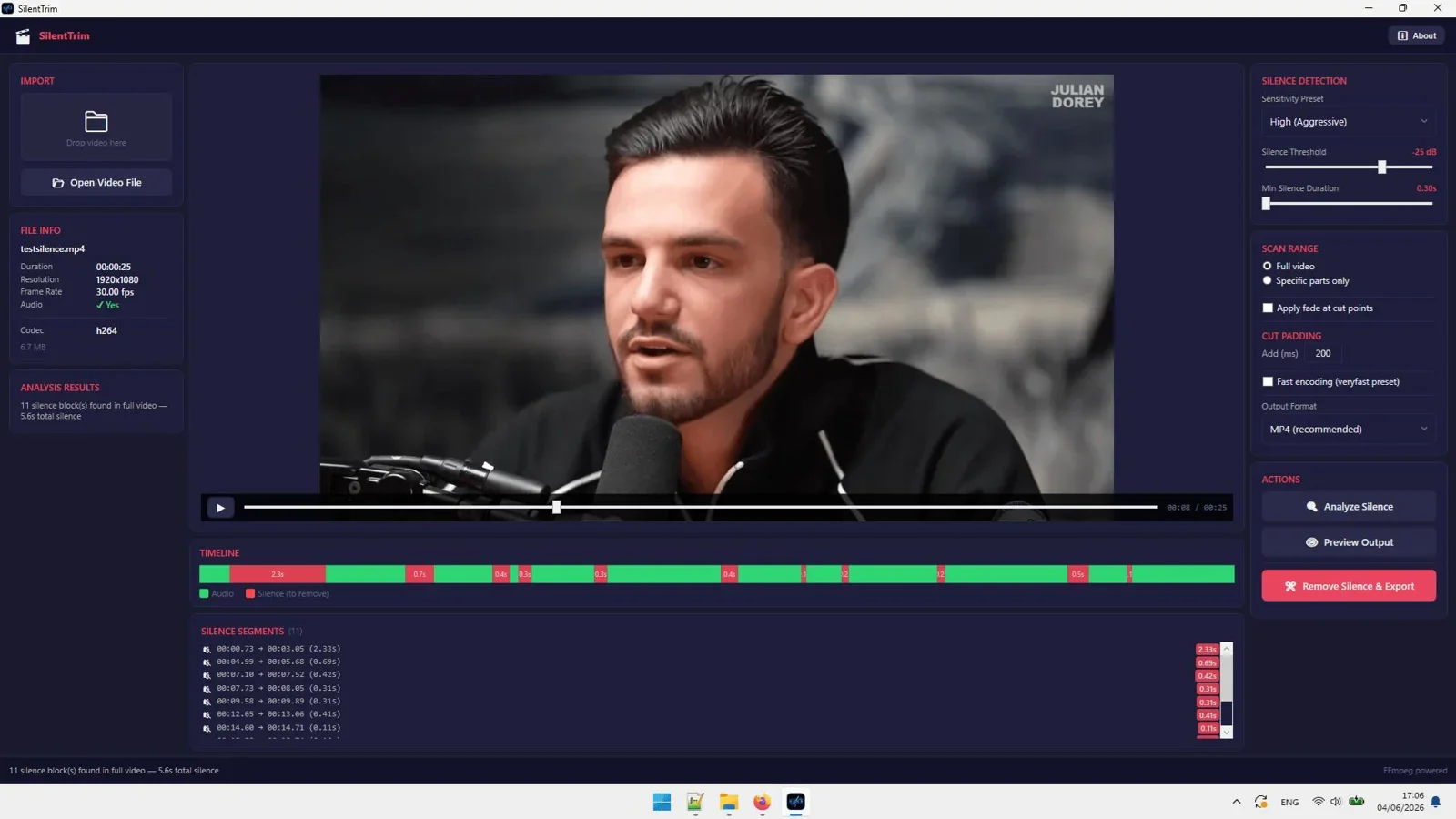
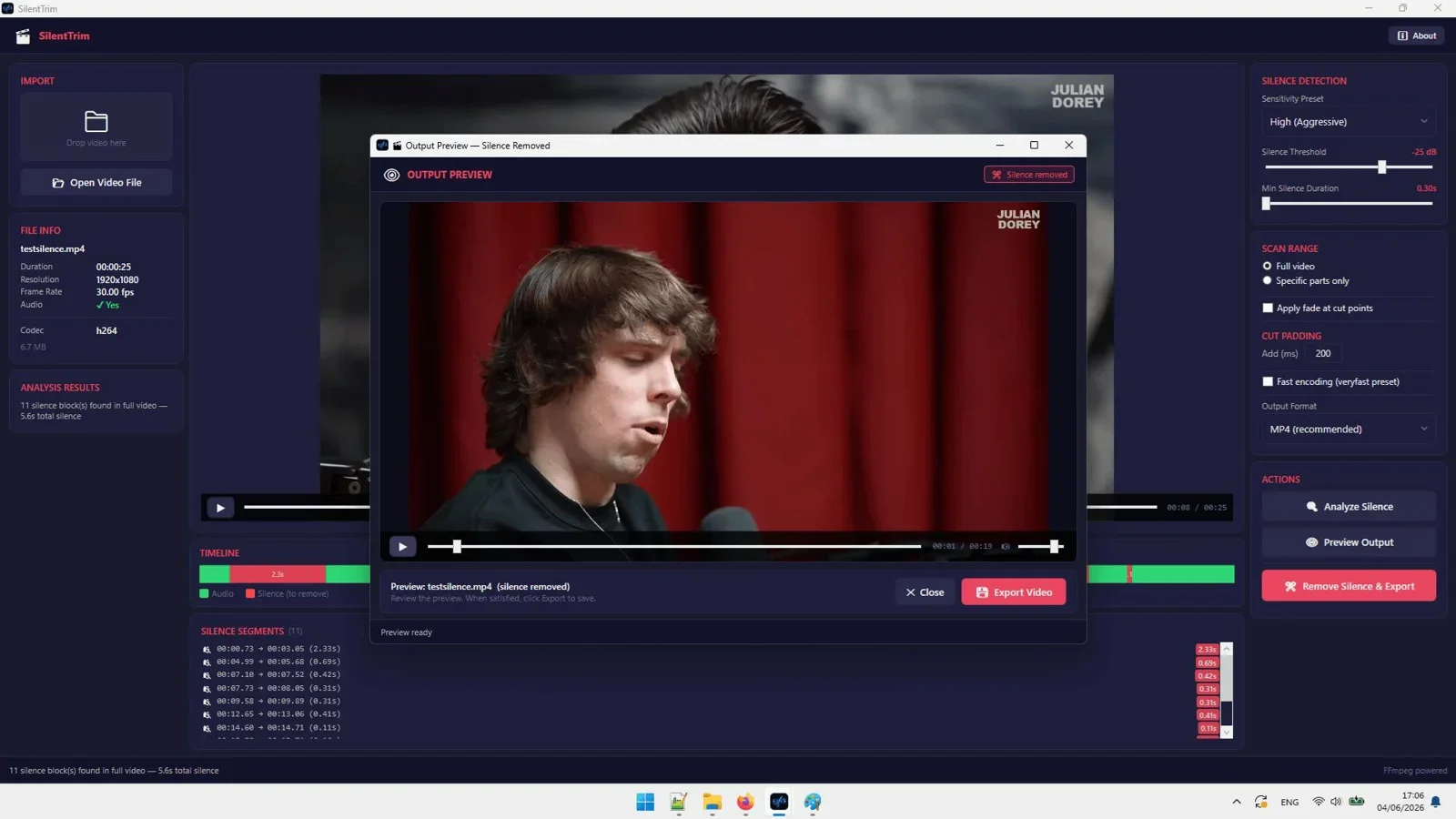
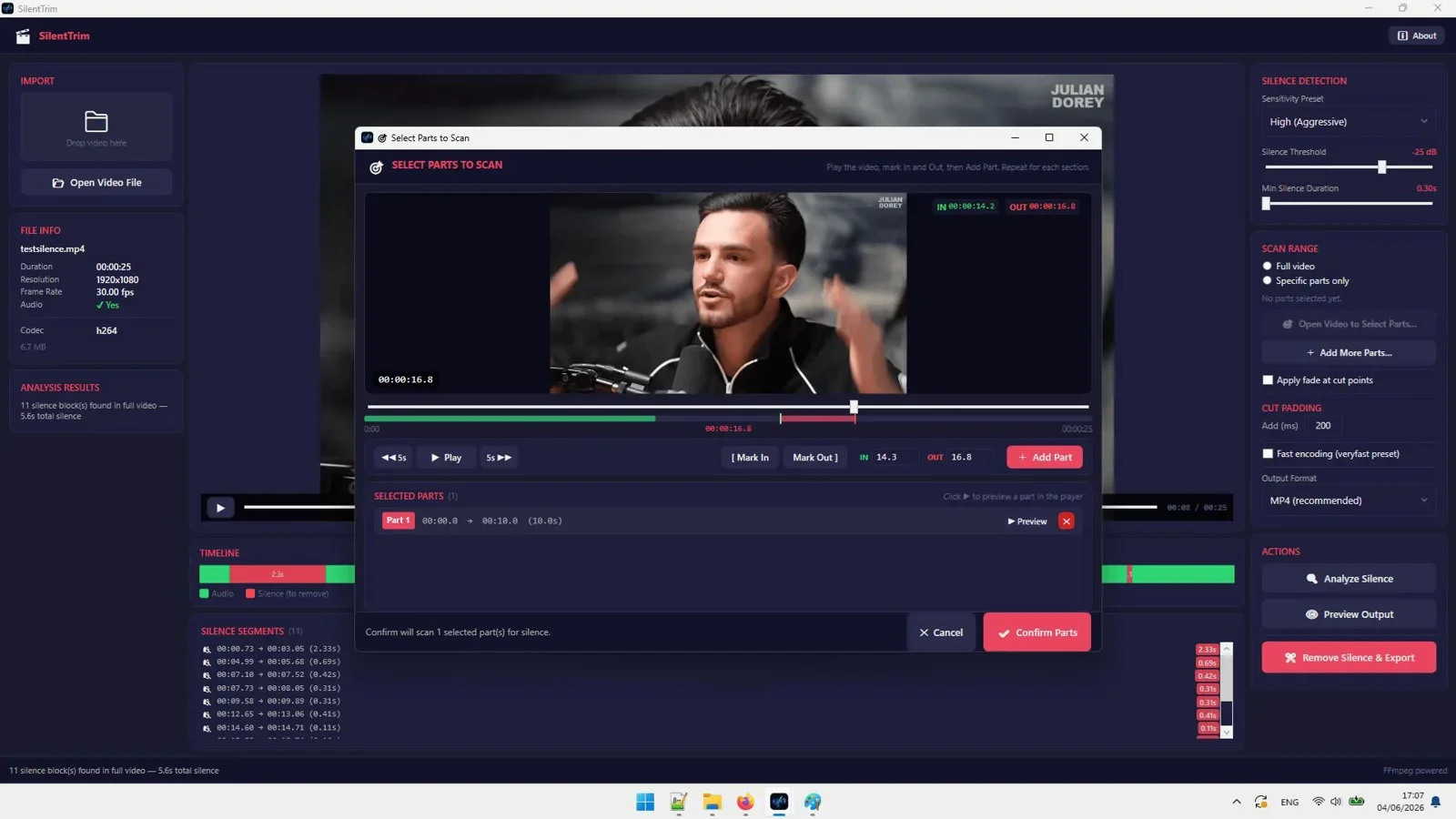
SilentTrim is a Windows desktop app that automatically detects and removes silence from video files using FFmpeg under the hood. You set the sensitivity threshold and minimum silence duration, point it at your video, and it produces a tight, clean cut with audio and video fully in sync. Everything happens locally on your machine — no upload, no account, no internet required after installation.
At $17 as a lifetime deal (down from $67), it's currently the lowest-cost professional silence remover available. It supports MP4, MOV, MKV, AVI, and WEBM, works on Windows 10 and 11, and you can process either the full video or a specific range within it. For creators who edit regularly and want a tool they own outright, SilentTrim is the obvious pick.

Automatically remove silence from videos offline. One-time $17 payment, no subscription, no upload limits.
2. Descript — Best for teams needing a full editing suite
Descript is a cloud-based video and podcast editor that includes a "Studio Sound" and silence removal feature. It's polished, collaborative, and integrates transcription directly into the editing workflow. The silence remover works well, but it's one feature inside a much larger (and more expensive) product. Plans start at $24/month, and processing happens in the cloud, meaning you need to upload your footage and work within storage limits. For solo creators who only need silence removal, it's overkill.
3. Adobe Premiere Pro — Best for professional editors already in the Adobe ecosystem
Premiere Pro has a built-in gap-removal workflow, and third-party plugins like Autocut extend it further. It's powerful but costs $59.99/month as a standalone subscription, requires a capable machine, and has a steep learning curve. It's the right choice if you're already a Premiere user — not worth adopting just for silence removal.
4. Kapwing — Best for quick browser-based edits with no install
Kapwing is a browser-based video editor with a silence trimmer built in. It's free for short videos and requires no installation, which makes it useful for quick one-off jobs. The free plan watermarks exports and caps video length at 4 minutes. The Pro plan runs $24/month. Cloud processing means your footage is uploaded to their servers, and large files can be slow to process over a typical home connection.
5. Recut — Best for Mac users who want a dedicated silence remover
Recut is a lightweight Mac app purpose-built for silence removal. It's fast, simple, and does one thing well. It costs $9.99/month or $99/year — there's no lifetime option. It's a solid tool for Mac users, but Windows creators don't have access, and the subscription model means ongoing cost with no exit.
Side-by-side comparison
| Tool | Works offline | Pricing | Platform | Adjustable threshold | Upload limits |
|---|---|---|---|---|---|
| SilentTrim | ✅ Yes | $17 one-time | Windows | ✅ Yes | None |
| Descript | ❌ Cloud | $24/month | Mac, Windows, Web | ✅ Yes | Plan-based |
| Adobe Premiere | ✅ Yes | $59.99/month | Mac, Windows | ✅ Yes (plugin) | None |
| Kapwing | ❌ Cloud | Free / $24/month | Browser | Limited | 4 min (free) |
| Recut | ✅ Yes | $9.99/month | Mac only | ✅ Yes | None |
Which tool should you use?
The right choice depends on your setup and how often you edit.
If you're a Windows user who edits video regularly — podcasts, YouTube, courses, client work — SilentTrim is the clear winner. It does one thing, it does it well, it's offline, and at $17 it costs less than a single month of most competing tools. There's no ongoing cost and no usage cap.
If you're already paying for Descript and use it for transcription and collaboration, the silence removal feature is a nice bonus included in what you're already using — no need to switch.
If you're on a Mac and don't want to change your existing setup, Recut is purpose-built and reliable, just be aware of the subscription cost over time.
If you occasionally need to remove silence from a short clip and don't want to install anything, Kapwing's free tier gets the job done for videos under 4 minutes.
For anyone who edits professionally and wants full control without a cloud dependency or monthly bill, SilentTrim is the tool to grab — especially while the lifetime deal is still available.

Remove silence from any video automatically, fully offline. $17 once, yours forever.
Final Verdict
Who should use SilentTrim?
SilentTrim is the best choice for Windows-based creators and editors who process video regularly and want a silence remover they can own outright. At $17 for lifetime access, it costs less than a single month of every cloud-based competitor. It's offline, it's fast, and it handles the formats you actually work with. If you're still removing silence by hand or paying monthly for a tool that does the same thing, this is a straightforward upgrade.
Overall Rating: 4.7 / 5
Frequently asked questions
What is the best free tool to remove silence from video?
Kapwing offers a free browser-based silence remover for videos under 4 minutes. For longer videos or regular use without a watermark, a paid tool like SilentTrim ($17 one-time) is more practical and doesn't require uploading your footage.
Does SilentTrim work on Mac?
No. SilentTrim is currently a Windows 10/11 desktop application. Mac users looking for a dedicated silence remover should consider Recut, though it requires a monthly subscription.
Can SilentTrim handle large video files?
Yes. Because SilentTrim processes files locally using FFmpeg, there are no upload size limits. You can process large MOV, MKV, or MP4 files that would time out or fail on cloud-based tools.
Will silence removal affect audio sync?
SilentTrim uses sync-safe cuts, meaning audio and video stay aligned after processing. This is one of the most common failure points in DIY silence removal with generic tools, and SilentTrim handles it automatically.
How does the silence threshold setting work?
You set a decibel level below which audio is considered silence, and a minimum duration (in milliseconds) that a pause must last before it gets cut. This prevents the tool from clipping natural breath pauses or short rhythmic beats between sentences.
Is SilentTrim a one-time purchase or a subscription?
It's a one-time payment lifetime deal, currently priced at $17. There are no recurring fees, no usage limits, and no account required to run the software after installation.
Stop Paying Monthly to Remove Silence From Your Videos
SilentTrim does it offline, automatically, for a one-time $17 payment. Only 12 licenses left at this price.
Get SilentTrim Now →One-time payment. Lifetime access. 100% offline. Windows 10/11.




Comments (0)
Leave a Comment