
Extracting emails from social media is one of the most efficient ways to build a targeted prospect list in 2026 — but doing it without the right approach gets accounts flagged, extensions disabled, and campaigns derailed before they start. This guide walks through exactly how to extract emails from social media platforms safely, which tools handle the heavy lifting, and the specific practices that keep your accounts active and your lists clean.
In this article
- How email extraction from social media works
- Which social platforms are best for email extraction?
- Step-by-step: How to extract emails from social media
- How to avoid getting blocked while extracting leads
- What to do with your list after extraction
- Frequently asked questions
How Does Email Extraction from Social Media Work?
Social media platforms make certain contact information publicly visible — business email addresses listed on Facebook Pages, contact details in LinkedIn profiles, emails in Instagram bios, and addresses shared in Twitter/X profiles. Email extraction tools scan these publicly accessible data points and compile them into a structured list.
The process is distinct from hacking or unauthorized data access. A well-designed extractor reads only what is already visible to any logged-in user and organizes it into an exportable format. The risk of getting blocked does not come from accessing private data — it comes from making requests at a pace or pattern that platforms recognize as automated behavior. The right tool and the right settings eliminate that risk.
Which Social Platforms Are Best for Email Extraction?
Not every platform is equally productive for email extraction. Here is how the major networks rank by data availability:
- LinkedIn: The highest-value source for B2B prospecting. Many professionals list contact emails directly on their profiles or company pages. Decision-maker access is unmatched on any other platform.
- Facebook: Business Pages frequently display contact emails, phone numbers, and website URLs. Local businesses and service providers are particularly well-represented.
- Instagram: Creator and business accounts often include contact emails in their bios and contact buttons. Useful for e-commerce, influencer, and DTC outreach.
- Twitter/X: Email addresses appear less frequently, but accounts in certain niches — developers, marketers, journalists — often include contact details in their bios.
- YouTube: Channel about pages for business and creator accounts frequently list contact emails for brand partnerships and inquiries.
For maximum coverage, use a tool that extracts across all five platforms in a single workflow rather than running separate tools per network.
Step-by-Step: How to Extract Emails from Social Media in 2026
Step 1: Choose the Right Extraction Tool
The tool you use determines the quality, speed, and safety of your extraction. The most important criteria are multi-platform support, built-in validation, and rate-limiting controls. A tool without rate limiting will trigger platform defenses regardless of how carefully you use it.
All-in-One LeadUtility Suite covers all five major social platforms, includes built-in email validation, and handles request pacing automatically. It also extends beyond social media to extract leads from business directories and Google SERPs, which means you are building a complete prospect database rather than a social-only list.
Extract, validate, and organize emails and phone numbers from LinkedIn, Facebook, Instagram, Twitter/X, YouTube, directories, and SERPs — one Chrome extension, one-time payment.
Step 2: Define Your Target Audience Before You Extract
Broad extractions produce bloated lists with low relevance. Before running any extraction session, define your target by industry, job title, geography, and platform. If you are prospecting for SaaS decision-makers, your session should focus on LinkedIn profiles in relevant industries. If you are targeting local service businesses, Facebook Pages filtered by category and city will produce a tighter, more actionable list.
Most quality extraction tools allow you to set keyword and location filters before the session begins. Use them. A targeted list of 500 verified contacts outperforms a broad list of 5,000 unfiltered addresses every time.
Step 3: Configure Rate Limiting and Session Length
This is the step most users skip — and the reason most users eventually get flagged. Social platforms monitor request frequency. When a browser extension sends data requests at a consistent, machine-like pace, detection algorithms flag it as automated behavior.
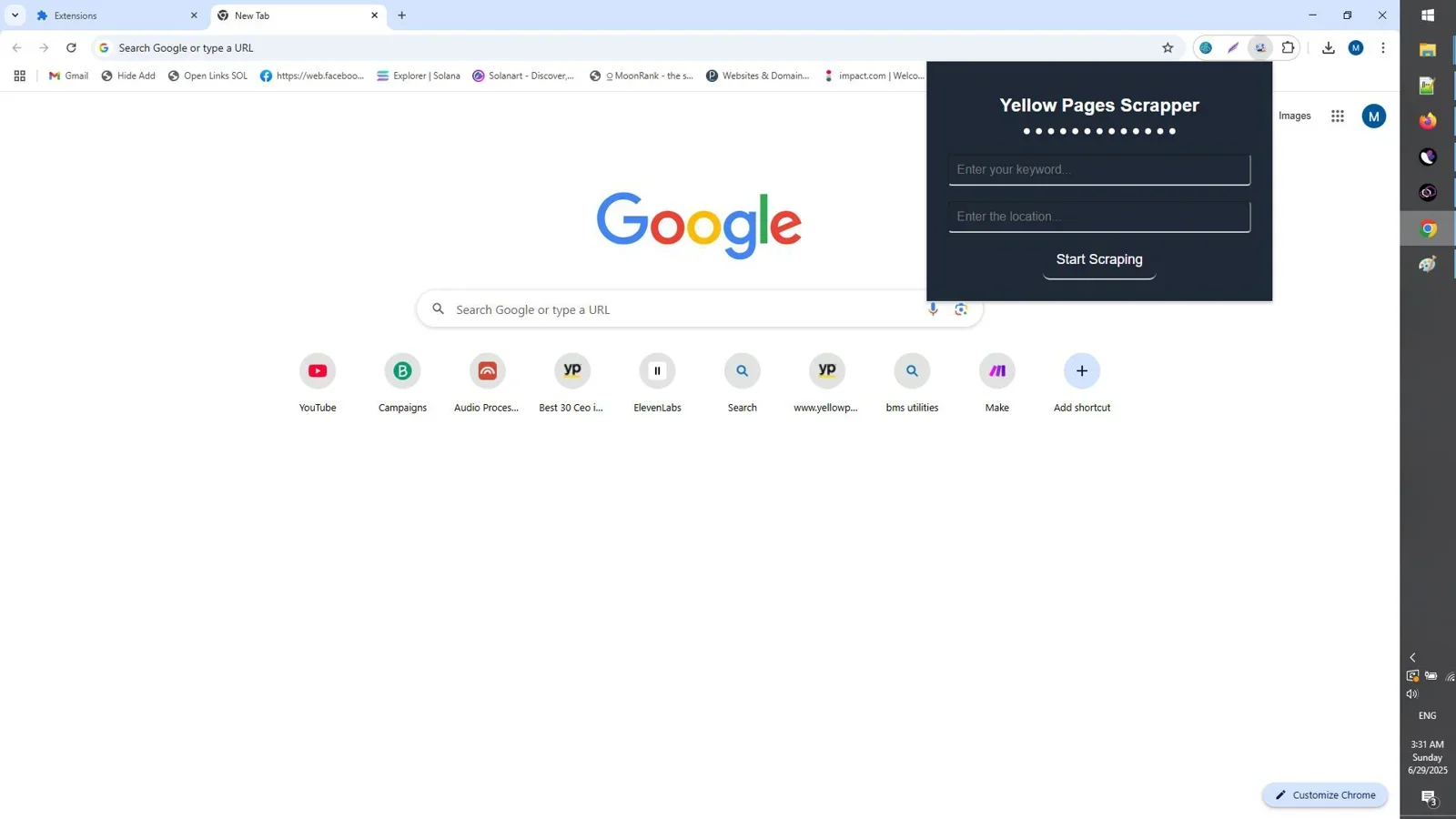
To avoid this, configure your extraction tool to operate at human-like speeds. Limit each session to 30 to 60 minutes of active extraction. Use natural browsing patterns — scroll, pause, continue — rather than running a continuous background scrape. All-in-One LeadUtility Suite manages request pacing automatically, but understanding why this matters helps you use any tool more safely.
Step 4: Run the Extraction Session
With your target defined and settings configured, activate the extension and begin browsing your target platform normally. The tool extracts contact data as you navigate search results, profile pages, group members, or business listings — depending on which platform you are working on.
Monitor the extraction in real time. Most quality tools display a running count of contacts found and flag duplicates automatically. Stop the session if you notice unusual platform behavior such as CAPTCHA prompts or temporary rate-limit messages.
Step 5: Validate and Export the List
Raw extraction output always contains some percentage of invalid, outdated, or duplicate addresses. Before exporting to your CRM or cold email platform, run validation. Tools with built-in validation like All-in-One LeadUtility Suite handle this automatically during extraction. If your tool does not include validation, run the exported list through a standalone email verification service before importing it anywhere.
Export in CSV or Excel format for maximum compatibility with CRM platforms, email marketing tools, and outreach software.
How to Avoid Getting Blocked While Extracting Emails from Social Media
Account safety comes down to four practices:
- Use tools with built-in rate limiting. Manual rate control is inconsistent. A tool that manages request pacing automatically is far safer than one that extracts at full speed and leaves timing to the user.
- Keep sessions short and spaced out. Multiple short sessions across a day are safer than one long continuous session. A two-hour extraction block is far more likely to trigger a flag than four 30-minute sessions spread across the day.
- Avoid extracting from the same account on multiple platforms simultaneously. Running LinkedIn and Facebook extractions at the same time from the same browser profile doubles your detection surface. Alternate platforms across sessions.
- Do not ignore platform warnings. A CAPTCHA prompt or a temporary rate-limit message is an early warning. Stop the session immediately, wait several hours, and resume with lower intensity settings.
What to Do with Your List After Extracting Emails from Social Media
A validated email list is the starting point, not the finish line. Here is the standard post-extraction workflow used by professional outreach teams:
- Segment by source and relevance. Separate LinkedIn contacts from Facebook contacts from directory contacts. Each segment represents a different relationship context and should receive tailored outreach.
- Enrich with additional data where needed. If your extraction captured email only, consider adding company name, job title, or industry data before importing into your CRM. Personalized outreach significantly outperforms generic mass email.
- Import into your outreach tool. Whether you use a dedicated cold email platform, a CRM sequence tool, or a bulk email sender, your validated CSV imports directly. All-in-One LeadUtility Suite exports in standard formats compatible with all major platforms.
- Comply with applicable regulations. Ensure your outreach complies with GDPR if you are contacting EU-based recipients, CAN-SPAM for US email, and CASL for Canadian contacts. Include an unsubscribe mechanism in every campaign regardless of jurisdiction.
Key Takeaways
- Use a multi-platform extractor that covers LinkedIn, Facebook, Instagram, Twitter/X, and YouTube in a single tool.
- Always configure keyword and location filters before extraction to keep lists targeted.
- Choose a tool with built-in rate limiting and email validation — both are non-negotiable for safe, clean extraction.
- Keep sessions short, spaced across the day, and stop immediately at any platform warning.
- Validate, segment, and comply with regulations before sending a single email.
Frequently Asked Questions
Is it legal to extract emails from social media?
Extracting publicly visible contact information for legitimate B2B outreach is generally permitted in most jurisdictions. However, you must comply with GDPR in Europe, CAN-SPAM in the United States, and CASL in Canada when sending email campaigns to the contacts you collect. Always include an unsubscribe option and honor opt-out requests promptly. When in doubt, consult a legal professional familiar with data privacy law in your target market.
Which social media platform has the most emails available for extraction?
LinkedIn consistently produces the highest volume of professional B2B emails, particularly for decision-makers in corporate roles. Facebook is the strongest source for local business and service provider contacts. For creator and influencer outreach, Instagram and YouTube business accounts offer the best coverage.
Can I extract emails from LinkedIn without getting banned?
Yes, with the right tool and the right session management. LinkedIn is the most aggressive platform in terms of automated behavior detection, so rate limiting is especially important. Keep LinkedIn extraction sessions to 30 minutes or less, avoid simultaneous multi-platform sessions, and use a tool that manages request pacing automatically. Do not use free or unrated browser extensions that extract at full speed with no throttling.
How many emails can I extract per session?
Safe extraction volumes vary by platform and tool. On LinkedIn, a cautious session might yield 100 to 300 contacts before you pause. On Facebook Pages or Instagram business accounts, sessions can run longer before triggering any rate-limit response. Start conservatively with any new tool — run a 20 to 30 minute test session, review the output quality, and scale up gradually over multiple sessions.
Do I need to validate emails after extraction?
Always. Even the best extraction tools capture some percentage of outdated or malformed addresses. Sending to an unvalidated list produces bounce rates that damage your sender reputation and can get your domain blacklisted. Use a tool with built-in validation like All-in-One LeadUtility Suite, or run your exported list through a standalone verifier before importing it into any email platform.
Extract Emails from Social Media the Right Way
All-in-One LeadUtility Suite extracts verified emails and phone numbers from LinkedIn, Facebook, Instagram, YouTube, directories, and Google — with built-in validation and automatic rate limiting. One-time payment, no subscription.
Get Lifetime Access →One-time payment. No subscription. No recurring fees.


Comments (0)
Leave a Comment