
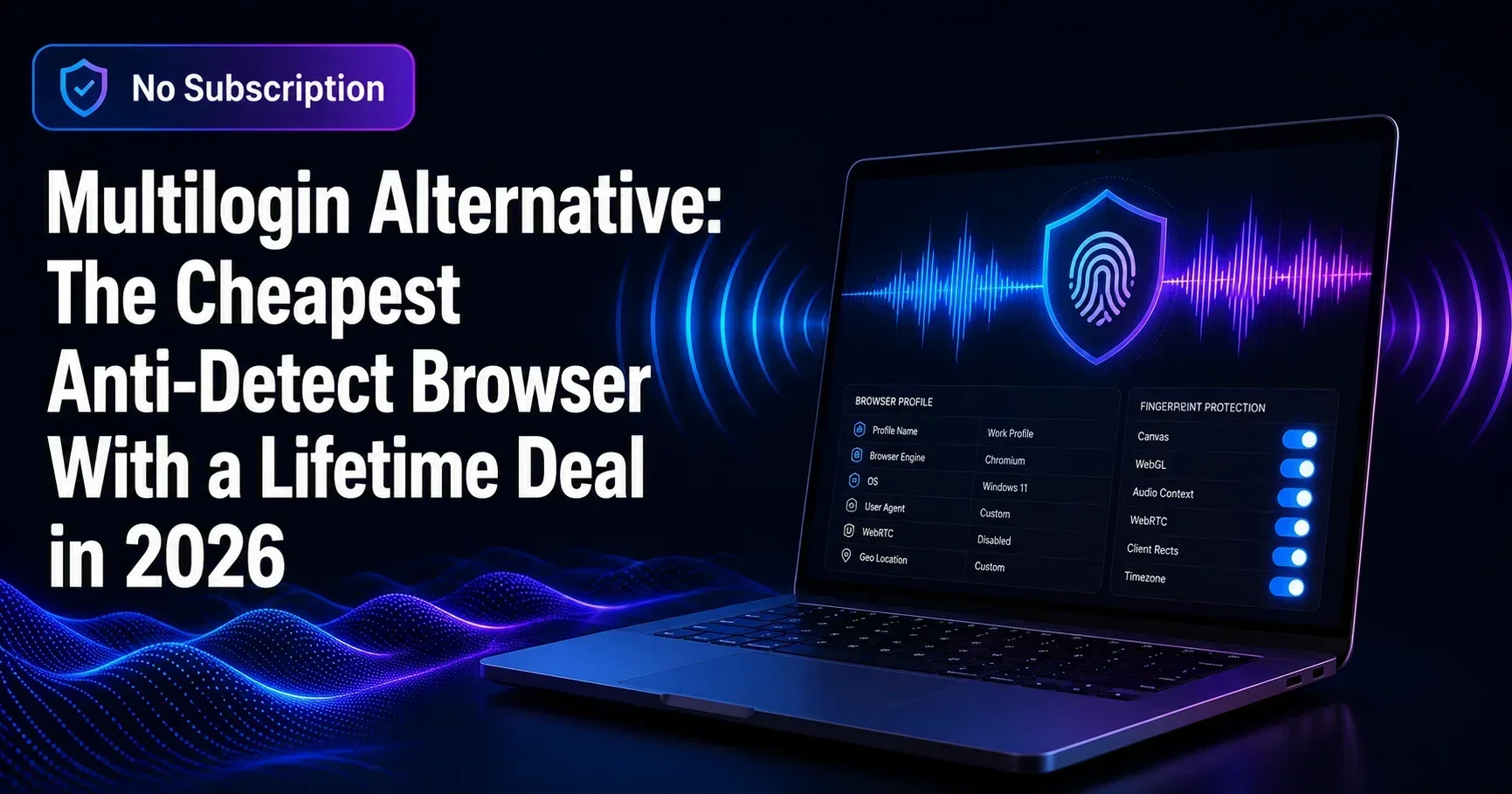
If you are looking for a cheap Multilogin alternative that does not lock you into a monthly subscription, the answer is straightforward: InvisoSurf. It delivers isolated Chrome profiles, advanced fingerprint generation, proxy management, and workflow automation for a single one-time payment of $37, compared to Multilogin's entry plans that start at $99 per month. For freelancers, affiliate marketers, dropshippers, and social media managers who need reliable multi-account management without ongoing fees, that difference is significant.
This comparison breaks down how InvisoSurf stacks up against Multilogin and GoLogin, what you get for $37, and whether the lifetime deal holds up against the paid alternatives in real-world use.

Isolated Chrome profiles, fingerprint spoofing, proxy management, and automation. One-time payment, no subscription.
In this article
- Why people leave Multilogin and GoLogin
- What is an anti-detect browser and why does it matter?
- InvisoSurf vs Multilogin vs GoLogin: full comparison
- What InvisoSurf includes for $37
- Who should use InvisoSurf?
- Limitations to know before buying
- Frequently asked questions
Why do people leave Multilogin and GoLogin?
The core problem with the leading anti-detect browsers is not the software itself. It is the pricing model. Multilogin starts at $99 per month for 100 browser profiles. GoLogin's entry plan runs $49 per month for 100 profiles. For agencies and teams processing thousands of accounts, those costs are justifiable. For solo operators, affiliate marketers running five to ten accounts, or freelancers managing client ad accounts, a recurring fee of $600 to $1,200 per year for a desktop automation tool is difficult to defend.
The secondary complaint is cloud dependency. Both Multilogin and GoLogin are cloud-first platforms. Profiles, sessions, and fingerprint data are stored on their servers. For users who prefer to keep operational data local, or who work in environments with strict data privacy requirements, this is a practical concern.
InvisoSurf addresses both issues directly: it is a Windows desktop application, all profile data stays on your machine, and you pay once.
What is an anti-detect browser and why does it matter?
When you visit a website, your browser transmits a fingerprint: a combination of your user agent, screen resolution, installed fonts, WebGL renderer, audio API output, and dozens of other signals. Platforms such as Facebook, Amazon, Google Ads, and TikTok use this fingerprint to link accounts. If two accounts share a fingerprint or IP address, the platform flags them as belonging to the same operator and bans both.
An anti-detect browser solves this by generating a unique, realistic fingerprint for each browser profile. Every profile looks like a completely separate device to the platform. Combined with a dedicated proxy per profile, each session appears to originate from a different user on a different machine in a different location.
This is the foundation of safe multi-account management for affiliates, e-commerce sellers, social media agencies, and ad buyers. Without it, scaling across multiple accounts is a matter of when you get banned, not if.
For a deeper technical overview of how browser fingerprinting works, Cover Your Tracks by the EFF is one of the most reliable independent resources available.
InvisoSurf vs Multilogin vs GoLogin: how do they compare?
Here is a direct feature and pricing comparison across the three tools most frequently mentioned in this category:
| Feature | InvisoSurf | Multilogin | GoLogin |
|---|---|---|---|
| Pricing model | One-time $37 | From $99/month | From $49/month |
| Annual cost | $37 | $1,188+ | $588+ |
| Profile isolation | Full (cookies, storage, sessions) | Full | Full |
| Fingerprint generation | Yes, with validation | Yes | Yes |
| Proxy management | Yes, with built-in tester | Yes | Yes |
| WebRTC leak protection | Yes | Yes | Yes |
| Profile warm-up / aging | Yes | No (manual) | No |
| Anti-detection dashboard | Yes | No | No |
| Data storage | Local (Windows) | Cloud | Cloud |
| Platform | Windows 10/11 | Windows, Mac, Linux | Windows, Mac, Linux |
| Reseller rights | Yes (included) | No | No |
The core isolation and fingerprinting capability is comparable across all three tools. The differences come down to platform (cloud vs local), operating system support, and price. For Windows-only users who want a self-contained tool without a subscription, InvisoSurf covers the same feature surface at a fraction of the cost.

The only anti-detect browser in this comparison with a one-time price. Includes profile aging simulation and a built-in anti-detection health dashboard.
What does InvisoSurf include for $37?
InvisoSurf is a Windows desktop application with a modern dark interface. The following is a breakdown of its core capabilities:
Isolated Chrome profiles
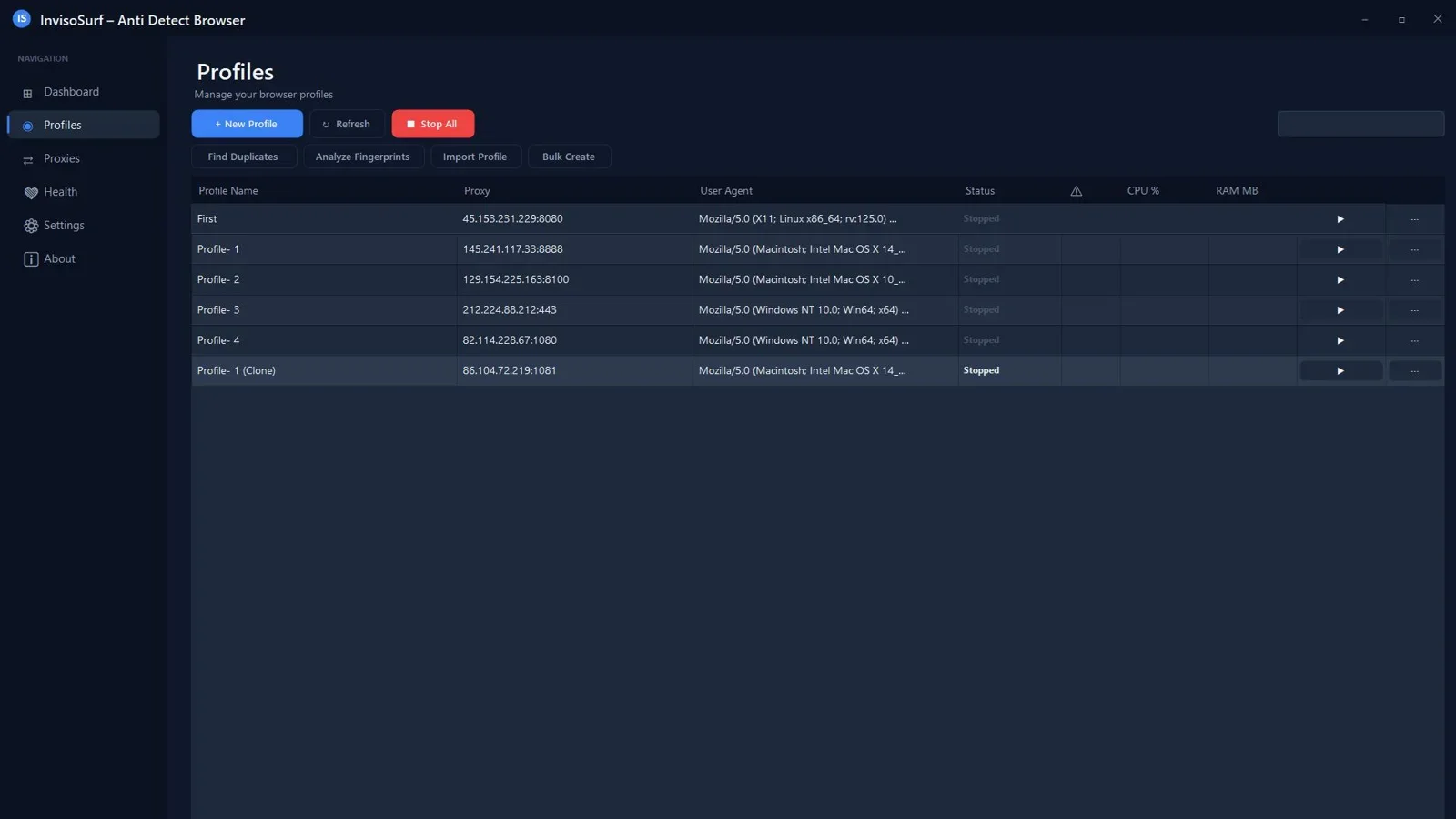
Each profile maintains completely separate cookies, local storage, session data, and browser state. Profiles cannot cross-contaminate, which is the foundational requirement for any multi-account setup. You can create profiles in bulk and organize them with groups and tags by client, platform, or campaign.
Advanced fingerprint generation and validation
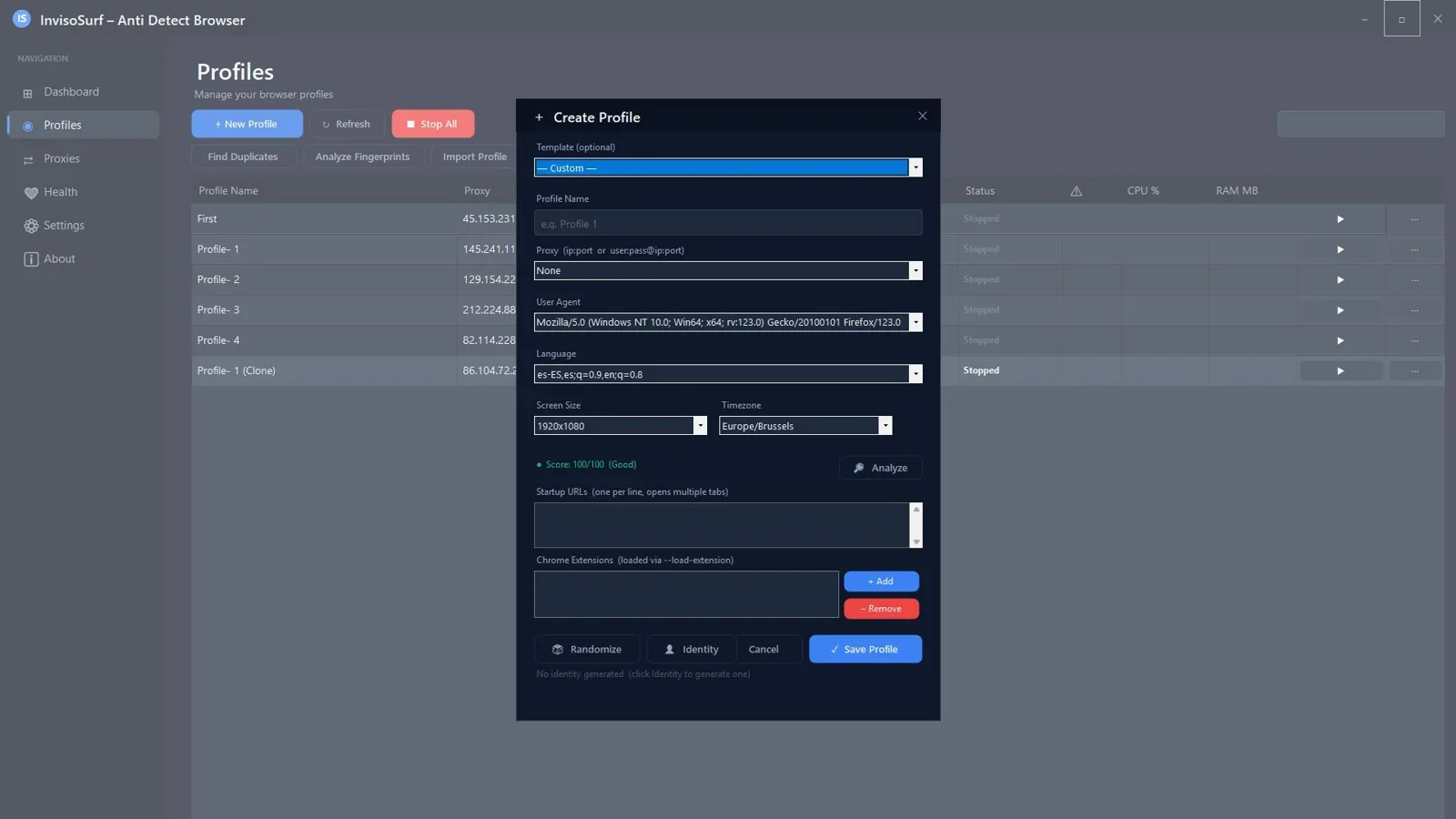
InvisoSurf generates realistic, unique browser fingerprints for each profile, covering user agent strings, screen parameters, WebGL output, canvas fingerprint, audio API, and system fonts. Critically, it includes a validation step that checks whether a generated fingerprint is consistent and plausible before you use it. Inconsistent fingerprints, for example a Windows user agent paired with Mac-specific fonts, are a common cause of detection on sophisticated platforms.
Proxy management with built-in tester
You can assign a dedicated proxy to each profile and test it directly within the app before going live. This removes the friction of switching between a proxy checker and your browser manager, and ensures every profile is running on a verified clean IP before you invest time in warming it up.
Profile warm-up and aging simulation
Fresh accounts on most platforms are treated with more scrutiny than established ones. InvisoSurf includes a warm-up and aging simulation feature that mimics natural browsing behavior, building a usage history for new profiles. This is a feature absent from both Multilogin and GoLogin at this price point.
Anti-detection health dashboard and smart risk alerts
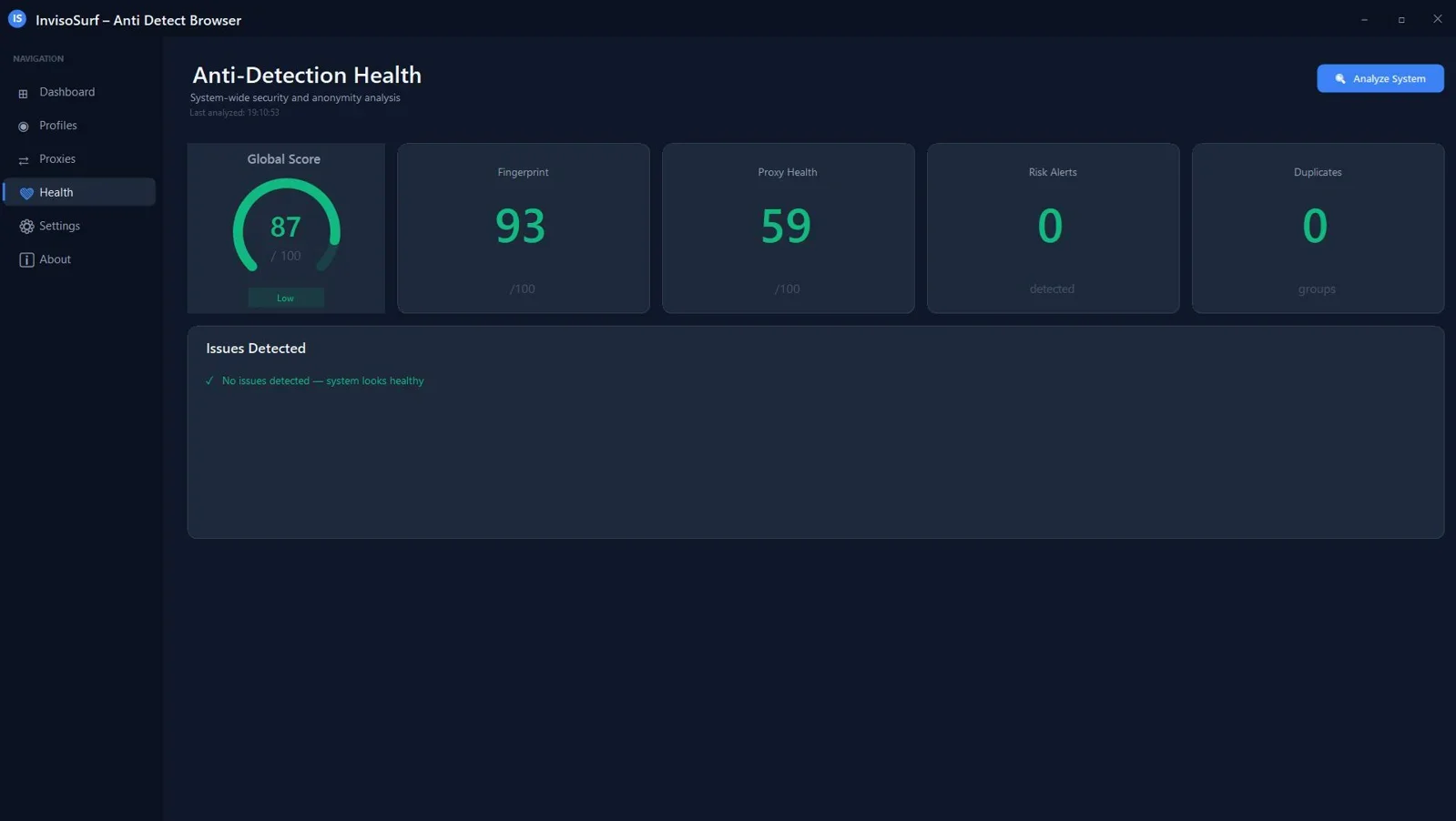
A real-time dashboard displays risk indicators for each active profile, flagging potential leaks or misconfigurations before they trigger a ban. Smart alerts notify you of WebRTC leaks, inconsistent fingerprint signals, or proxy issues so you can correct them proactively.
Automation workflow builder
For repetitive tasks such as account onboarding, form submissions, or scheduled activity simulation, InvisoSurf includes a workflow builder. You can design reusable sequences and apply them across multiple profiles without writing code.
Who should use InvisoSurf?
InvisoSurf is best suited to the following use cases:
- Affiliate marketers running traffic across multiple ad accounts on Facebook, Google, or TikTok who need clean profile separation without a $100 per month tool
- Dropshippers and Amazon sellers managing more than one seller account and needing genuine device isolation per account
- Social media agencies handling client accounts across Instagram, LinkedIn, and X who need to keep each client's session fully isolated
- Freelancers managing client ad accounts who want a professional, offline tool without cloud dependency
- Ad buyers running arbitrage or lead generation at scale who need bulk profile creation and proxy assignment without per-seat pricing
It is a Windows-only application, which means Mac and Linux users will need to look elsewhere. Multilogin and GoLogin both support macOS and Linux if cross-platform access is a hard requirement.

Full reseller rights included. One license covers 2 PCs. Free updates and email support included.
What are the limitations of InvisoSurf?
No tool is the right fit for every use case. Here is what to know before purchasing:
- Windows only. If you work on macOS or Linux, InvisoSurf is not compatible. Multilogin and GoLogin are the alternatives in that case.
- No cloud sync. Profiles are stored locally. If you need to share profiles across a remote team or access them from multiple machines beyond the two-PC license, a cloud-based tool will serve that workflow better.
- No API access. Multilogin and GoLogin both expose APIs for programmatic profile management and integration with Selenium or Puppeteer at scale. InvisoSurf's automation is workflow-based, not API-driven, which may be a constraint for engineering teams building custom automation pipelines.
- New entrant. Multilogin has been in the market since 2015. InvisoSurf is a newer product. If brand longevity and an established user community are important factors, that is worth weighing.
Frequently asked questions
Is InvisoSurf a legitimate Multilogin alternative?
Yes. InvisoSurf covers the core feature set that makes Multilogin useful: isolated Chrome profiles, fingerprint generation and validation, proxy management, and WebRTC leak protection. It adds profile aging simulation and a health dashboard that Multilogin does not include. The primary trade-off is platform support (Windows only vs cross-platform) and cloud sync capability. For Windows users who do not need cloud-based profile sharing, it is a direct functional alternative.
Does InvisoSurf prevent account bans?
No tool can guarantee zero bans. What InvisoSurf does is eliminate the most common technical causes of detection: shared fingerprints, shared cookies, WebRTC leaks, and proxy mismatches. When configured correctly, each profile presents as a distinct, independent user. Platform detection is an evolving arms race, and no anti-detect browser is immune to it permanently. The health dashboard and risk alerts in InvisoSurf are designed to help you identify and fix vulnerabilities before platforms act on them.
What is the difference between InvisoSurf and GoLogin?
GoLogin is a cloud-based, cross-platform subscription tool starting at $49 per month. InvisoSurf is a Windows desktop application with a one-time $37 payment. GoLogin offers API access and team collaboration features suited to larger operations. InvisoSurf offers local data storage, profile aging simulation, and an anti-detection health dashboard at a significantly lower lifetime cost. For solo operators and small teams on Windows, InvisoSurf delivers more value per dollar. For remote teams needing cloud profile sync or macOS and Linux compatibility, GoLogin has the edge.
Does the $37 price include updates?
Yes. The one-time payment includes free updates and upgrades, plus free customer support via email and chat. The license covers installation on 2 PCs and includes full commercial use rights and reseller rights.
Can I use InvisoSurf for Amazon or Facebook multiple accounts?
InvisoSurf is designed for exactly this use case. Each profile receives a unique fingerprint and can be assigned a dedicated proxy, which is the technical baseline required to keep Amazon seller accounts or Facebook ad accounts from being linked. The profile warm-up feature helps establish a browsing history for new accounts, which reduces early-stage scrutiny from platform algorithms.
Is there a free trial for InvisoSurf?
At the time of writing, InvisoSurf does not offer a free trial. It is available at a limited one-time price of $37 through GoGrowTools, down from the regular price of $97. Given the one-time payment structure and the included reseller rights, the purchase itself functions as a low-risk entry point compared to committing to a monthly subscription on a competing platform.
Stop paying $99/month for Multilogin
InvisoSurf gives you isolated Chrome profiles, fingerprint spoofing, proxy management, and automation tools for a single one-time payment. No subscription. No renewal.
Get InvisoSurf for $37 →One-time payment. No subscription. Works on Windows 10/11. Free updates included.



Comments (0)
Leave a Comment