
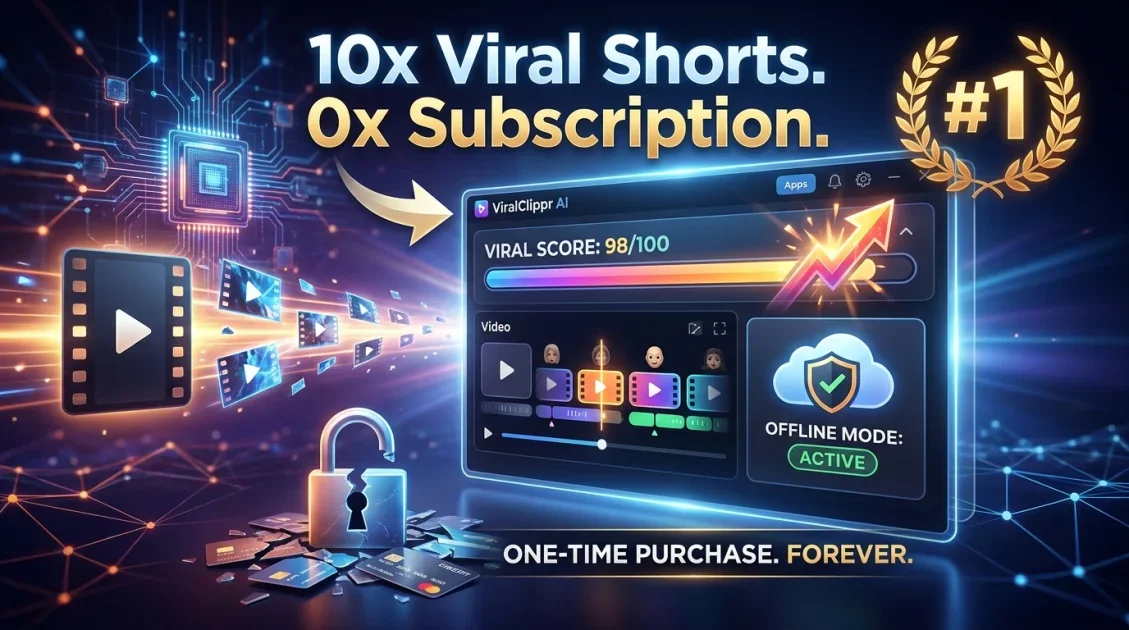
If you create video content and you're tired of paying $40+ a month just to clip your long videos into shorts, ViralClippr might be exactly what you've been looking for. It's a Windows desktop app that turns long-form videos into viral-ready short clips — fully offline, no subscription, one-time payment. In this review, we'll cover how it works, what's inside, who it's best for, and whether the lifetime deal is actually worth it in 2026.
In this article
- What is ViralClippr?
- How does ViralClippr work?
- Key features breakdown
- Pros and cons
- Who is it best for?
- Pricing and lifetime deal
- Final verdict
- FAQ
What is ViralClippr?
ViralClippr is a desktop video clipping tool for Windows that automatically analyzes your long-form video content and extracts the most engaging moments as short clips. Think of it as your personal clip editor that watches your video, scores each segment by viral potential, and hands you a set of ready-to-publish shorts — without you having to scrub through hours of footage manually.
What makes it stand out from tools like Opus Clip or Descript is that it runs entirely on your computer. No uploading gigabytes of footage to a cloud server, no waiting for remote processing, no monthly bill landing in your inbox. You buy it once and it's yours.

Turn long videos into viral shorts 100% offline. One-time payment, no subscription.
How does ViralClippr work?
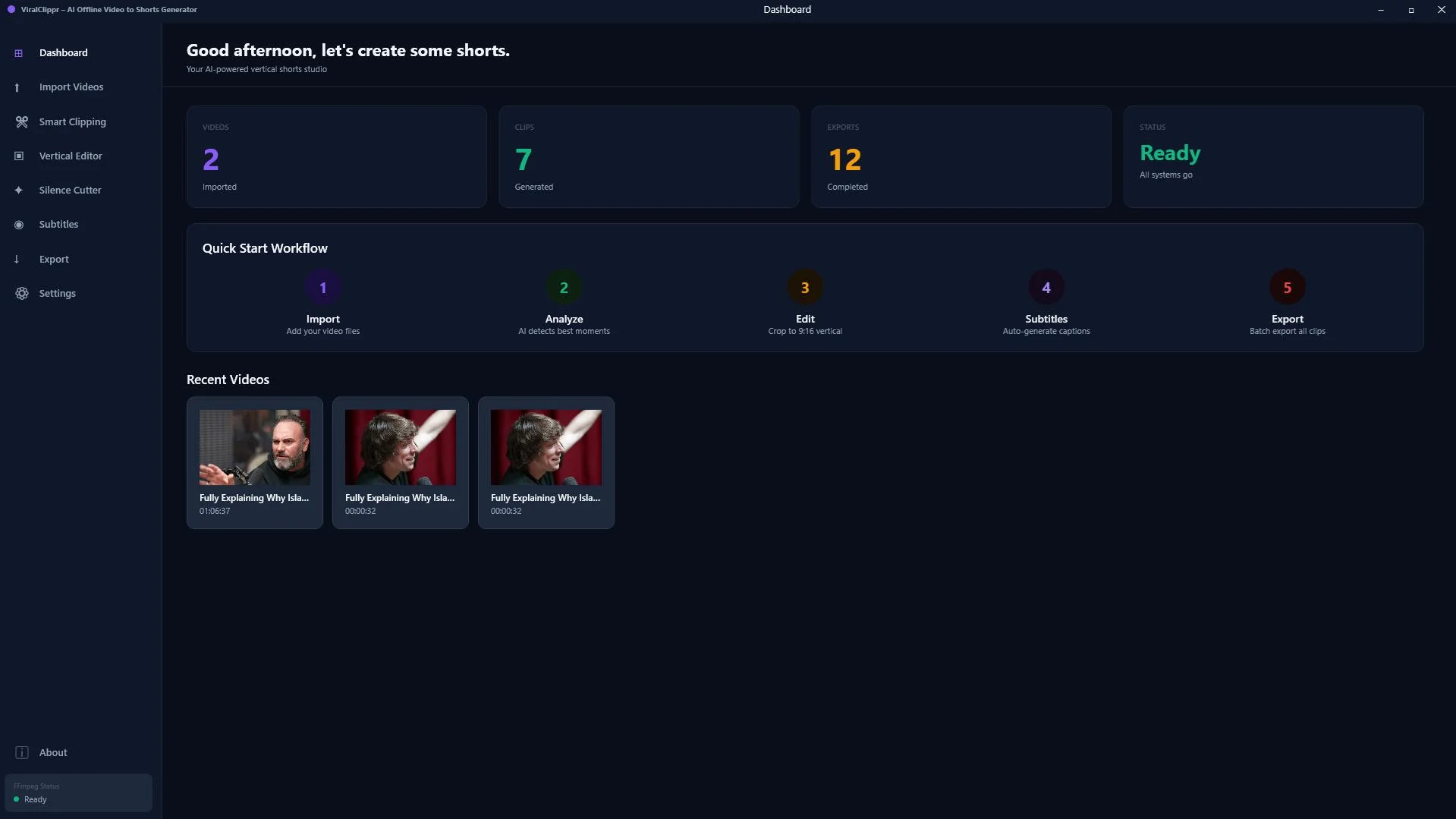
The workflow is straightforward. You load a video file into ViralClippr, let it scan the content, and it returns a list of clips ranked by a viral score. From there you can preview each clip, trim it, convert it from horizontal to vertical format (essential for TikTok and Reels), add subtitles from the built-in transcript tool, and export. Everything happens locally on your machine.
Here's the basic step-by-step:
- Import your long-form video (podcast, webinar, YouTube video, screen recording)
- ViralClippr scans it and generates clip candidates with viral scores
- Review the scored clips in the dashboard and pick your favorites
- Use the vertical editor to reframe horizontal footage with face detection
- Run the silence cutter to tighten up pacing
- Extract subtitles with the transcript tool
- Export and publish to TikTok, YouTube Shorts, or Instagram Reels
Key features breakdown
Viral Score Engine
This is the core of the product. After scanning your video, ViralClippr assigns each clip candidate a viral score based on engagement signals in the footage. Higher-scored clips are the ones most likely to hold attention from the first second — which is exactly what short-form platforms reward. It removes the guesswork of manually deciding which 60 seconds of a 45-minute video are worth clipping.
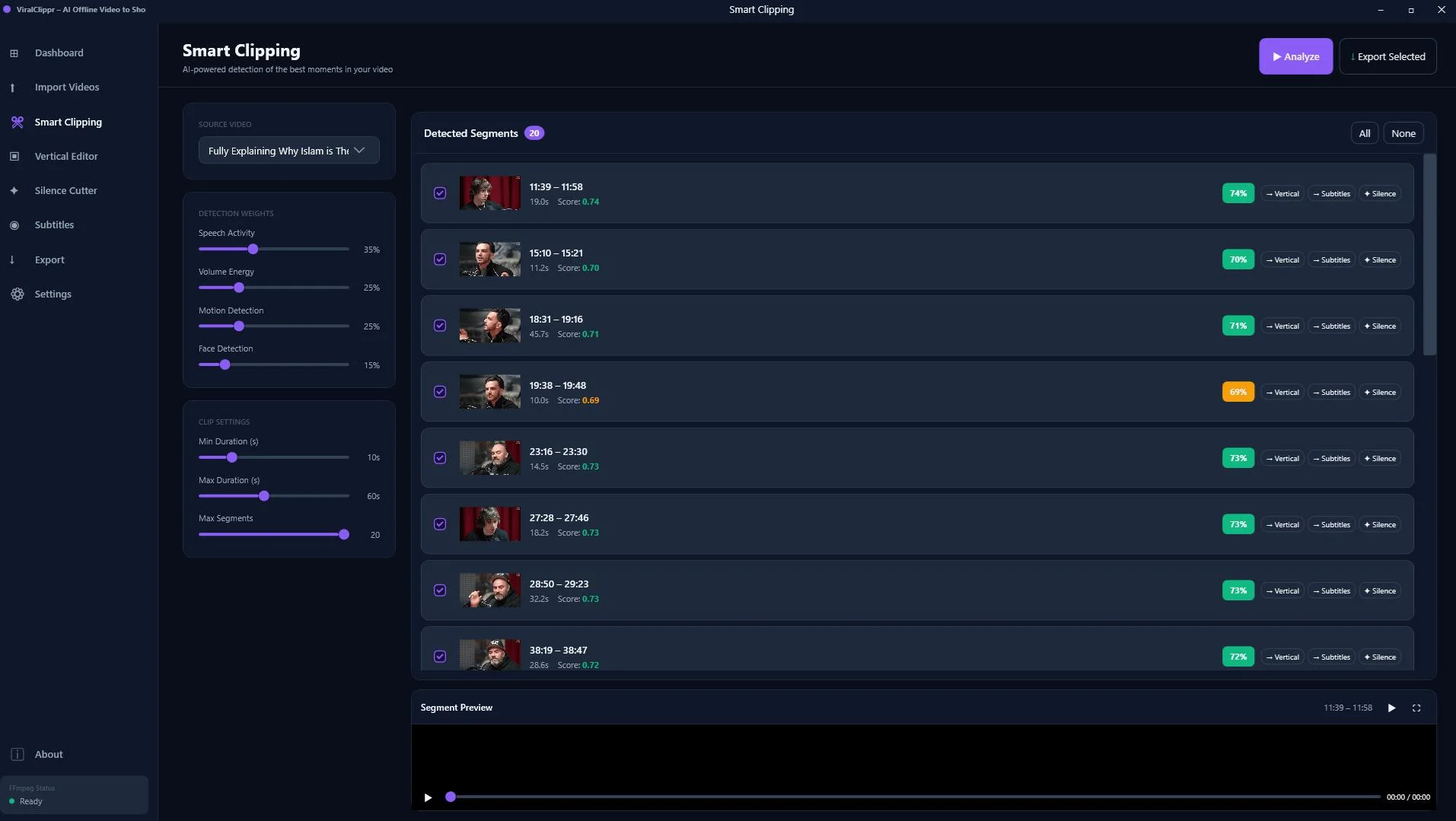
Vertical Editor with Face Detection
Most long-form content is filmed in 16:9 horizontal. Short-form platforms want 9:16 vertical. ViralClippr's vertical editor handles the conversion automatically, using face detection to keep the speaker centered in the frame as they move. No manual keyframing needed.
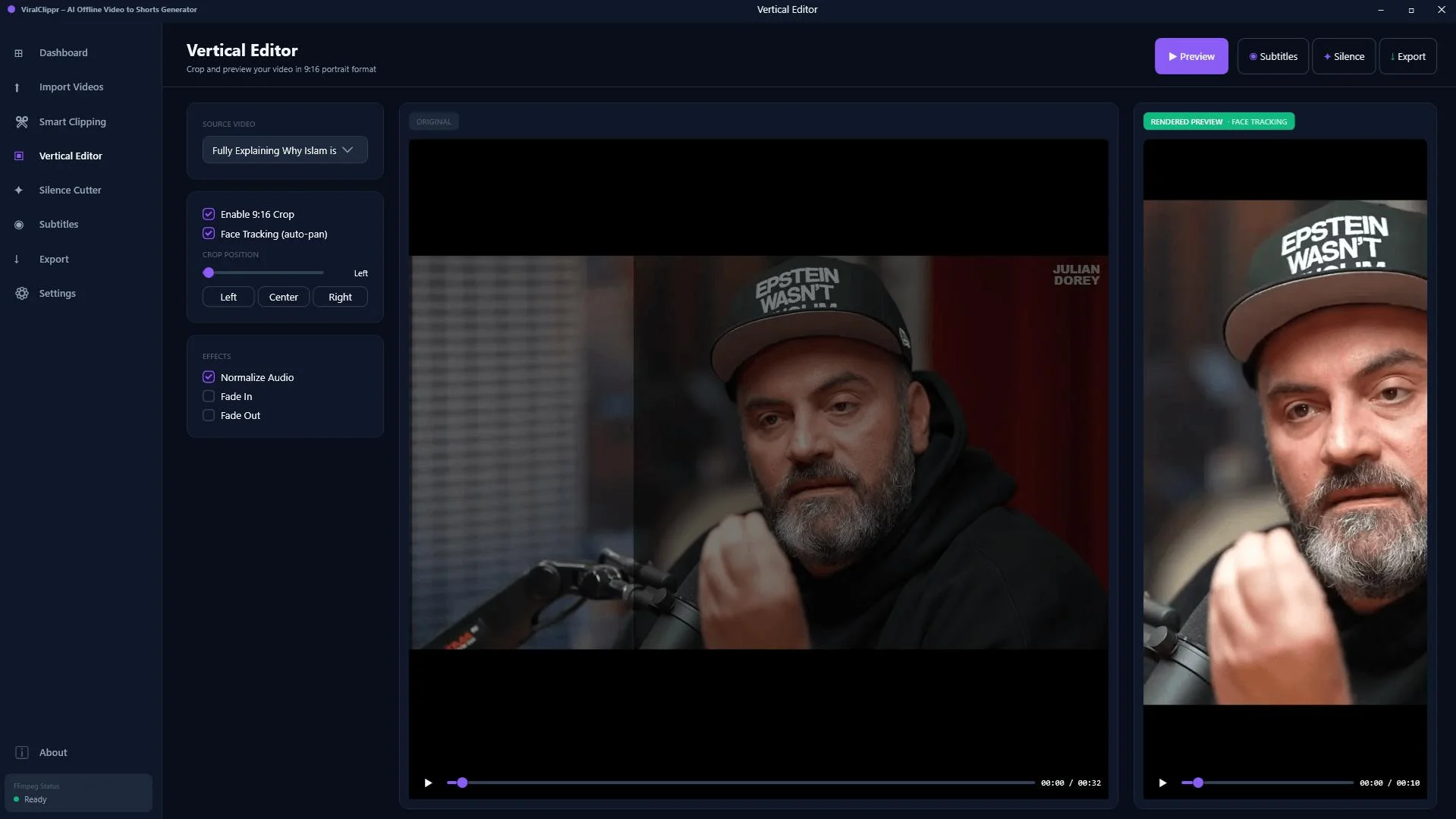
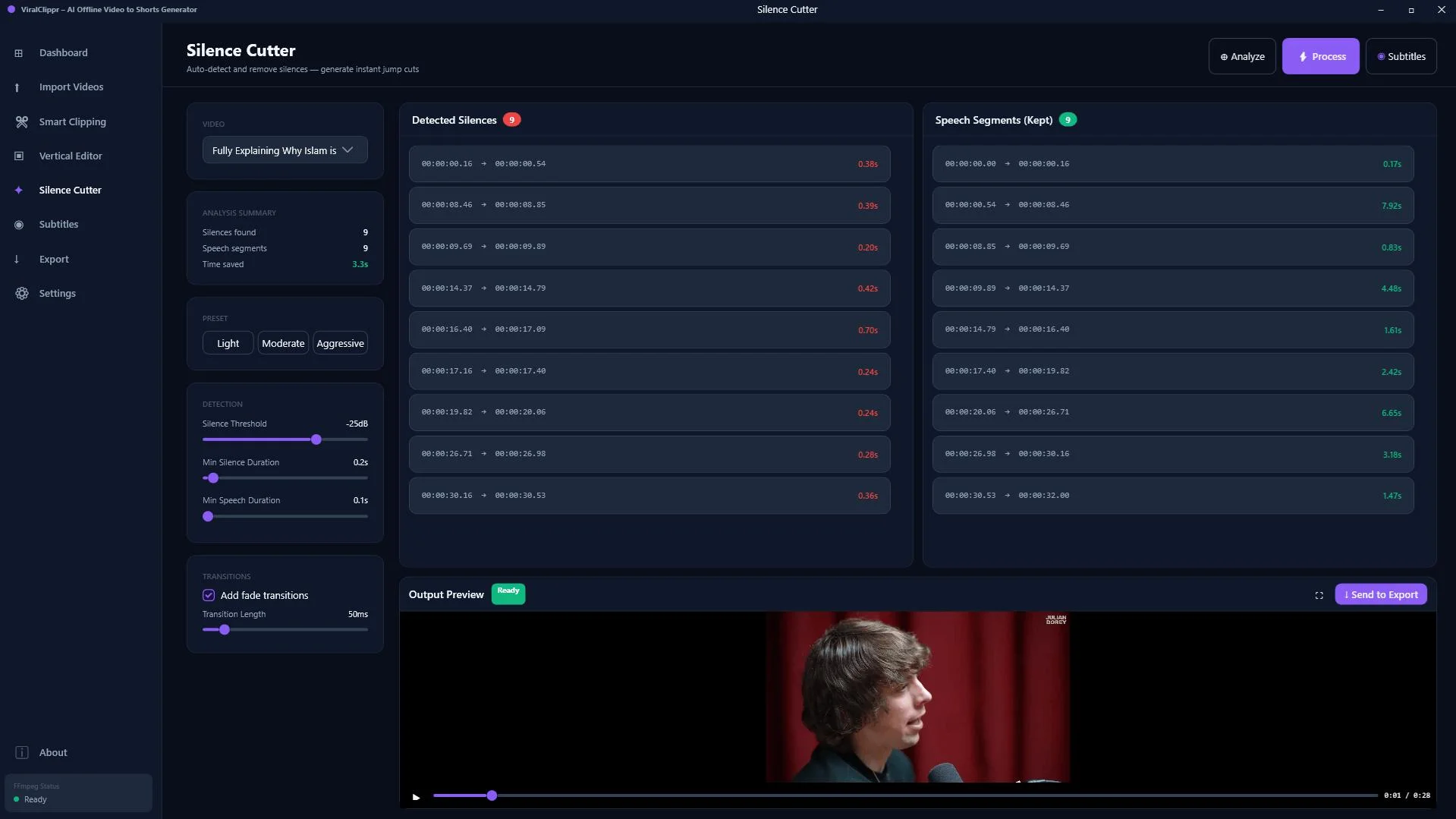
Silence Cutter
Dead air kills short-form content. The silence cutter scans your clips and removes pauses automatically, tightening up the pacing without you having to sit through every second of footage. It's a small feature with a big impact on watch time.
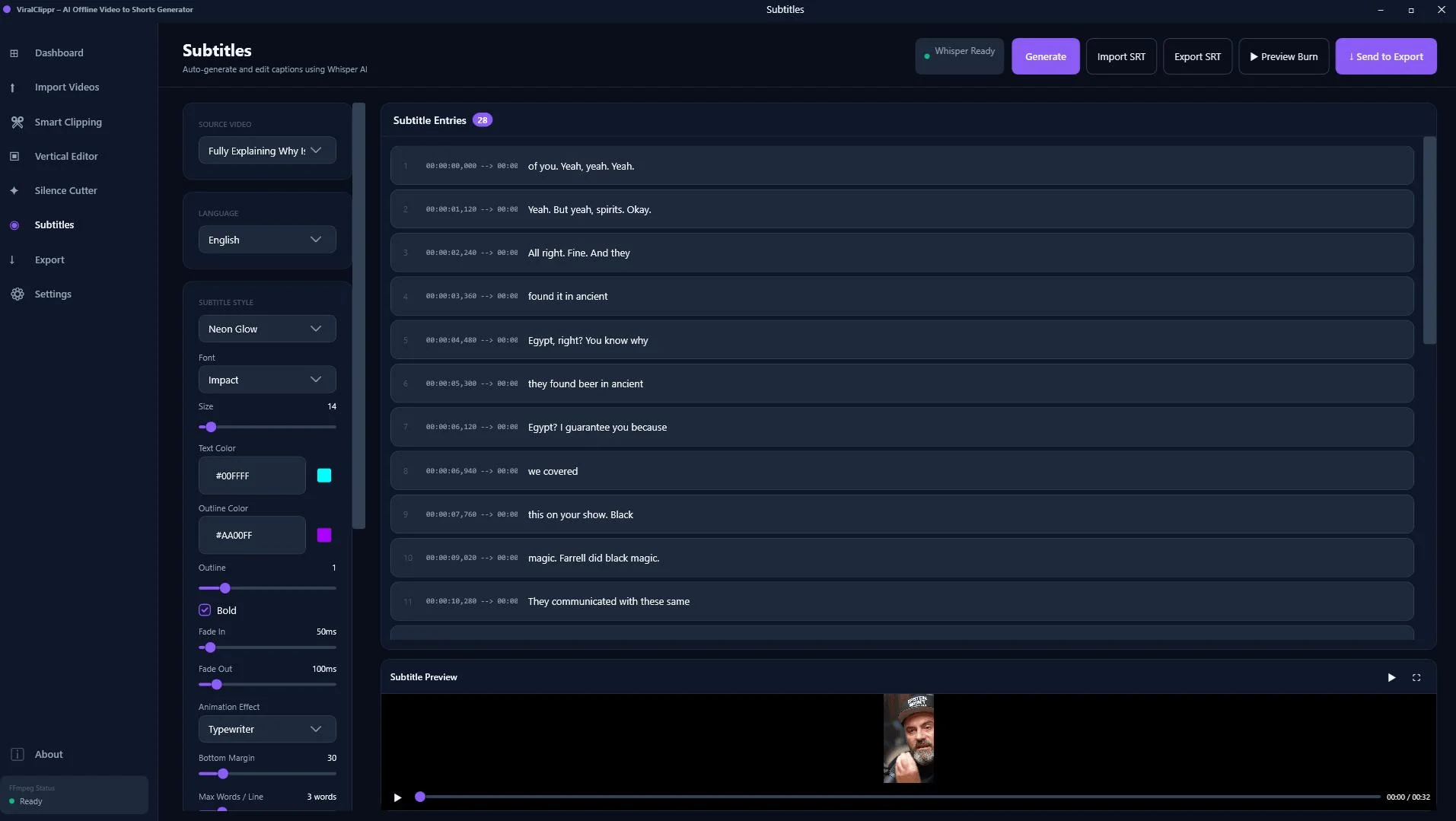
Transcript Tool
ViralClippr can extract text from your clips to use as subtitles. Since the majority of short-form video is watched without sound, burnt-in captions are no longer optional — they're essential. Having this built in means you skip an extra tool in your workflow.
Feature Comparison at a Glance
| Feature | ViralClippr | Opus Clip | Descript |
|---|---|---|---|
| Works offline | ✅ Yes | ❌ No | ❌ No |
| One-time payment | ✅ Yes | ❌ Subscription | ❌ Subscription |
| Viral scoring | ✅ Yes | ✅ Yes | ❌ No |
| Face detection / reframing | ✅ Yes | ✅ Yes | ✅ Yes |
| Silence remover | ✅ Yes | ❌ No | ✅ Yes |
| Subtitle / transcript tool | ✅ Yes | ✅ Yes | ✅ Yes |
| No upload limits | ✅ Unlimited | ❌ Plan limits | ❌ Plan limits |
Pros and cons
Pros
- Completely offline — your footage never leaves your machine, which matters for client work and sensitive content
- One-time payment — no recurring fees eating into your margins every month
- Viral scoring removes guesswork — you get prioritized clips instead of scrolling through a timeline
- Full workflow in one tool — clip, reframe, silence-cut, subtitle, export without switching apps
- No upload size limits — process hour-long videos without worrying about file size caps
Cons
- Windows only — Mac users are out for now
- No direct platform publishing — you export clips and upload them manually to TikTok, YouTube, etc.
- Newer product — fewer community tutorials and templates compared to established tools
Best for
- Content creators repurposing podcasts, webinars, or YouTube videos into shorts
- Agencies and freelancers handling video for multiple clients (privacy + no upload limits)
- Creators on a budget who want a one-time payment over a subscription
- Anyone working in areas with unreliable internet connections
Not ideal for
- Mac users (Windows only)
- Teams needing cloud collaboration on video projects
- Creators who need direct social media publishing integrations
Who is ViralClippr best for?
ViralClippr is built for the solo creator or small agency that produces a lot of long-form video and needs a repeatable, fast process to spin it into short-form content. If you're recording weekly podcasts, running webinars, or posting 30-minute YouTube tutorials, the manual clip-and-reframe workflow gets exhausting fast. ViralClippr automates the most tedious parts of that pipeline.
It's also a strong fit for anyone frustrated with subscription pricing. Opus Clip starts at around $15/month for limited usage; Descript runs $24/month and up. ViralClippr's lifetime deal sidesteps all of that. For a creator producing even 4 videos a month, it pays for itself quickly.

Clip, reframe, subtitle, and export viral shorts from long videos — fully offline, no monthly fees.
Pricing and lifetime deal
ViralClippr is available as a one-time payment lifetime deal through GoGrowTools. You pay once and get permanent access — no renewals, no tier upgrades, no usage caps. For a video workflow tool you're going to use every week, the math is straightforward: one payment vs. years of monthly fees.
To check the current price and any active promotions, visit the listing directly below.
Final verdict
Final Verdict
Who should use ViralClippr?
ViralClippr is the right tool if you produce long-form video content regularly and need a fast, repeatable way to clip it into shorts — without paying a monthly subscription or uploading your footage to a third-party server. The offline-first approach, viral scoring, face detection, and silence cutter cover the full short-form production workflow in one desktop app. The Windows-only limitation will rule it out for some, but for Windows-based creators and agencies, it's one of the best-value video clipping tools available in 2026.
Overall Rating: 4.5 / 5
Frequently asked questions
Does ViralClippr work without an internet connection?
Yes. ViralClippr is a fully offline desktop application. All processing happens on your local machine — no internet connection is required after installation, and your video files are never uploaded to any server.
Is ViralClippr a one-time payment or a subscription?
It's a one-time payment lifetime deal. You pay once and get permanent access with no recurring monthly or annual fees.
What platforms can I export shorts to?
ViralClippr exports clips as video files that you can upload manually to any platform — TikTok, YouTube Shorts, Instagram Reels, Facebook Reels, LinkedIn, or anywhere else you publish short-form video.
Does ViralClippr work on Mac?
Not currently. ViralClippr is a Windows desktop application. Mac support has not been announced at the time of this review.
How is ViralClippr different from Opus Clip?
The main differences are that ViralClippr works 100% offline and is sold as a one-time payment, while Opus Clip is a cloud-based subscription tool. Both offer viral scoring and auto-reframing, but ViralClippr has no upload limits, no monthly fees, and keeps your footage private on your own machine.
What types of video work best with ViralClippr?
ViralClippr works best with talking-head content like podcasts, interviews, webinars, online courses, and YouTube videos where a speaker is on camera. The viral scoring and face detection are optimized for this type of footage.
Ready to Stop Paying Monthly for Video Clipping?
Get ViralClippr once and use it forever. Offline, unlimited, no subscription.
Get Lifetime Access →One-time payment. No recurring fees. Works 100% offline.

Comments (0)
Leave a Comment