
If you manage client billing as a freelancer, agency owner, or small business, you already know the pain: FreshBooks charges $19 per month, QuickBooks starts at $30 per month, and Wave has quietly removed features from its free tier. For something as straightforward as sending invoices and tracking payments, the subscription math simply does not add up. ZapyInvoice is a Windows desktop app that solves this with a one-time $27 payment, full offline operation, and no data stored on anyone else's server. This review covers everything — features, limitations, who it is built for, and whether it is worth your money in 2026.
In this article
- What is ZapyInvoice?
- Key Features Breakdown
- Who Is It Built For?
- Pricing Compared to Alternatives
- Pros and Cons
- Final Verdict
- Frequently Asked Questions
What Is ZapyInvoice and How Does It Work?
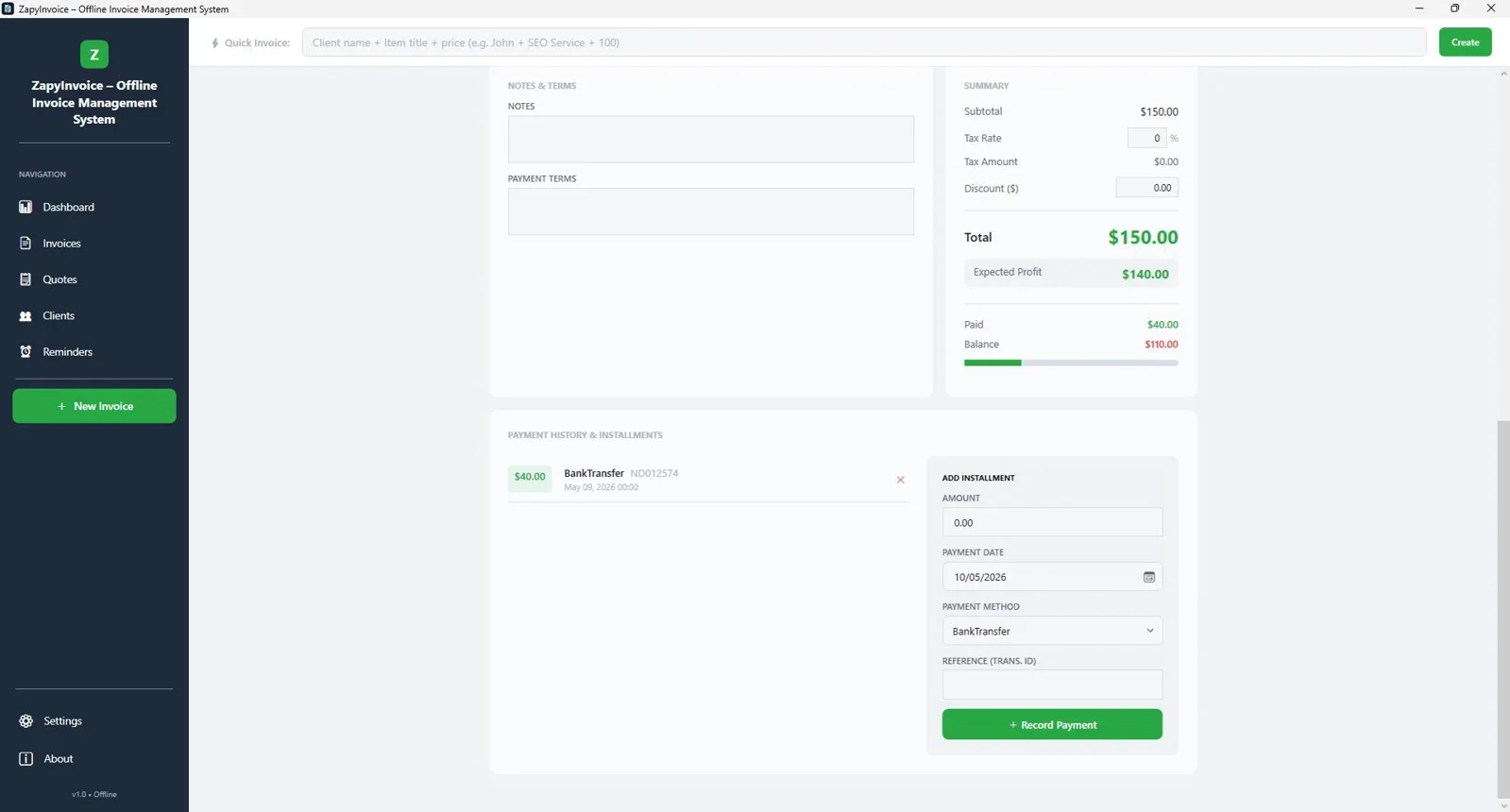
ZapyInvoice is an offline invoice management system for Windows. It installs locally on your machine, stores all data in a local SQLite database, and does not require an internet connection to create, send, or manage invoices. There is no monthly fee, no per-user pricing, and no cloud account to worry about.
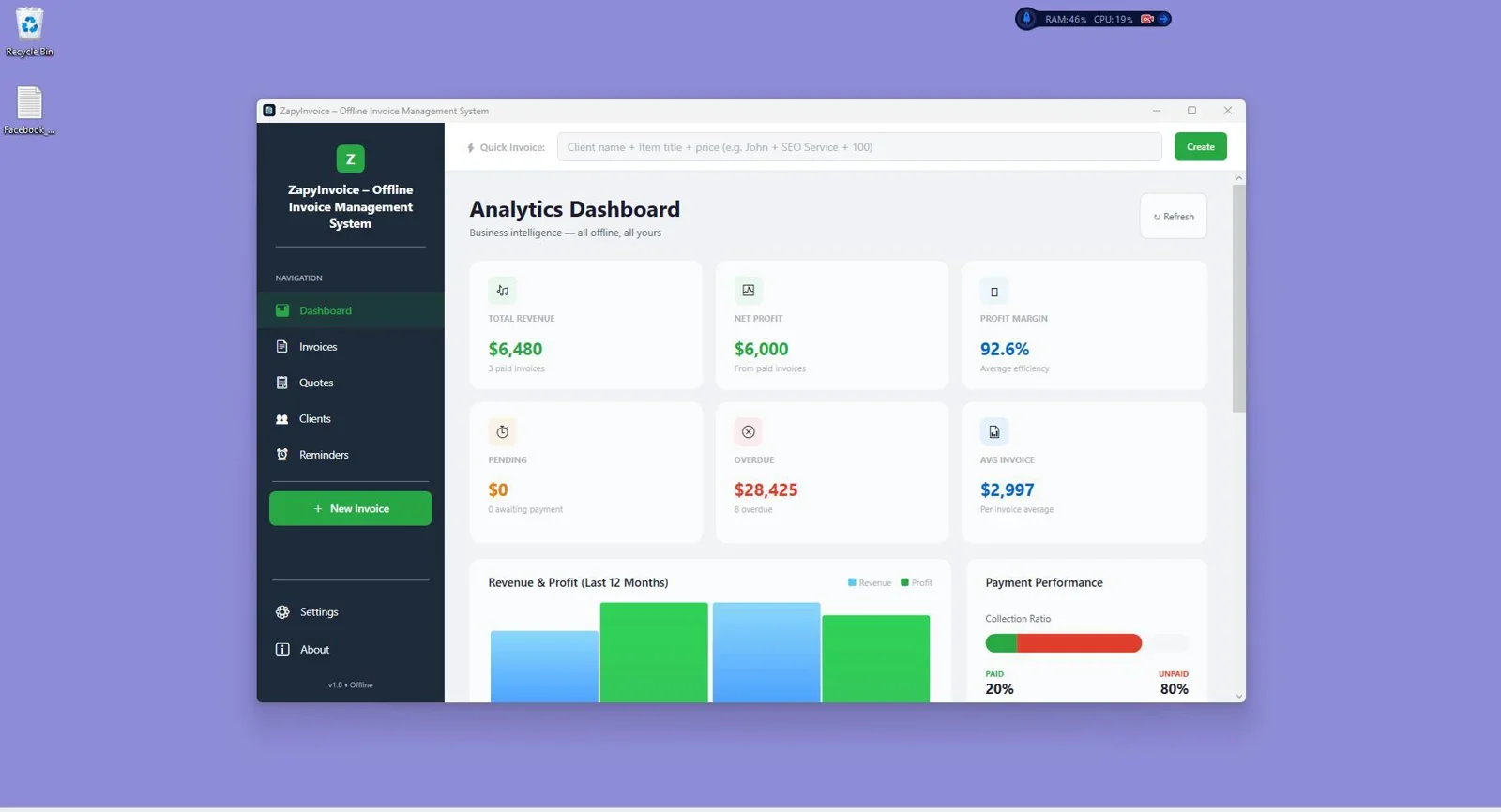
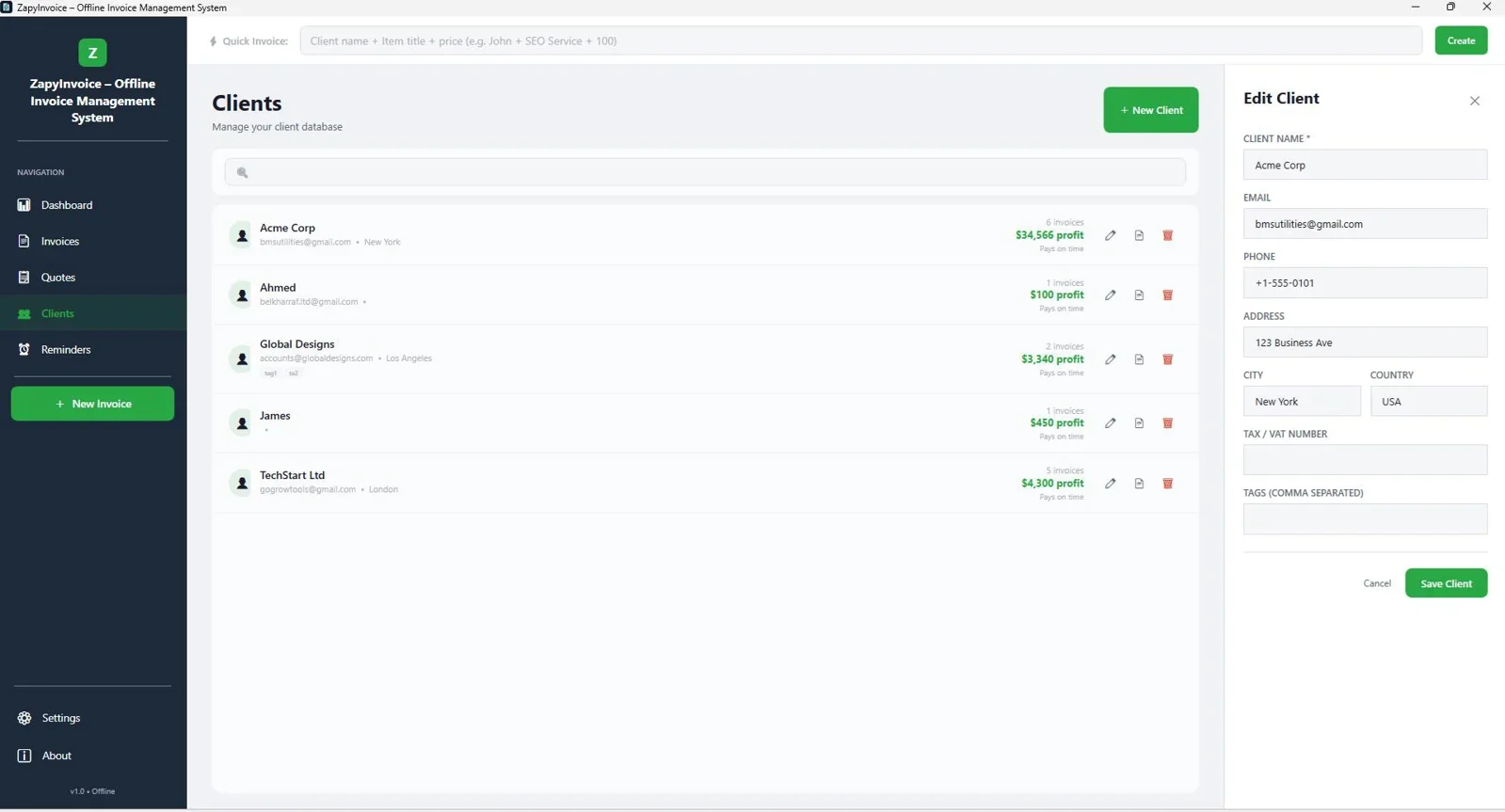
The core workflow is straightforward: you add your clients and services once, then generate invoices in a few clicks. From there you can export to PDF, track payment status, set up recurring billing schedules, and monitor your revenue through a built-in analytics dashboard. Everything runs on your computer, which means your financial data stays private and accessible even when you are working in a location without reliable internet.
Windows desktop invoicing with no subscription, no internet required, and no data sent to the cloud.
What Are the Key Features of ZapyInvoice?
ZapyInvoice covers the complete invoicing lifecycle, from client setup to payment reconciliation. Here is a breakdown of what is included:
| Feature | Details |
|---|---|
| Invoice Creation | Custom line items, taxes, discounts, logo, and branding |
| PDF Export | One-click export to professionally formatted PDF |
| Recurring Billing | Automate invoices on weekly, monthly, or custom schedules |
| Payment Tracking | Mark invoices as paid, pending, or overdue |
| Client Management | Unlimited client profiles with contact and billing history |
| Bulk Operations | Generate or export multiple invoices at once |
| Analytics Dashboard | Revenue summaries, outstanding totals, and payment trends |
| Offline Storage | SQLite local database, no cloud sync or account required |
| Branding | Add your logo, colors, and business details |
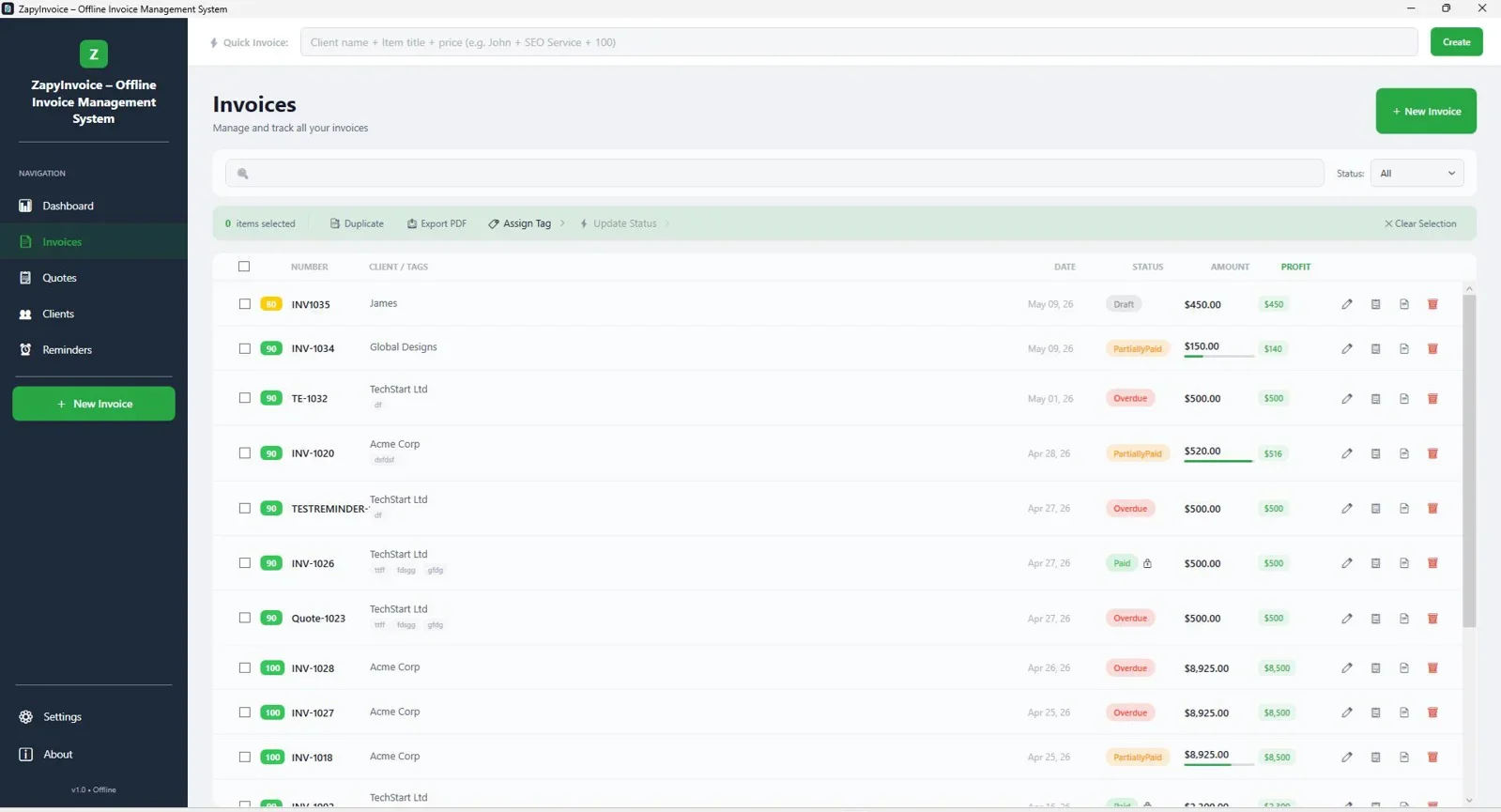
The recurring billing module is particularly useful for retainer-based freelancers and agencies. You set the schedule once, and ZapyInvoice generates the invoice automatically on the defined date, ready for you to review and send. No manual re-creation required.
Who Is ZapyInvoice Built For?
ZapyInvoice is the right fit for a specific type of user. It works exceptionally well for:
- Freelancers on Windows who bill a steady roster of clients each month and do not need collaborative features or mobile access.
- Small agencies managing 10 to 50 active clients and looking to eliminate recurring SaaS costs without losing core billing functionality.
- Consultants and contractors who work in environments with unreliable internet, including remote job sites, travel, or regions with limited connectivity.
- Privacy-conscious business owners who prefer their client financial data to remain entirely on their own machine rather than stored on third-party servers.
It is not a fit for teams that need real-time collaboration across multiple users, mobile invoice creation on iOS or Android, or built-in online payment processing (such as Stripe or PayPal integrations). If those are hard requirements, a cloud-based platform will serve you better.
How Does ZapyInvoice Compare to the Alternatives?
Pricing is where ZapyInvoice makes its clearest argument. Most cloud invoicing tools charge monthly, which adds up quickly over the course of a year or two. Here is how the numbers compare:
| Tool | Pricing Model | Year 1 Cost | Offline? |
|---|---|---|---|
| ZapyInvoice | One-time payment | $27 | Yes |
| FreshBooks (Lite) | $19/month | $228 | No |
| QuickBooks (Simple Start) | $30/month | $360 | No |
| Wave (paid features) | $16/month | $192 | No |
| Invoice Ninja (Pro) | $10/month | $120 | No |
At $27 as a one-time purchase, ZapyInvoice pays for itself in under two months compared to the cheapest competing subscription. Over three years, the savings easily exceed $300 for a solo user.
One payment. Unlimited invoices. No internet needed. Built for Windows freelancers and agencies.
What Are the Pros and Cons of ZapyInvoice?
| Pros | Cons |
|---|---|
| One-time $27 payment, no recurring fees | Windows only, no Mac or Linux version |
| Fully offline, data stays on your machine | No mobile app for iOS or Android |
| Recurring invoice automation included | No built-in online payment processing |
| Unlimited clients and invoices | No multi-user or team collaboration |
| PDF export with custom branding and logo | Data backups are manual (no auto cloud sync) |
| Analytics dashboard for revenue tracking | No native accounting or tax reporting |
Best for: Solo freelancers, consultants, and small agencies on Windows who bill regularly and want to stop paying monthly for basic invoicing functionality.
Not ideal for: Teams needing shared access, users on Mac or mobile, or businesses that require integrated online payment collection.
Final Verdict
Who should use ZapyInvoice?
ZapyInvoice is a focused, reliable invoicing tool that does exactly what solo professionals and small agencies need, without the overhead of a cloud subscription. If you are a Windows user who sends 10 to 100 invoices per month, values data privacy, and wants to stop paying $20 to $30 per month for invoicing software, the $27 one-time price makes this an easy decision. The recurring billing automation, PDF export quality, and offline-first design are all solid. The lack of mobile access and online payment integration are real limitations, but for the right user they are easy trade-offs to accept given the price difference.
Overall Rating: 4.5 / 5
Frequently Asked Questions
Does ZapyInvoice work without an internet connection?
Yes. ZapyInvoice is fully offline. It stores all data locally on your Windows machine using a SQLite database, so it functions completely without an internet connection. This makes it suitable for remote workers, contractors on job sites, and anyone in an area with unreliable connectivity.
Is there a monthly fee for ZapyInvoice?
No. ZapyInvoice is available for a one-time payment of $27. There are no subscription fees, no per-user charges, and no annual renewal costs. You pay once and use it indefinitely.
Can I automate recurring invoices in ZapyInvoice?
Yes. ZapyInvoice includes a recurring billing module that lets you set invoices to generate automatically on a weekly, monthly, or custom schedule. This is particularly useful for retainer clients where the billing amount stays consistent each cycle.
How does ZapyInvoice compare to FreshBooks or QuickBooks?
FreshBooks and QuickBooks are cloud-based platforms with broader feature sets, including online payment processing, mobile apps, and accounting integrations. ZapyInvoice focuses specifically on invoice management and does so offline and for a one-time fee. If your core need is creating and tracking invoices rather than full accounting, ZapyInvoice covers that at a fraction of the annual cost.
What happens to my data if I stop using ZapyInvoice?
Because all data is stored locally on your machine, you retain full control at all times. There is no cloud account to deactivate and no risk of losing access to your records if a subscription lapses. You can also back up the local database folder manually to an external drive or cloud storage of your choice.
Does ZapyInvoice support custom branding on invoices?
Yes. You can add your business logo, colors, and contact details to invoice templates so that every PDF you send carries your brand identity rather than the software's default styling.
Stop Paying Monthly for Basic Invoicing
ZapyInvoice gives you unlimited invoices, recurring billing, and full offline access for a single $27 payment. No subscriptions, no cloud, no surprises.
Get ZapyInvoice Now →One-time payment. Lifetime access. Windows desktop app.



Comments (0)
Leave a Comment