
A building contract agreement is a legally binding document between a project owner and a contractor that defines the scope of work, total budget, completion timeline, payment terms, and dispute resolution mechanisms. Whether you are constructing a new residential house, renovating a commercial building, or managing a design-build project, utilizing a structured building contract agreement sample ensures both parties are protected against scope creep, cost overruns, and legal disputes. Modern contractors and independent project managers increasingly rely on dedicated contract builder software like EasiestContract to customize clauses, maintain private offline records, and generate legally sound agreements in minutes.
In this article
- What Is a Building Contract Agreement and Why Is It Essential?
- Comparing Key Types of Building Contracts (Lump Sum, Cost-Plus, Design-Build)
- Essential Clauses Every Building Contract Example Must Contain
- Free Building Contract Templates vs. Specialized Contract Builder Software
- How to Draft a Custom Agreement with EasiestContract Step-by-Step
- Best Practices for Building an In-House Contract Clause Library
- Frequently Asked Questions
What Is a Building Contract Agreement and Why Is It Essential?
A building contract agreement establishes the baseline rules for any construction or renovation project. Without a detailed agreement in place, project owners risk unexpected price hikes, delayed completion schedules, and poor workmanship, while contractors risk non-payment, unreasonable scope adjustments, and liability for pre-existing structural issues.
According to construction industry benchmarking data, over 30% of uncontracted or poorly drafted residential construction projects suffer major financial disputes or schedule overruns exceeding 60 days. A professional building contract example sets clear boundaries before ground is broken. It explicitly outlines materials to be used, labor rates, permit responsibilities, milestone schedules, and protocols for handling unexpected delays such as weather anomalies or supply chain bottlenecks.
Whether you are using a standard AIA contract template or crafting a custom agreement using specialized software, having a comprehensive paper trail ensures that both client and contractor share identical expectations from start to finish.
Comparing Key Types of Building Contracts (Lump Sum, Cost-Plus, Design-Build)
Not all construction projects operate under the same financial or managerial framework. Selecting the correct contract type is one of the most critical decisions in project planning. Below is a breakdown of the primary contract structures used across commercial and residential projects in 2026.
| Contract Type | Primary Focus | Financial Risk Profile | Best Suited For |
|---|---|---|---|
| Lump Sum / Fixed Price | Single total price for complete scope | Higher risk on Contractor (cost overruns) | Projects with clear, fixed architectural plans |
| Cost-Plus (Reimbursable) | Actual costs plus agreed contractor fee/margin | Higher risk on Owner (fluctuating costs) | Complex renovations or custom architectural builds |
| Design-Build | Single entity handles design and construction | Shared risk with streamlined single-point accountability | Fast-track commercial & custom residential homes |
| Build-Operate-Transfer (BOT) | Finances, builds, operates, and transfers asset | Long-term risk on Developer/Concessionaire | Large-scale infrastructure & public-private projects |
1. Lump Sum (Fixed Price) Contracts
In a lump sum building contract, the contractor agrees to complete the specified building project for a set overall dollar amount. This model works best when detailed architectural blueprints and material specifications are finalized prior to signing. If material prices rise, the contractor absorbs the loss; conversely, if efficiency increases, the contractor retains the additional margin.
2. Cost-Plus Contracts
A cost-plus building contract mandates that the project owner reimburses the builder for all actual expenses (materials, equipment rentals, sub-contractor labor) plus an agreed percentage fee or fixed markup. This structure provides total transparency for custom home builds where design details evolve during construction.
3. Design-Build Contracts
Unlike traditional Design-Bid-Build models where owners contract separately with an architect and a general contractor, a design-build contract consolidates design and construction under one entity. This eliminates disputes between designers and builders, reduces administrative overhead, and accelerates project delivery.
Essential Clauses Every Building Contract Example Must Contain
A well-structured residential or commercial building contract agreement template must contain specific legal clauses to be enforceable and comprehensive. Omitting key clauses leaves both parties vulnerable during operational disputes.
- Detailed Scope of Work & Specifications: Exhaustive description of tasks, structural specifications, material grades, and finishing requirements. Attach engineering blueprints as official exhibits.
- Payment Schedule & Retainage: Clear breakdown of payment milestones (e.g., foundation completion, framing, rough plumbing, final inspection). standard retainage clauses often hold back 5% to 10% until punch-list items are finished.
- Change Order Procedures: Formal workflow requiring written, signed approval before any extra work, material substitution, or budget adjustment takes place.
- Timeline & Liquidated Damages: Explicit start dates, target completion dates, and permitted extensions for uncontrollable delays (force majeure). Include liquidated damage rates per day for unexcused contractor delays.
- Warranties & Defect Liability: Guarantees covering structural integrity (often 5 to 10 years) and trade workmanship (typically 1 to 2 years).
- Dispute Resolution Mechanisms: mandatory steps such as negotiation, non-binding mediation, or binding arbitration prior to pursuing court litigation.
Free Building Contract Templates vs. Specialized Contract Builder Software
Many independent contractors and project owners start by searching for a free building contract template online. While downloadable PDF or Word samples offer a starting framework, they suffer from significant drawbacks:
- Generic Legal Terminology: Generic templates frequently miss state-specific statutory disclosures, mechanics lien warnings, or local building code provisions.
- Formatting Instability: Editing Word documents leads to corrupted numbering, broken clause cross-references, and inconsistent layout.
- Data Privacy Risks: Using web-based AI tools or cloud generators exposes client names, address details, and financial terms to third-party servers.
To overcome these challenges, contractors use dedicated, privacy-focused software designed specifically for contract generation and clause management.
Turns project details into professional agreements fast using built-in templates, optional AI text, and private offline storage on Windows PC.
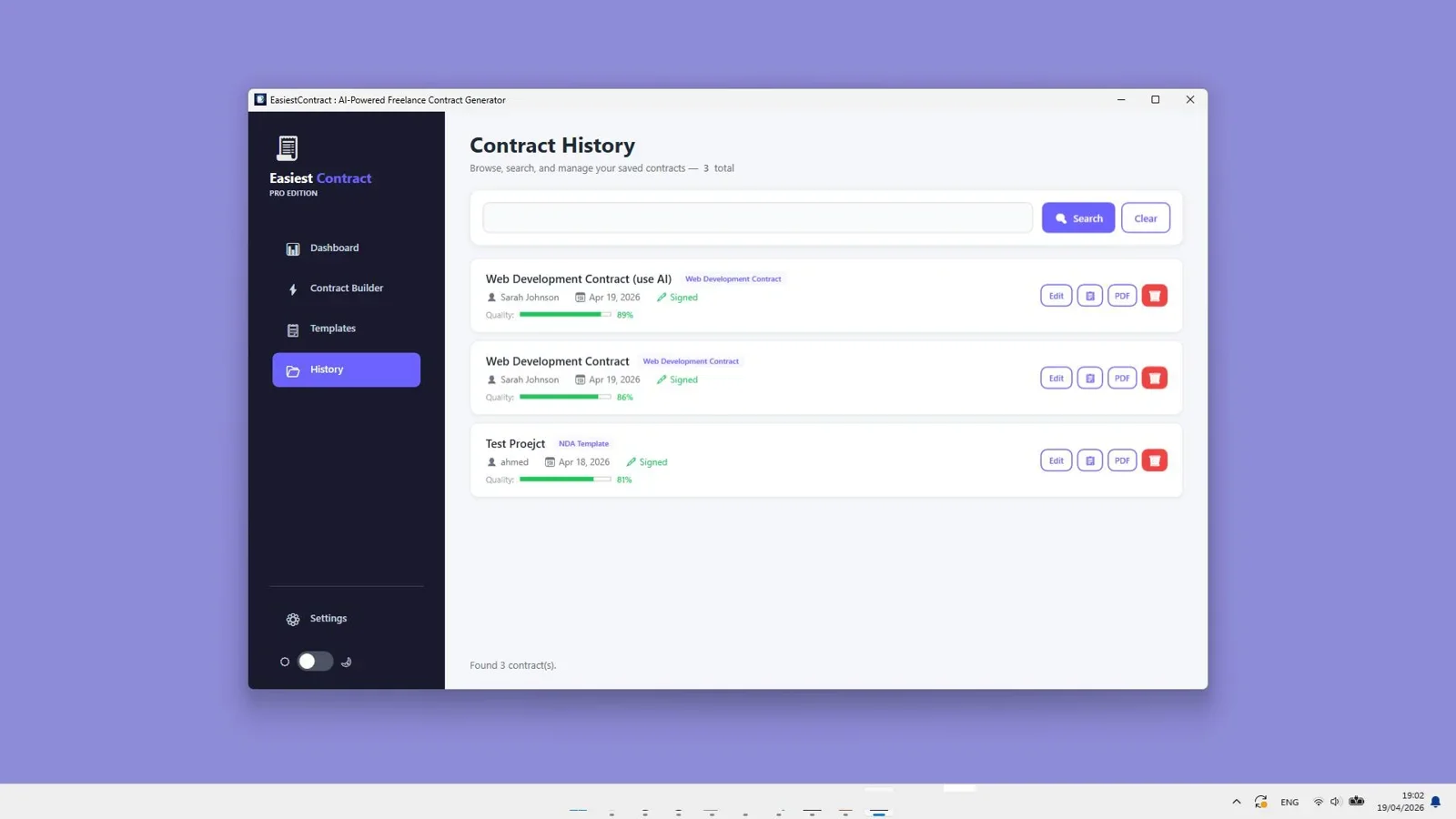
Using an offline desktop application like EasiestContract allows contractors, consultants, and builders to maintain full control over contract data without paying monthly cloud subscriptions or putting client information at risk.
How to Draft a Custom Agreement with EasiestContract Step-by-Step
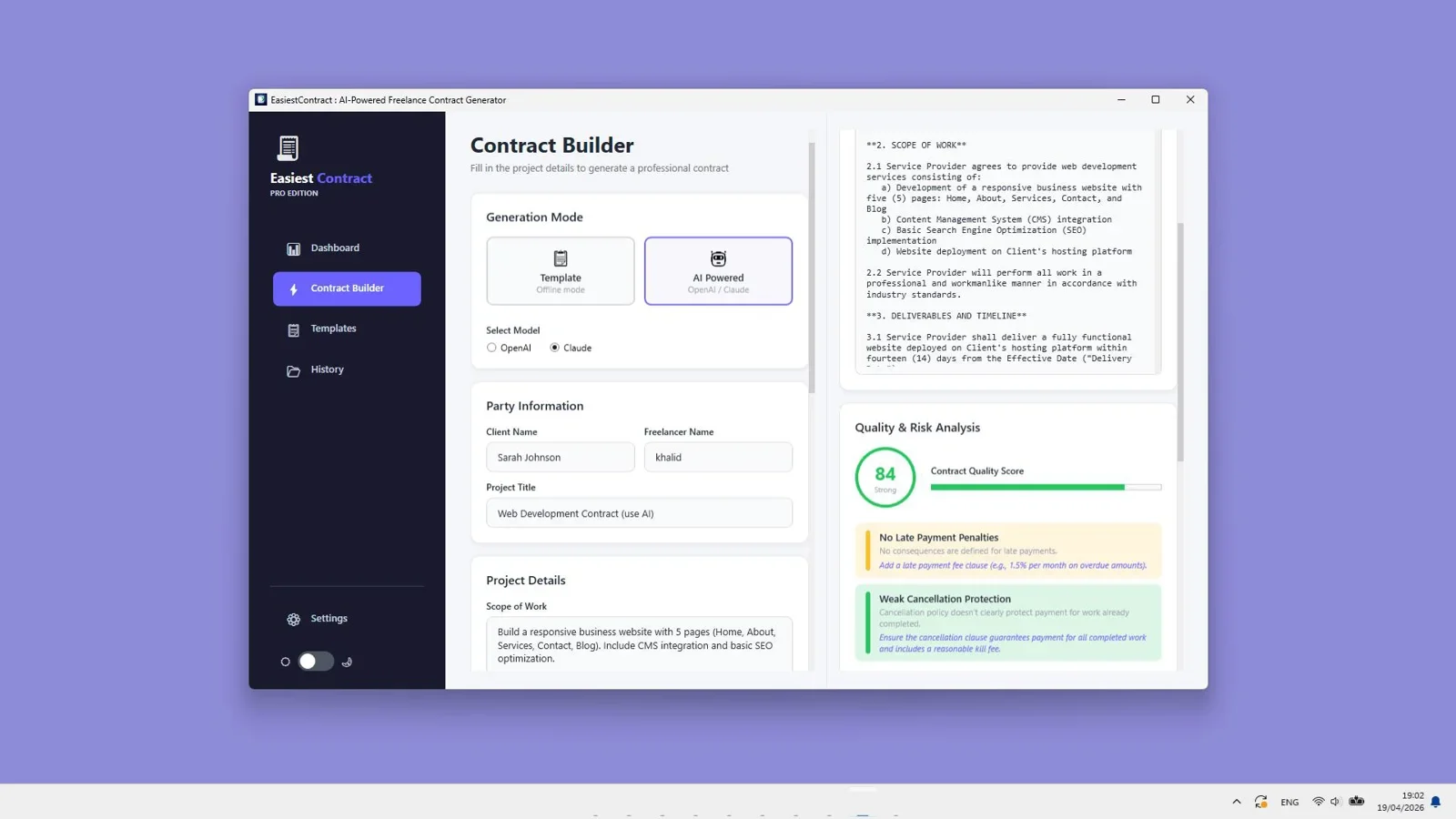
Drafting a polished residential or commercial building contract agreement with EasiestContract takes only a few minutes. Here is how the workflow operates:
Step 1: Select Your Base Contract Template
Launch EasiestContract on your Windows PC and choose a suitable starting template from the built-in library. You can pick between general service agreements, design-build frameworks, or independent sub-contractor agreements.
Step 2: Input Parties, Scope, and Financial Terms
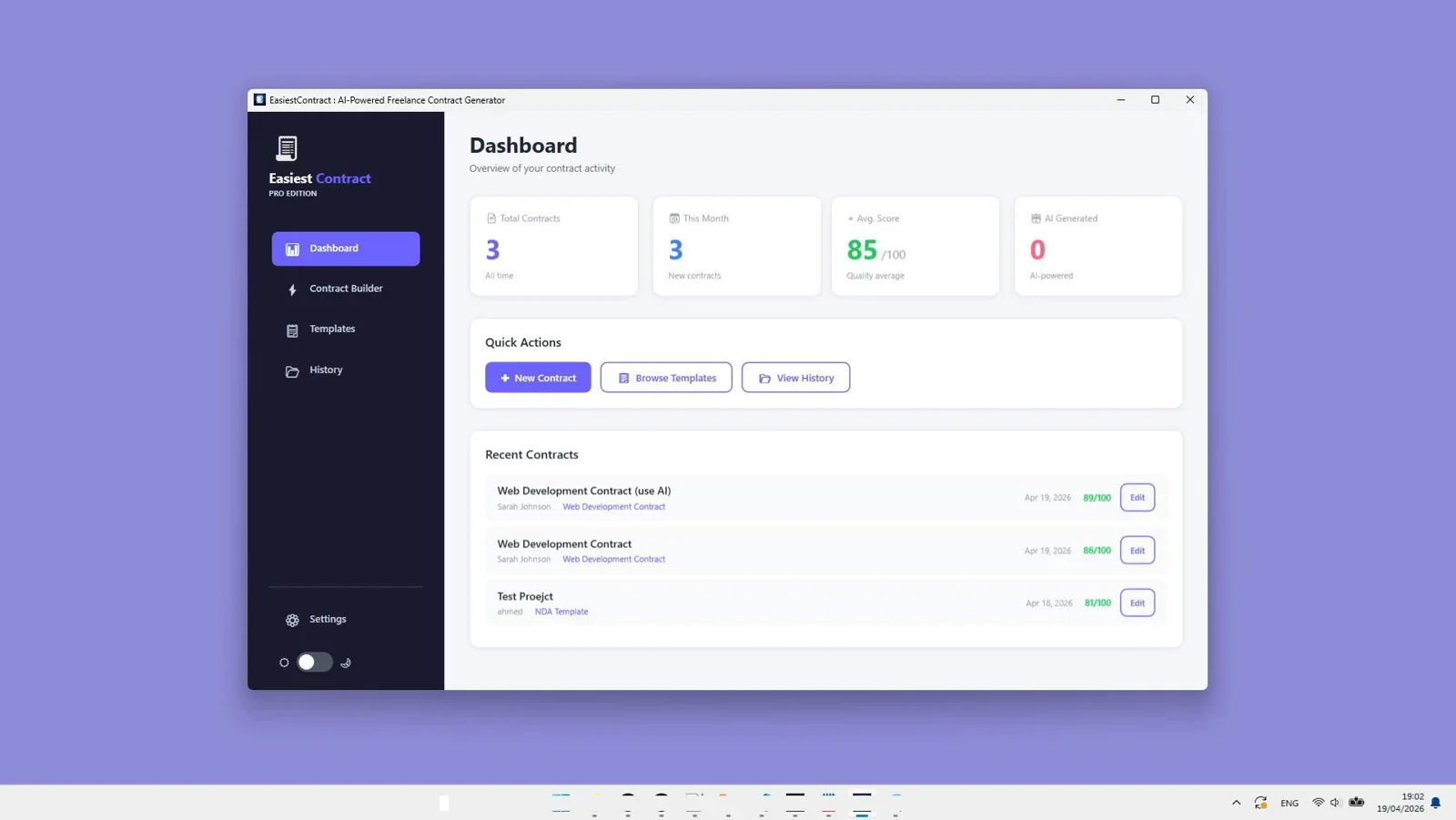
Enter the project owner details, contractor credentials, project site address, payment milestones, and target completion dates. The software auto-populates these variables into all designated fields across the document body, preventing manual typos.
Step 3: Enhance Clauses with Built-In AI Assistance
If you need custom phrasing for unique scenarios (such as specific material storage rules or specialized sub-contractor warranties), utilize the optional offline AI text assistant. It helps rephrase clauses clearly and professionally without sending your document data to external cloud servers.
Step 4: Export to PDF or Editable Format
Review the generated contract preview, check clause alignment, and export the final agreement as a clean PDF or editable text file ready for client signature.
Create, store, and edit professional contracts offline. Includes built-in clause management and one-click PDF exports.
Best Practices for Building an In-House Contract Clause Library
Growing construction businesses and independent consultants should maintain a centralized, reusable clause library. Storing proven legal blocks ensures consistency across all client agreements and slashes preparation time by over 80%.
- Categorize Clauses by Risk Factor: Separate core terms into Scope, Payment, Liability, Termination, and Warranties for fast retrieval.
- Standardize Payment Terms: Keep uniform language regarding late payment fees, deposit requirements, and payment schedule verification.
- Review Clauses Annually: Update terms periodically to comply with local regulatory updates and building code changes.
- Store Templates Offline: For comprehensive guides on contract generation software across various professional fields, check out our in-depth review on the best freelance contract builder software in 2026.
Final Verdict
Who should use EasiestContract?
EasiestContract is ideal for general contractors, tradespeople, freelancers, consultants, and small construction agency owners who need a fast, dependable contract builder that operates 100% offline without recurring monthly fees or cloud security concerns.
Overall Rating: 4.9 / 5
Frequently Asked Questions
What is the most common type of building contract?
The Lump Sum (Fixed Price) contract is the most widely used contract for residential home building and commercial construction where design plans, site conditions, and material specifications are completely defined before signing.
How do I write a simple building contract agreement?
A simple building contract agreement must identify the owner and contractor, define the project location, detail the exact scope of work, set total pricing and payment milestone dates, specify completion deadlines, and establish a clear signature section for both parties.
What is the difference between a cost-plus contract and a fixed-price contract?
In a fixed-price (lump sum) contract, the total price is fixed regardless of actual contractor costs. In a cost-plus contract, the owner pays for all actual labor and material costs plus an agreed markup percentage, making cost-plus more flexible but less predictable in overall cost.
What happens if a builder breaches a building contract?
When a contractor breaches a building contract by abandoning work, missing critical deadlines, or delivering substandard construction, the owner can issue a formal written notice of default. If uncorrected, the contract dispute resolution or termination clauses take effect, potentially leading to mediation, arbitration, or claims against the builder's performance bond.
Why use offline contract builder software over online templates?
Offline contract builder software like EasiestContract ensures client privacy by keeping sensitive contract details and financial data stored locally on your PC. It eliminates ongoing monthly subscription costs and offers structured clause customization that static PDF or Word templates cannot provide.
Build Professional Contracts Fast & Offline
Get lifetime access to EasiestContract with built-in templates, AI clause assistance, and zero monthly fees.
Get EasiestContract →One-time payment of $27 on Windows PC. Private local storage with no cloud tracking.


Comments (0)
Leave a Comment