
Sending bulk emails without getting blocked comes down to three things: a clean list, proper SMTP configuration, and smart sending behavior. Most campaigns end up in spam not because of bad content, but because of technical mistakes that inbox providers flag automatically. This guide walks you through every step to protect your sender reputation and keep your emails landing in the inbox in 2026.
In this article
- Why Bulk Emails Get Blocked
- Step 1: Start With a Clean Email List
- Step 2: Configure SMTP Correctly
- Step 3: Use SMTP Rotation to Spread the Load
- Step 4: Send Smart, Not Fast
- Step 5: Personalize to Avoid Spam Triggers
- The Right Tool Makes All of This Automatic
- Bulk Email Software Comparison
- Frequently Asked Questions
Why Do Bulk Emails Get Blocked?
Email providers like Gmail, Outlook, and Yahoo use automated systems to decide whether your message reaches the inbox, lands in spam, or gets rejected entirely. They look at several signals at once:
- Sender reputation: Your IP and domain build a score over time. High bounce rates and spam complaints damage it fast.
- Authentication failures: Missing SPF, DKIM, or DMARC records are an immediate red flag.
- Sending volume spikes: Jumping from 50 to 50,000 emails overnight triggers rate limiting and blacklists.
- Invalid addresses: Sending to dead or mistyped emails produces hard bounces, which providers treat as a sign of poor list hygiene.
- Spam trigger content: Certain words, excessive capitalization, and broken HTML templates raise content scores.
Fix these at the technical level and your deliverability improves dramatically, regardless of which email service provider you use.
Step 1: Start With a Clean Email List
List quality is the single most important deliverability factor. A list with more than 2% invalid addresses will get your sending domain flagged within a few campaigns. Before you send anything, run your list through a validation process that checks for:
- Syntax errors (missing @, double dots)
- Invalid or non-existent domains
- Role-based addresses (info@, admin@) that carry low engagement rates
- Known spam traps planted by inbox providers to catch senders with bad habits
- Duplicate entries that inflate your list size without adding value
Remove hard bounces immediately after every send. Keep your bounce rate below 1% and your spam complaint rate below 0.1%. These are the thresholds Google and Yahoo enforced publicly in 2024 and continue to apply today.
List cleaning is not a one-time task. Do it before every major campaign and at least once a quarter for your general database.
Step 2: Configure Your SMTP Authentication Correctly
Authentication tells receiving mail servers that you are who you claim to be. Without it, your emails have no verified identity and get rejected or filtered automatically. Set up all three of these records in your DNS:
| Record | What It Does | Priority |
|---|---|---|
| SPF | Lists which IP addresses are allowed to send email from your domain | Required |
| DKIM | Adds a cryptographic signature to each outgoing email to verify it was not altered | Required |
| DMARC | Tells providers what to do if SPF or DKIM fail (quarantine, reject, or monitor) | Required |
Without all three records in place, even a perfectly written email from a clean list will underperform. Check your DNS configuration using tools like MXToolbox before running any campaign.
Step 3: Use SMTP Rotation to Spread the Load
Sending thousands of emails through a single SMTP server concentrates all your sending volume on one IP address. If that IP gets flagged, your entire campaign stops. SMTP rotation solves this by distributing sends across multiple servers, so no single IP carries enough volume to trigger rate limits or blacklisting.
Here is how a basic rotation setup works:
- Configure 3 to 5 SMTP accounts (these can be from different providers, your own servers, or a mix)
- Set your sending software to cycle through them automatically per batch or per message
- Monitor each account's bounce and complaint rates separately
- Rotate in a fresh account and rest any that show elevated complaint rates
SMTP rotation is especially useful for agencies and marketers sending more than 10,000 emails per day. It keeps you below provider thresholds on every server simultaneously while maintaining overall campaign speed.
Built-in SMTP rotation, list cleaning, and AI personalization in a one-time purchase Windows desktop app. No monthly fees.
Step 4: Send Smart, Not Fast
Speed is one of the most common reasons bulk email campaigns get throttled or blocked. Inbox providers monitor sending velocity carefully. A domain that sends 100 emails per day for two weeks and then suddenly sends 50,000 in one hour looks like a compromised account or a spammer.
Follow these sending behavior rules to protect your deliverability:
- Warm up new IPs and domains gradually. Start at 200 to 500 emails per day and increase by 20 to 30% every 3 to 4 days until you reach your target volume.
- Use sending windows. Schedule campaigns during business hours in your recipients' time zones. Emails sent at 2am local time see lower engagement, which hurts your sender score.
- Add delay intervals. Configure your software to add 3 to 10 seconds between individual sends. This mimics human sending behavior and avoids rate limit triggers.
- Segment your sends. Split large lists into batches by domain (Gmail contacts in one batch, Outlook in another) so you can monitor deliverability per provider separately.
Step 5: Personalize to Avoid Spam Triggers
Mass emails that look identical across thousands of recipients are easier for spam filters to catch. Modern filters use content fingerprinting to detect repeated patterns. Personalization disrupts this fingerprint while also improving engagement, which in turn strengthens your sender reputation.
Effective personalization for bulk campaigns goes beyond inserting a first name. It includes:
- Varying subject lines by segment or persona
- Referencing the recipient's company, role, or previous interaction
- Changing the opening sentence across sends
- Using spin syntax or AI-generated variations to create unique message versions at scale
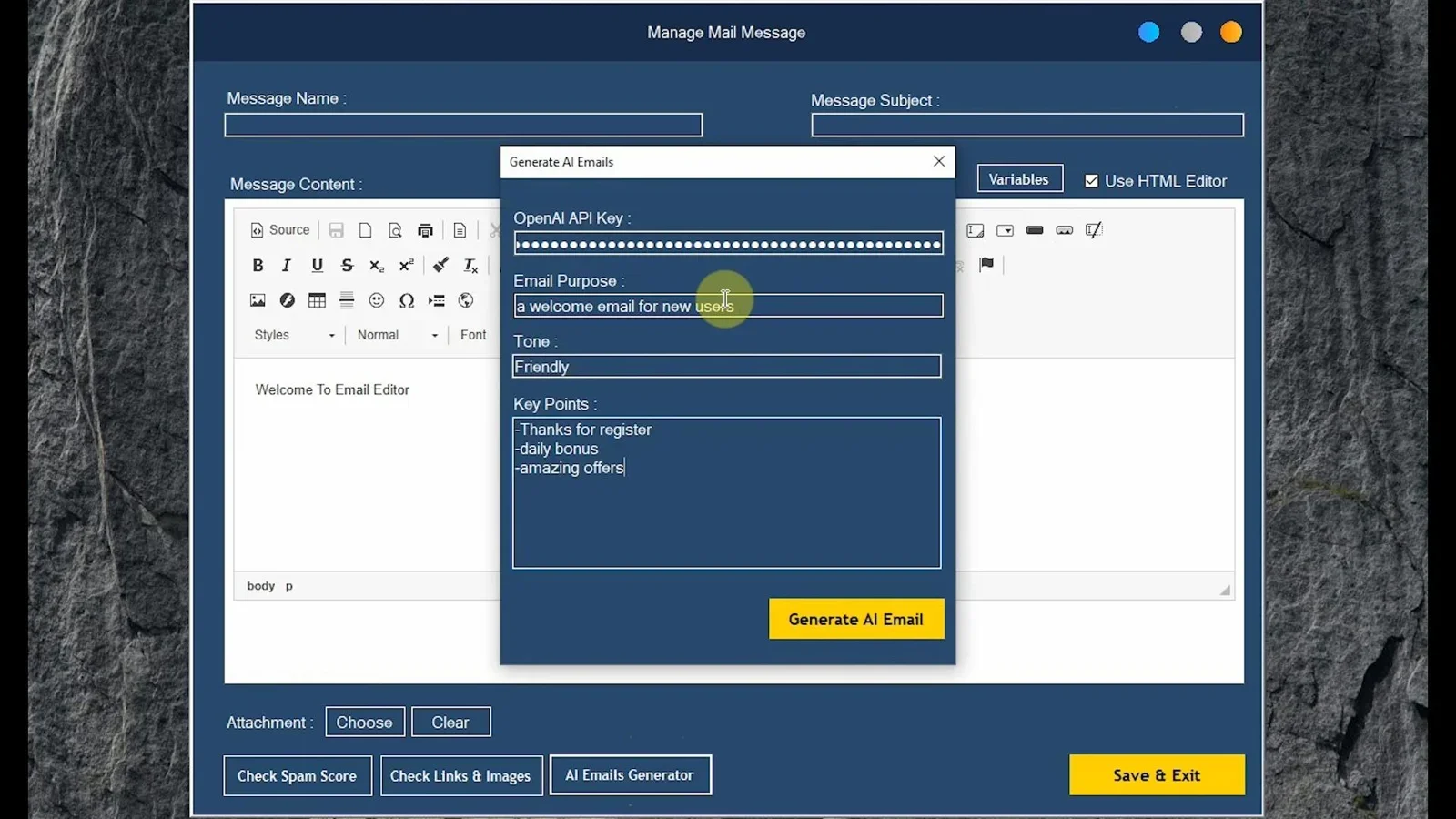
AI-powered personalization tools can generate hundreds of unique message variants from a single template, making each email look individually written without requiring manual effort per contact.
Uses AI to create unique message variants at scale so every recipient receives something that reads as written just for them.
The Right Tool Makes All of This Automatic
Doing all of the above manually across multiple SMTP accounts, with list validation and personalization layered in, is time-consuming and error-prone. A dedicated bulk email sender handles each of these steps inside a single workflow.
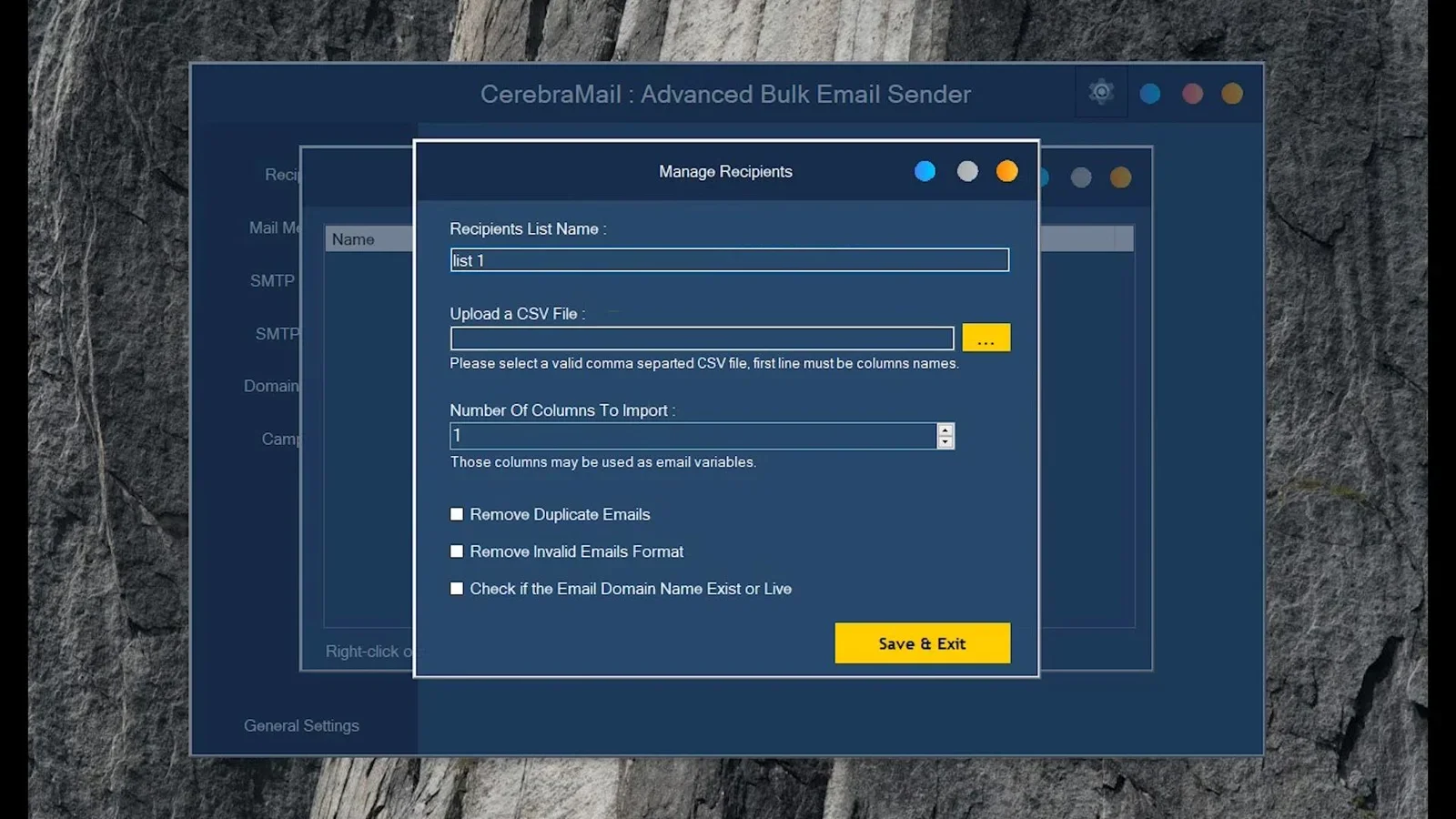
CerebraMail Advanced Bulk Email Sender is a Windows desktop application built specifically for businesses, marketers, and agencies that need reliable inbox placement at scale. It covers every deliverability factor covered in this guide:
- SMTP rotation: Connect multiple SMTP accounts and let CerebraMail distribute sends automatically
- Built-in list cleaning: Validates your list before each campaign and removes invalid, duplicate, and role-based addresses
- AI personalization: Generates unique message variations so campaigns never look like mass blasts to spam filters
- Sending speed controls: Set delays, batch sizes, and sending windows directly from the campaign setup screen
- Unlimited campaigns: No monthly caps, no per-email fees, no subscription. One purchase covers unlimited use on your machine.
How CerebraMail Compares to Other Options
| Feature | CerebraMail | Mailchimp | Brevo |
|---|---|---|---|
| SMTP Rotation | Yes (multi-account) | No | No |
| Built-in List Cleaning | Yes | Partial | Partial |
| AI Personalization | Yes | Limited | Limited |
| Pricing Model | One-time purchase | Monthly subscription | Monthly subscription |
| Works Offline | Yes (Windows desktop) | No (cloud only) | No (cloud only) |
| Sending Limits | Unlimited | Plan-based caps | Plan-based caps |
Final Verdict
Who should use CerebraMail?
CerebraMail is the right choice for marketers, agencies, and business owners who send high-volume campaigns regularly and want full control over deliverability without paying monthly platform fees. If you are tired of SaaS caps, want SMTP rotation built in from day one, and need a tool that works entirely on your own machine, CerebraMail covers every requirement covered in this guide out of the box.
Overall Rating: 4.8 / 5
Frequently Asked Questions
How many emails can I send per day without getting blocked?
There is no universal limit, but most inbox providers throttle senders who exceed 500 to 1,000 emails per hour from a single IP without a warm-up history. Using SMTP rotation and a gradual warm-up schedule, experienced senders regularly deliver 50,000 or more emails per day across multiple accounts without deliverability issues.
Does using multiple SMTP accounts actually improve inbox placement?
Yes. Spreading your sending volume across multiple IPs and domains prevents any single account from exceeding provider thresholds. It also means that if one IP receives complaints or gets flagged, the rest of your campaign continues uninterrupted. SMTP rotation is standard practice for high-volume email marketers.
What is the difference between a hard bounce and a soft bounce?
A hard bounce means the address is permanently invalid: the domain does not exist or the mailbox has been closed. A soft bounce is a temporary failure, such as a full inbox or a server timeout. Remove hard bounces from your list immediately. Soft bounces can be retried, but addresses that soft-bounce three or more times in a row should also be removed.
Do I need to set up SPF, DKIM, and DMARC even if I use third-party SMTP?
Yes. These records are tied to your sending domain, not to the SMTP server you use. Even when routing through a service like SendGrid or your own VPS, you must publish SPF, DKIM, and DMARC records in your domain's DNS for authentication to pass at the receiving end.
Is bulk email legal?
Bulk email is legal in most jurisdictions as long as you follow the applicable regulations. In the United States, the CAN-SPAM Act requires a physical address, a working unsubscribe mechanism, and no deceptive headers. In the EU, GDPR requires explicit consent before sending commercial email. Always include an unsubscribe link in every campaign and honor opt-outs within 10 business days.
Can I use CerebraMail with my existing SMTP provider?
Yes. CerebraMail connects to any SMTP server using standard credentials, including providers like Gmail Workspace, Outlook SMTP, SendGrid, Amazon SES, and self-hosted mail servers. You can add as many SMTP accounts as you need and configure rotation rules directly in the software.
Ready to Send Bulk Emails Without Getting Blocked?
CerebraMail gives you SMTP rotation, list cleaning, AI personalization, and unlimited campaigns in one desktop app. No subscriptions. No sending caps. Full control.
Get Lifetime Access →One-time purchase. Works offline on Windows. Unlimited campaigns included.




Comments (0)
Leave a Comment